| 3 - User manual
Product overview
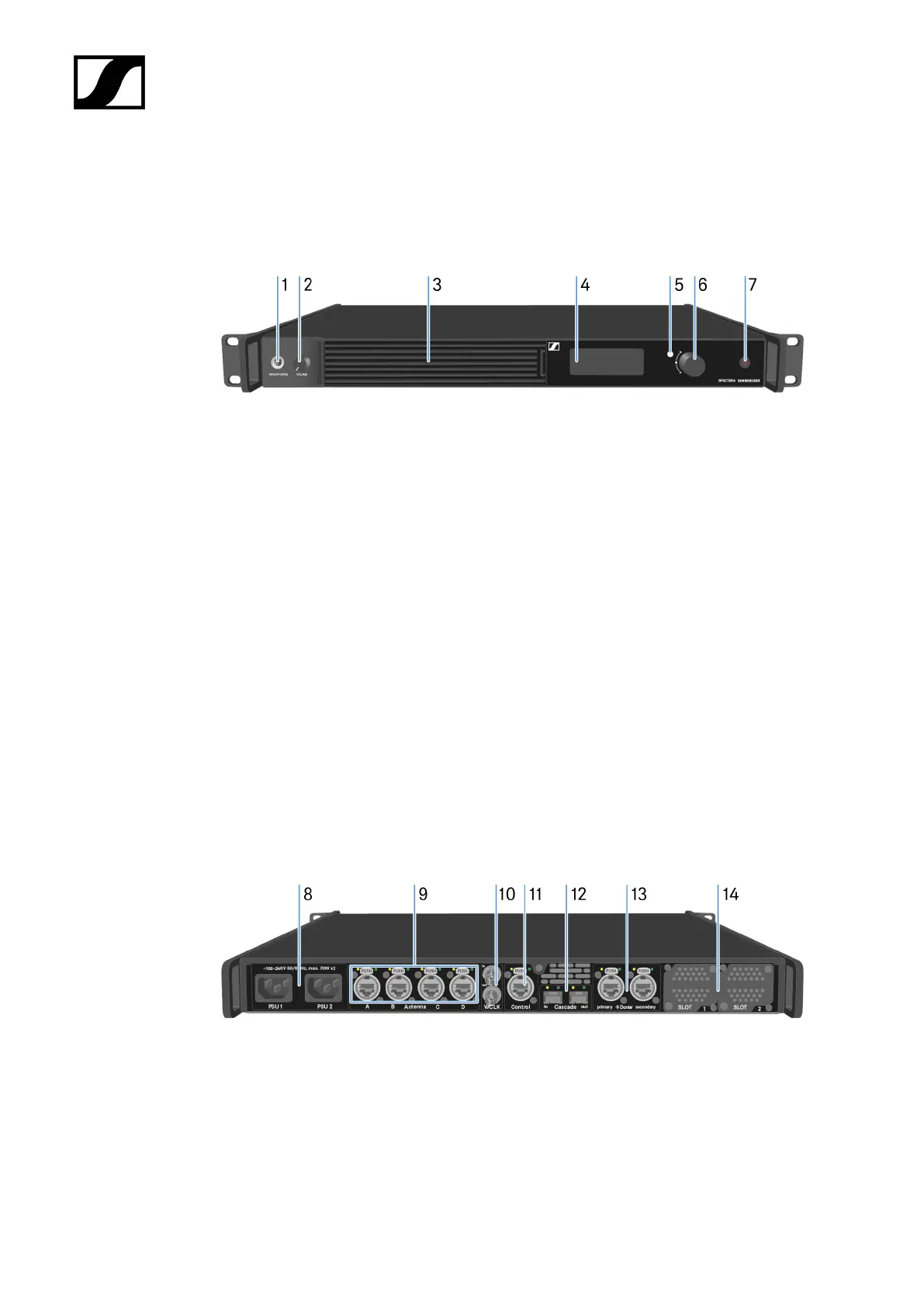
Front
1 HEADPHONES socket
• see Using the headphone output
2 VOLUME control for headphone
• see Using the headphone output
3 Fan inlet with filter
• see Changing the fan filter
4 Display for status information and operating menu
• see Information on the display
5 LED to indicate the status
• see Meaning of the LED
6 Jog-Dial (UP/DOWN/SET) for navigating the menu
• see Navigating the menu
7 ON/OFF button
• see Switching the Base Station on and into standby
Back
8 Power socket
• see Connecting/disconnecting the Base Station to/from the power supply
system
9 4x ruggedized RJ45 Antenna ports
• see Connecting antennas
28













 To Next Page