| 3 - User manual
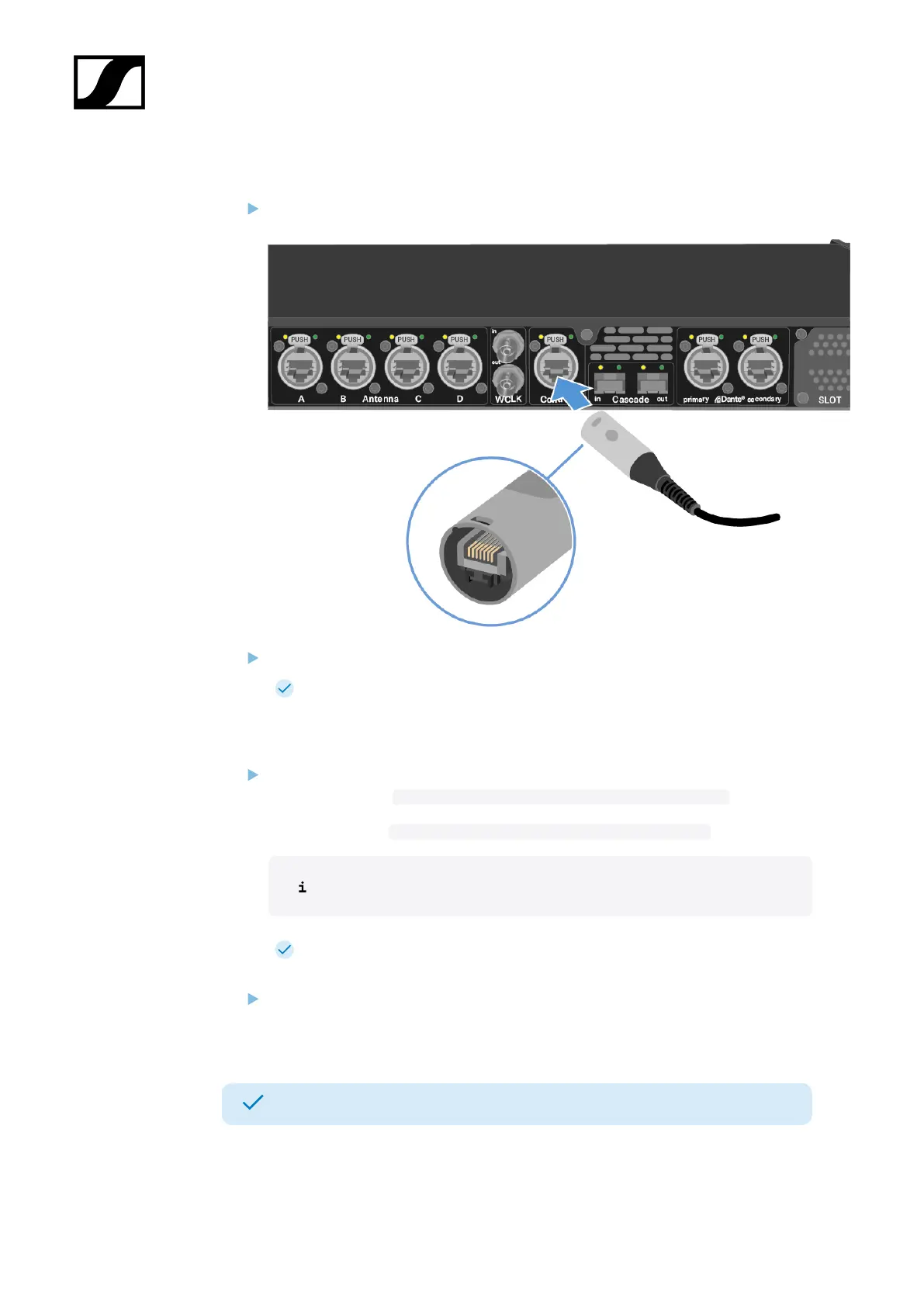
To connect the Base Station to a network:
Plug one side of the network cable into the Control socket.
Plug the other side of the network cable to a switch, router or directly to a computer.
The Base Station has been connected to a network.
To update the firmware:
If you want to use Spectera WebUI, it depends on the initial firmware version:
Firmware 0.8.x use https://deviceIP/specteracontrol/index.html .
Firmware 1.x.x use https://deviceIP/specterawebui/index.html .
The device IP can be found here: Network.
In some cases the internet browser might have trouble showing the page.
Please use the LinkDesk software.
If you want to use the free LinkDesk software: Download it from the Sennheiser
website sennheiser.com/linkdesk.
The update is mandatory before activating a licence.
Your Base Station is up to date.
You can now add a licence, see Activating a license.
26













 To Next Page