3 Quick start
This section details how to power-up, connect to and communicate with the AsteRx-U. The
AsteRx-U has an on-board web interface which the user can connect to in three ways:
Ethernet, USB or WiFi. The AsteRx-U is fully configurable using the web interface. Please
note that older versions of certain browsers may not display properly on the web interface.
3.1 Powering the AsteRx-U
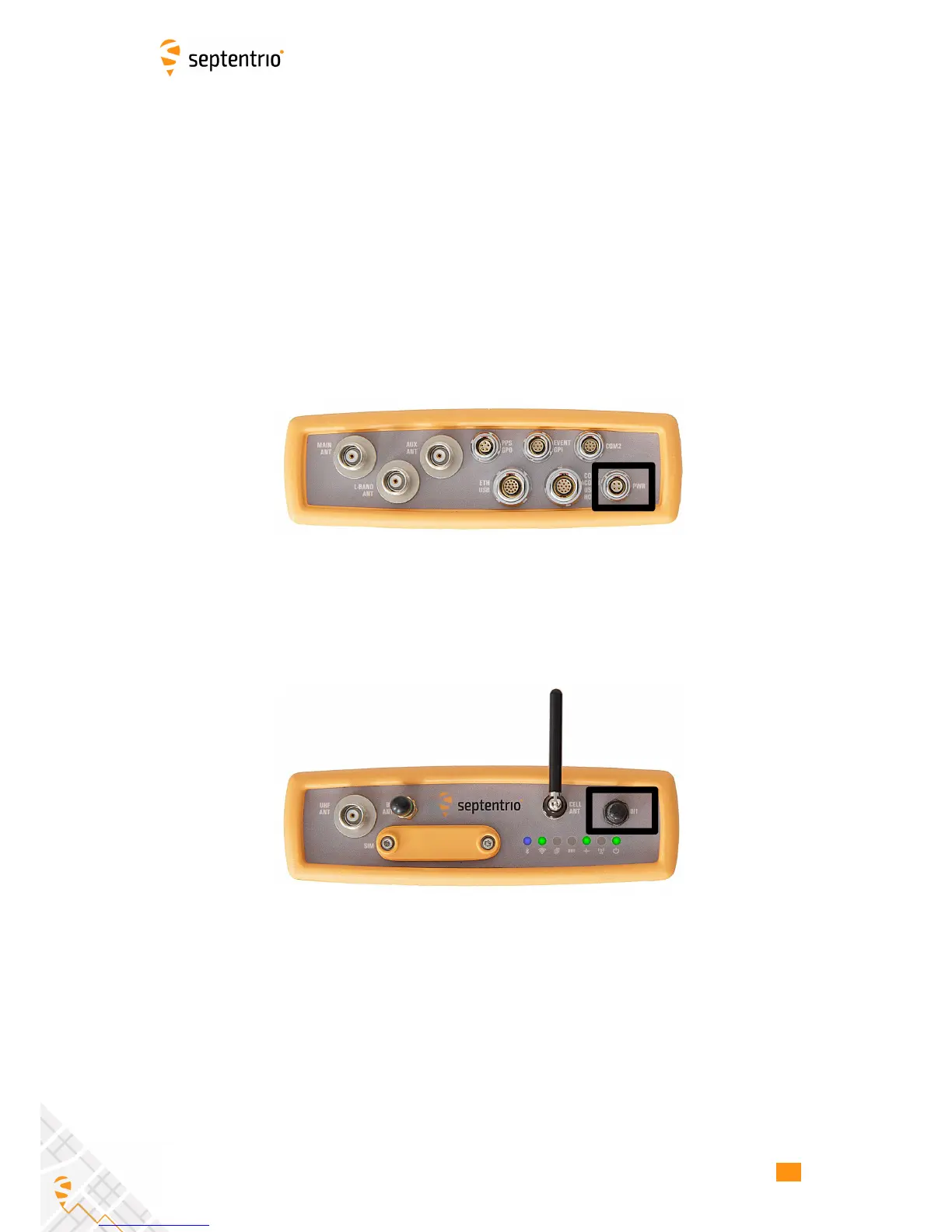
Using the supplied open-ended power cable, the receiver can be powered by applying 6
to 36 V via the power-in wire. The receiver can also be powered using the power adapter
(optionally available). The power socket is indicated in Figure 3-1.
Figure 3-1: Rear panel power socket
There is a power button on the front panel as shown in Figure 3-2 which you may also have
to press. If the AsteRx-U loses power while the power button is on, then it will automatically
boot up when power is restored.
Figure 3-2: Front panel power button
When the unit is powered initially, the front-panel LEDs will will follow a boot sequence
pattern.
16



 To Next Page