3.3. CONNECTING TO THE ASTERX-U VIA THE WEB INTERFACE
3.3.3 Over WiFi
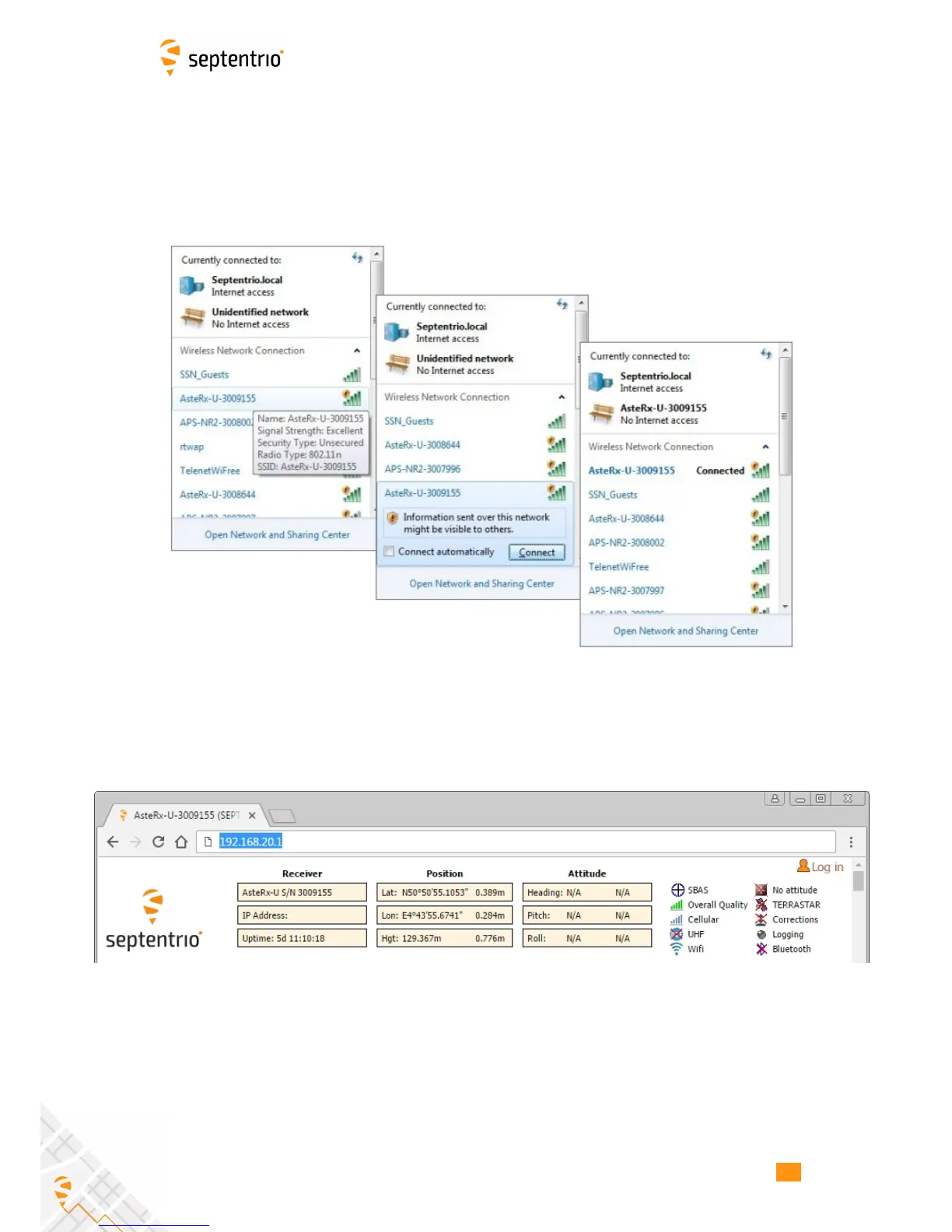
The Web Interface can also be accessed over a WiFi connection. On your PC or tablet,
search for visible WiFi signals: the AsteRx-U identifies itself as a wireless access point named
’AsteRx-U-serial number’. The serial number of the AsteRx-U can be found on an identification
sticker on the receiver housing. Select and connect to the AsteRx-U as shown in Figure 3-9.
Figure 3-9: Select the AsteRx-U from the list of detected wireless signals and
connect
When your PC is connected to the AsteRx-U WiFi signal, you can open a web browser using
the IP address: 192.168.20.1 as shown in Figure 3-10.
Figure 3-10: Connect to the Web Interface of the AsteRx-U over WiFi using the IP
address 192.168.20.1 on any web browser
20



 To Next Page