3.2. CONNECTING AN ANTENNA
3.2 Connecting an antenna
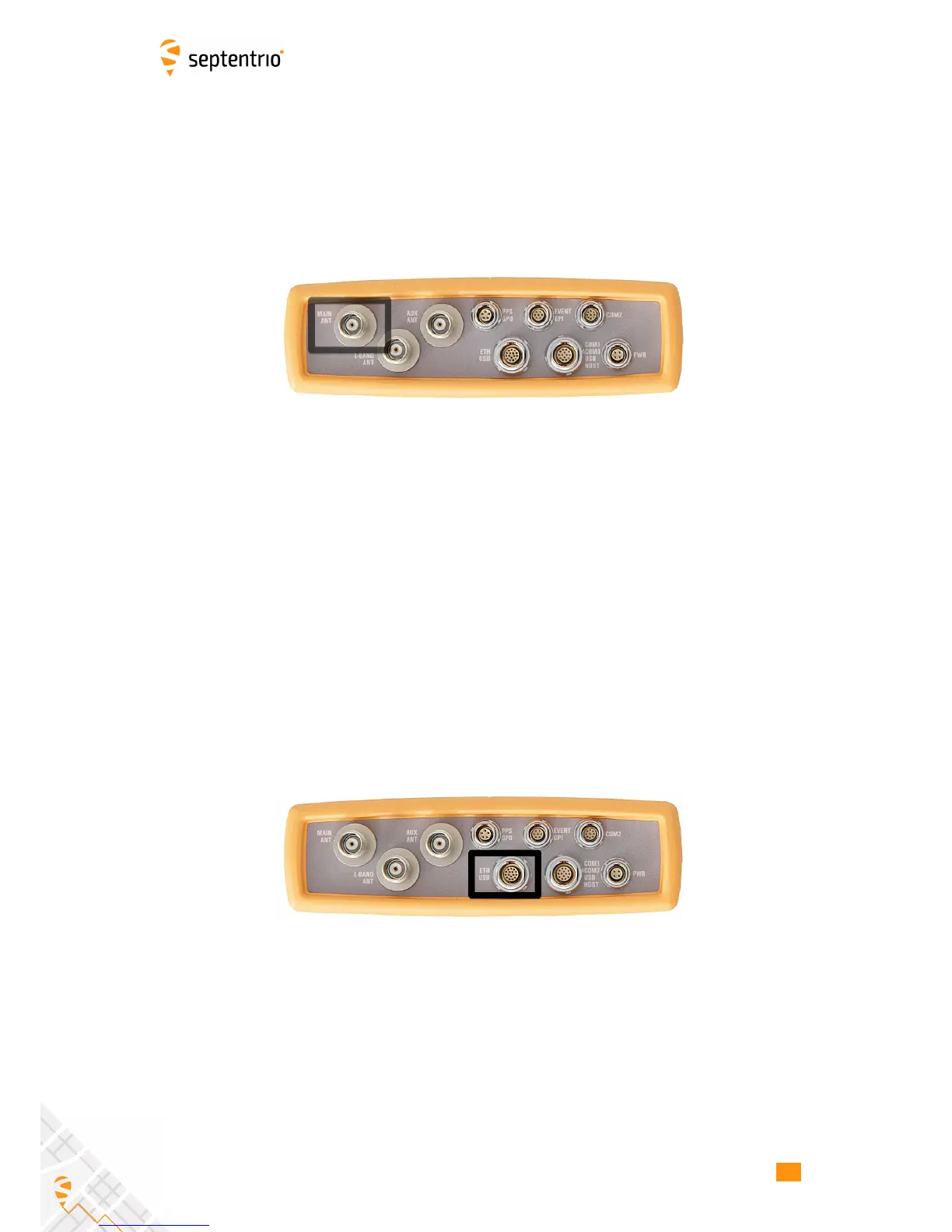
The rear panel of the AsteRx-U has two TNC connectors for GNSS antennas: one for the main
antenna and one for an auxiliary antenna for heading applications. The AsteRx-U MARINE
has an additional TNC connector for a dedicated L-Band antenna. To get started, connect an
antenna via an antenna cable to the main antenna connector of the AsteRx-U indicated in
Figure 3-3.
Figure 3-3: Rear-panel main antenna connector
3.3 Connecting to the AsteRx-U via the Web
Interface
You can connect to the receiver on any device that supports a web browser using the
receiver’s on board Web Interface. The connection can be made using either USB, Ethernet
or WiFi. The following sections describe each of the connection methods.
3.3.1 Using the USB cable
Connect the combined USB/Ethernet cable to the connector labelled ’ETH USB’ on the rear
panel of the AsteRx-U and indicated in Figure 3-4.
Figure 3-4: Rear panel USB and Ethernet socket
The first time that the USB cable is connected to a device, you may be prompted to allow
installation of drivers which can take several minutes. When the drivers have been installed,
it is recommended to unplug then re-plug in the USB cable on your device to fully activate
the drivers.
When the drivers have been correctly installed, the USB connection will appear as a
removable storage device as shown in Figure 3-5.
17



 To Next Page