7.2. HOW TO CONFIGURE DYNAMIC DNS
7.2 How to configure Dynamic DNS
Dynamic DNS allows remote contact with the AsteRx-U using a hostname.
When devices are connected to the internet, they are assigned an IP address by an internet
service provider (ISP). If the IP address is dynamic then it may change over time resulting in a
loss of connection. Dynamic DNS (DynDNS or DDNS) is a service that addresses this problem
by linking a user-defined hostname for the device to whichever IP address is currently
assigned to it.
To make use of this feature on the AsteRx-U, you should first create an account with a
Dynamic DNS provider (dyndns.org or no-ip.org) to register a hostname for your receiver.
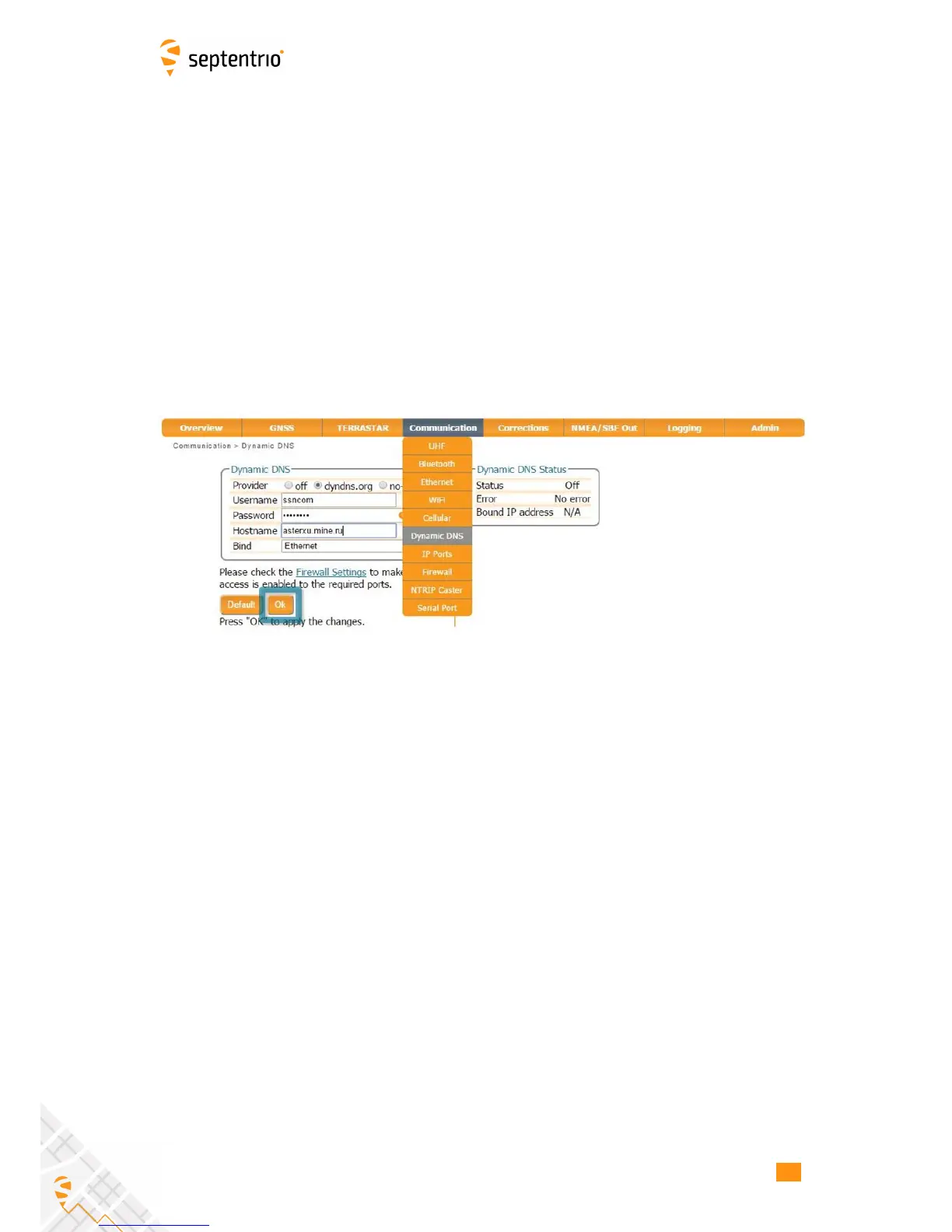
In the example shown in Figure 7-3, the hostname asterxu.mine.nu has been registered with
dyndns.org. The Bind option, selected in this case, tells the Dynamic DNS provider only to
update IP addresses assigned over an Ethernet LAN connection.
Figure 7-3: Configuring Dynamic DNS
70



 To Next Page