8 Security
8.1 Default access to the AsteRx-U
You can manage the access that users have to the AsteRx-U in the ‘User Administration’
window of the ‘Admin’ menu.
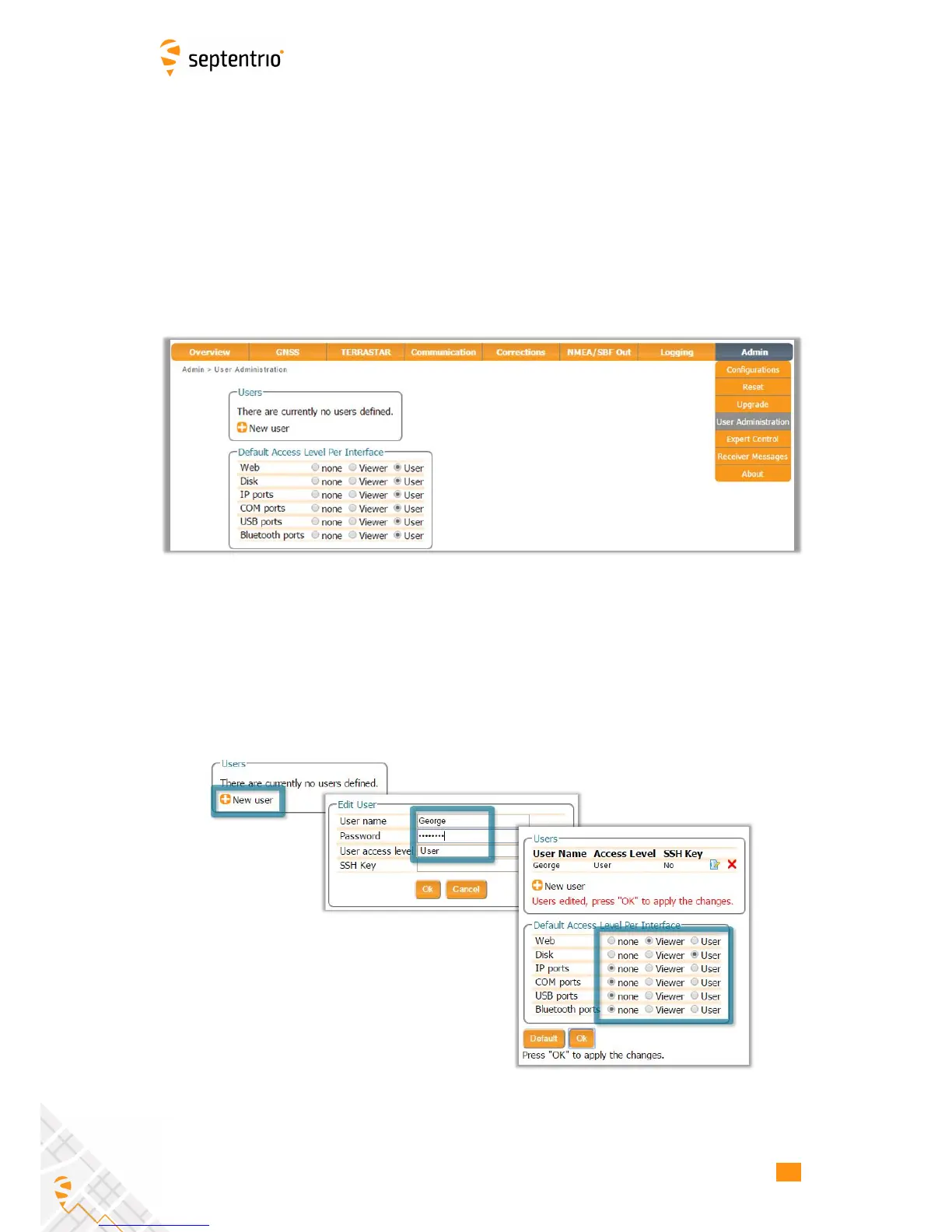
By default, all communications are assigned User-level access as shown in Figure 8-1. ‘User’
level allows full control of the receiver while ‘Viewer’ level only allows monitoring the receiver
and viewing its configuration.
Figure 8-1: The default access levels of the AsteRx-U
8.2 Defining user access to the AsteRx-U
You can add users and define their access levels by clicking on the ‘New user’ button as
shown in Figure 8-2. You can also define the default access when not logged in.
Figure 8-2: Click on ‘New user’ and fill in the user details and the default access
when not logged in
77



 To Next Page