4 Rover operation
4.1 How to configure the AsteRx-U for RTK
The AsteRx-U can use correction data to calculate a cm-level RTK position. The AsteRx-U can
get this correction data in several ways: using the build-in UHF radio, over GSM/GPRS or
Ethernet.
4.1.1 How to configure the AsteRx-U in RTK rover
mode using the UHF radio
When GSM/GPRS network coverage is either sparse or unreliable, RTK correction data can be
transmitted over UHF radio. The AsteRx-U has build-in Satel radio modem that can be used
to both receive and transmit data.
Step 1: Enable RTK mode
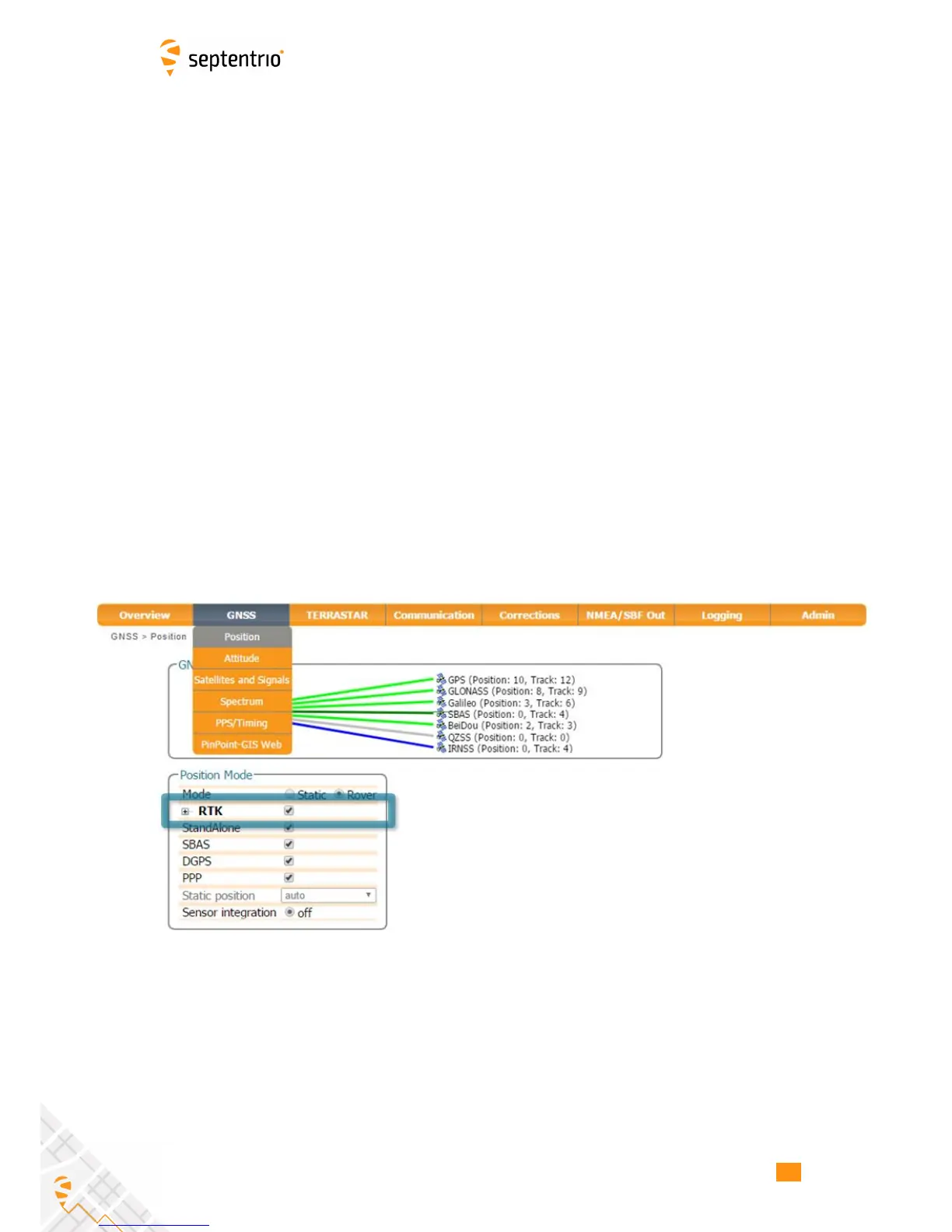
RTK should be enabled as a positioning mode. This can be done in the GNSS, Position
window by checking the RTK box in the Position Mode field as shown in Figure 4-1. The
default setting is for all positioning modes to be enabled.
Figure 4-1: Ensure that RTK positioning mode is enabled
32



 To Next Page