4.2. USING L-BAND PPP CORRECTION DATA WITH THE ASTERX-U
4.2 Using L-band PPP correction data with the
AsteRx-U
PPP (Precise Point Positioning) is high-accuracy positioning without the need for a local base
station. PPP uses precise satellite clock and orbit corrections computed by a global network
of reference stations and broadcast in real time by geostationary satellites transmitting in the
L-band. To receive PPP correction data, your receiver will need to be connected to an L-Band
capable antenna
1
. The AsteRx-U can use PPP correction data from TerraStar (onshore) or
VERIPOS (offshore) as described in the steps below.
Step 1: Check you have PPP permissions on your AsteRx-U
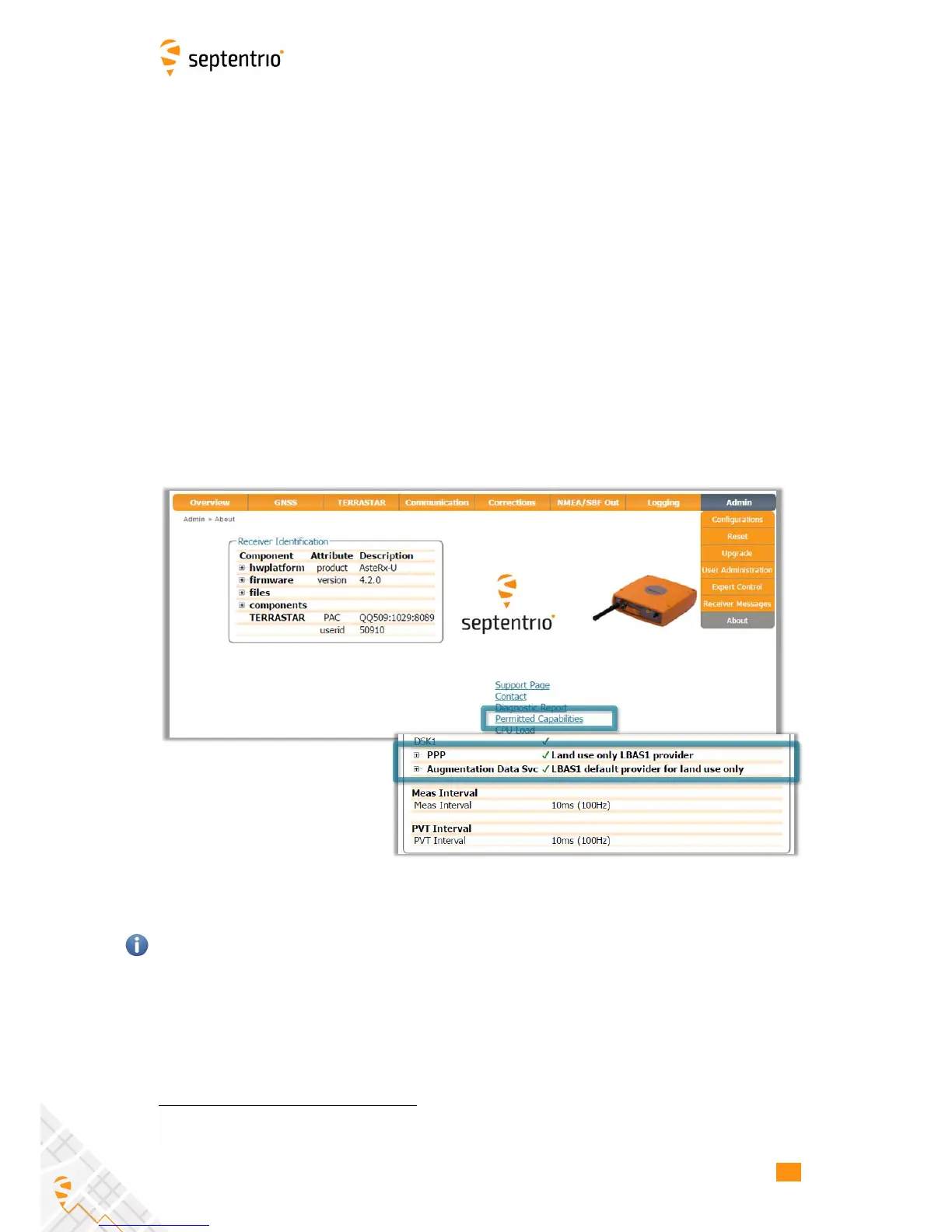
The use of PPP services is permission-file controlled on the AsteRx-U. You can make sure that
you have PPP permissions enabled on the About page selected from the Admin menu. Click
on Permitted Capabilities and scroll down the list of permissions: PPP and Augmented
Data Svc should appear as permitted as shown in Figure 4-15.
Figure 4-15: Check that PPP is enabled in the AsteRx-U permission file
If you don’t have PPP permissions on your AsteRx-U, you can purchase this option from the
Septentrio sales department: sales@septentrio.com.
1
Please note that PPP correction data is also available over an Ethernet connection using NTRIP and for this,
an L-Band antenna is not required
42



 To Next Page