3.3. CONNECTING TO THE ASTERX-U VIA THE WEB INTERFACE
3.3.2 Using the Ethernet cable
Step 1: Connect the combined USB/Ethernet cable
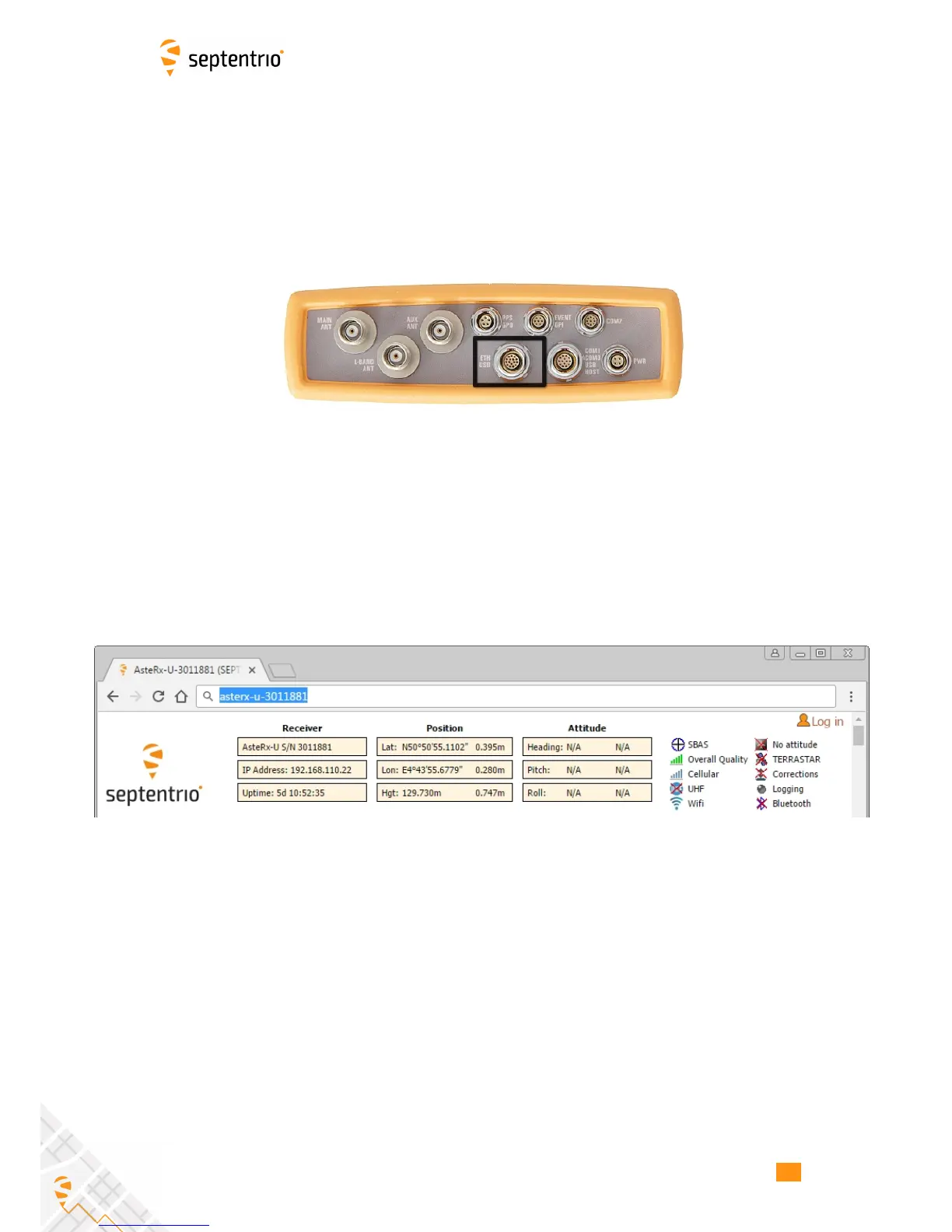
Connect the combined USB/Ethernet cable shown in Section 2.4.1 between a LAN network
and the connector labelled ‘ETH USB‘ on the rear panel of the AsteRx-U indicated in
Figure 3-7.
Figure 3-7: Rear panel USB and Ethernet socket
Step 2: Open a web browser and connect to the AsteRx-U
By default, the AsteRx-U has a DHCP address ‘http://Asterx-U-xxxxxxx’, where xxxxxxx are
the 7 digits of the AsteRx-U serial number. The serial number can be found on a sticker on
the corner of the outer casing of the receiver. Figure 3-8 shows a screenshot of an Ethernet
connection to a receiver with serial number 3011881 using ‘http://asterx-u-3011881’.
Figure 3-8: Connecting to the Web Interface via Ethernet
19



 To Next Page