3.4. HOW TO CONFIGURE SBF AND NMEA OUTPUT
3.4.3 Output over bluetooth
Both SBF and NMEA data formats can be sent over bluetooth. This example shows how to
forward NMEA data to an App called MachineryGuide on a Getac Android device.
Step 1: Configure the Bluetooth connection on the AsteRx-U
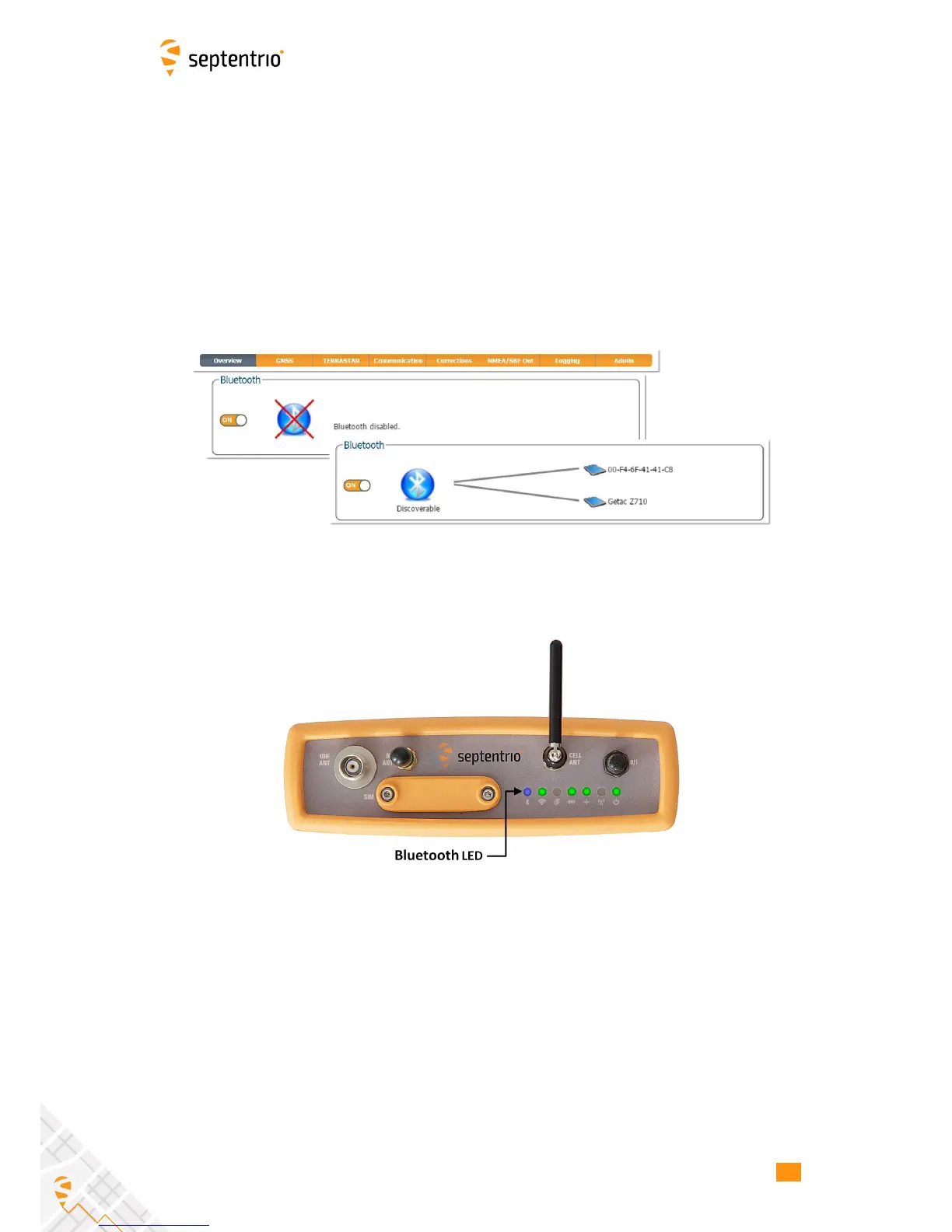
On the Overview tab of the Web Interface, you can make sure that Bluetooth has been
enabled. When turned on, it may take a few moments before it is declared ‘Discoverable’
as shown in Figure 3-22.
Figure 3-22: Turn on the bluetooth connection in the Overview tab
When Bluetooth is enabled, the front-panel bluetooth LED will be lit as in Figure 3-23
Figure 3-23: Indicator LED on front panel showing Bluetooth active
28



 To Next Page