3.4. HOW TO CONFIGURE SBF AND NMEA OUTPUT
Step 3: Configure Data Link to listen for NMEA output
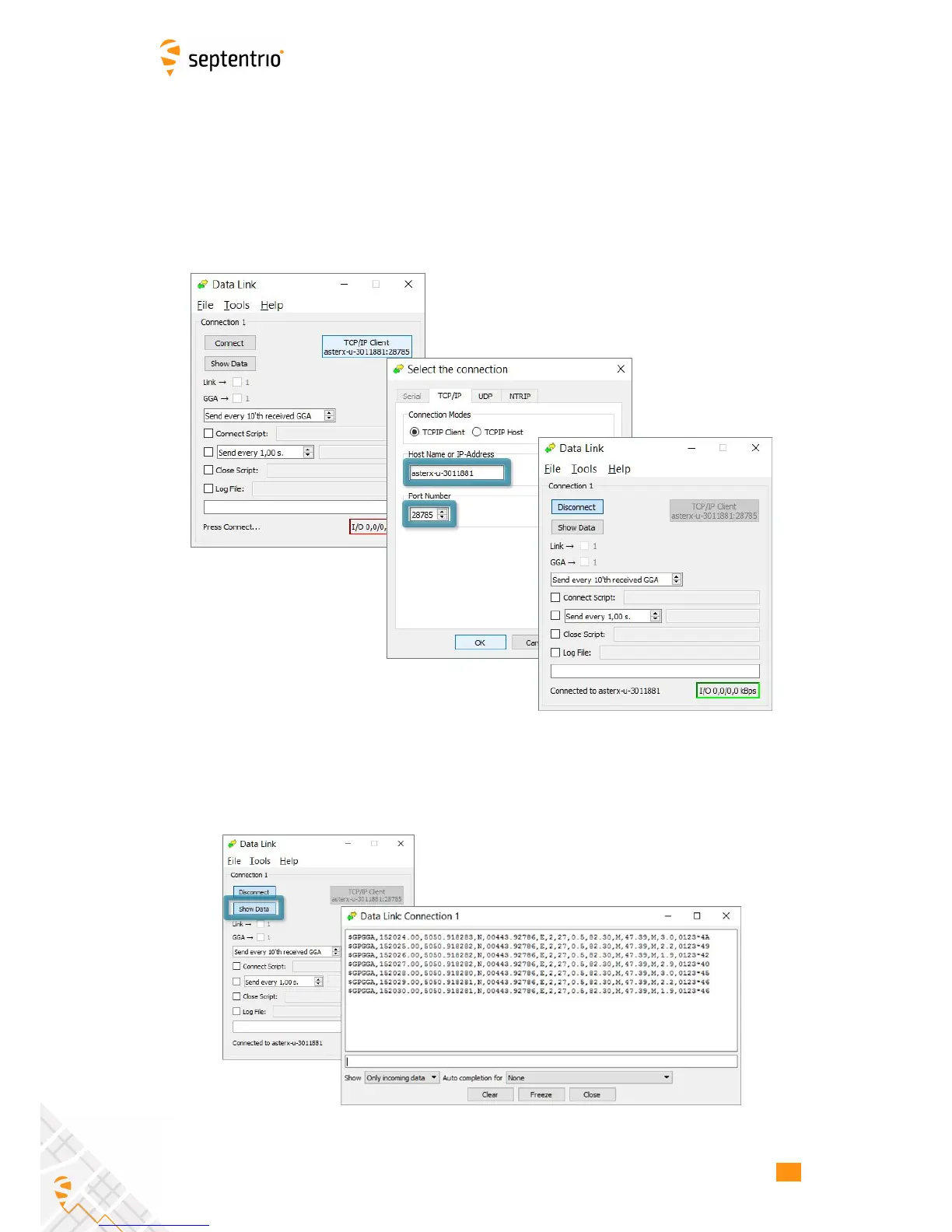
The screenshots in Figure 3-20 show how the Septentrio GUI tool Data Link can be configured
to listen for the AsteRx-U GGA output.
Click on the TCP/IP Client button to configure the connection. In the highlighted fields insert
the IP address or hostname of the receiver and the port number configured in Step 1 . Click
on ‘Connect’.
Figure 3-20: Configure the TCP/IP connection settings in Data Link
The info line at the bottom of the window should indicate that a connection has been made.
Click on the ‘Show Data’ button to display the GGA data from the receiver as in Figure 3-21.
Figure 3-21: The ‘Show data’ window of Data Link showing GGA from the AsteRx-U
27



 To Next Page