3.4. HOW TO CONFIGURE SBF AND NMEA OUTPUT
Step 2: Configure output of NMEA messages
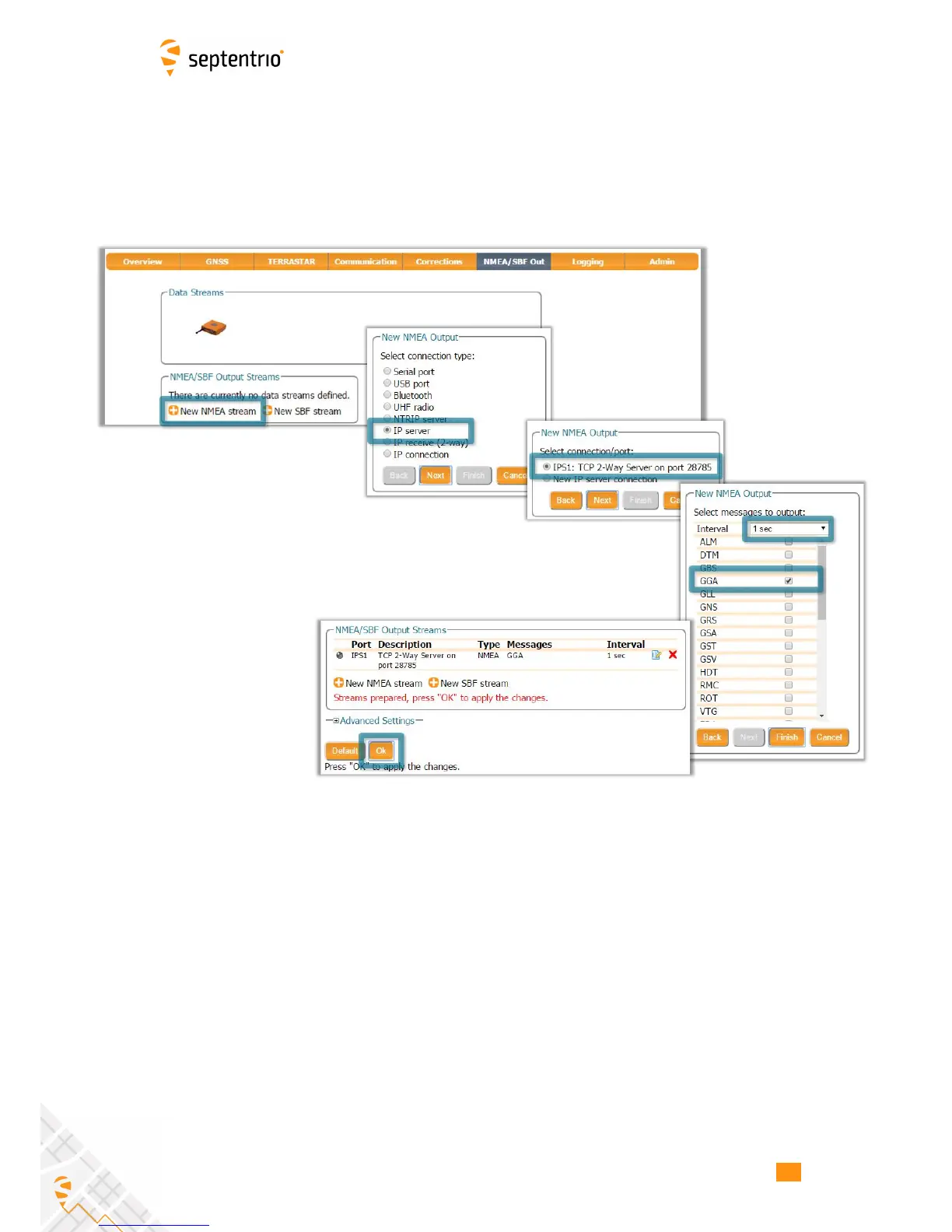
In the NMEA/SBF Out window, click on ‘New NMEA stream’ and follow the sequence of
windows to configure the data you want to output. In the example shown in Figure 3-19, the
NMEA GGA message will be output every second. Ensure that the previously configured IPS1
port is selected for output as highlighted.
Figure 3-19: Select to output NMEA GGA over the configured IPS1 connection
26



 To Next Page