7.7. HOW TO COPY THE CONFIGURATION FROM ONE RECEIVER TO ANOTHER
7.7 How to copy the configuration from one
receiver to another
In the Admin Configurations tab, the configuration of an AsteRx-U can be easily saved to a
PC as a text file. A saved configuration can also be uploaded to an AsteRx-U.
Step 1: Downloading the configuration from an AsteRx-U
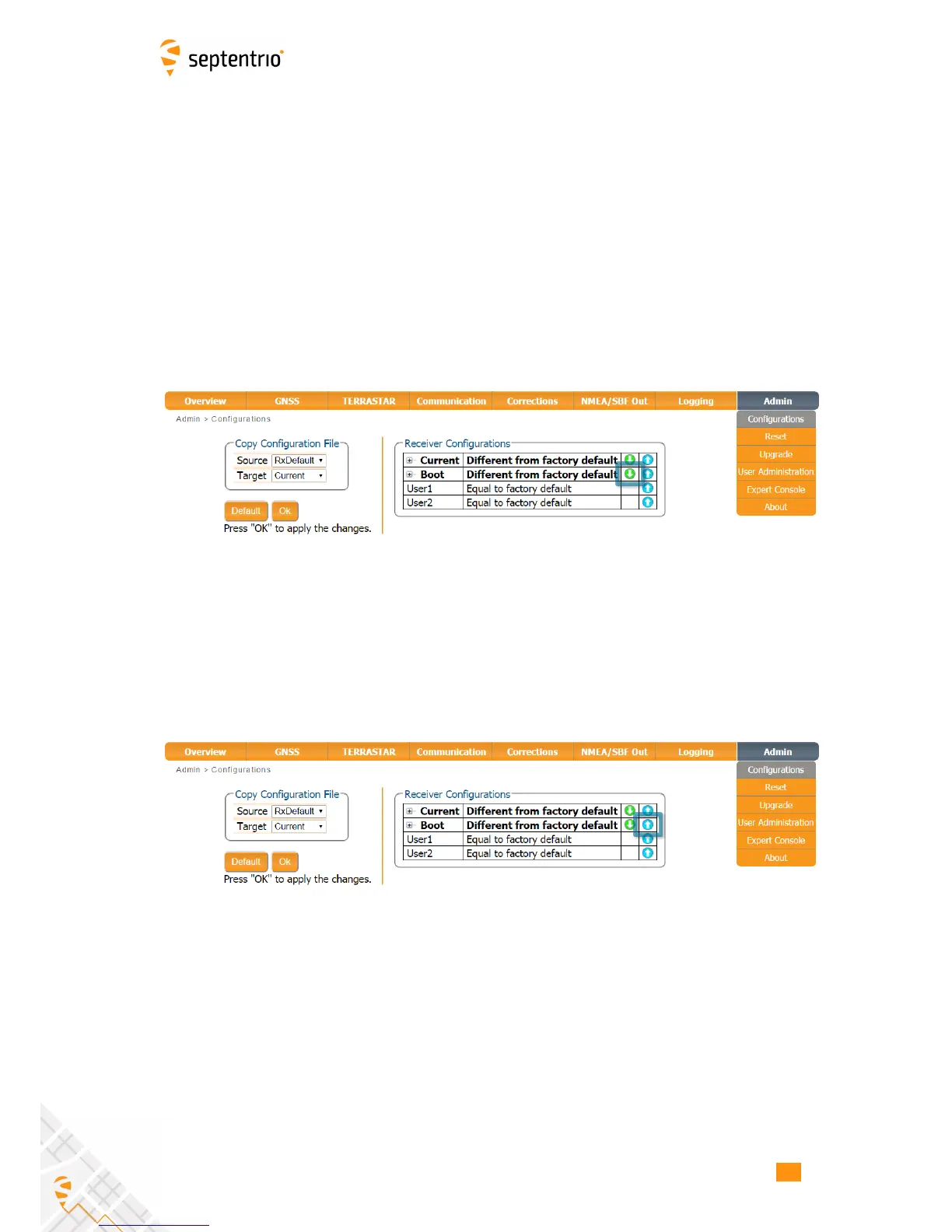
Click the green download arrow next the configuration you wish to download as shown in
Figure 7-10. The configuration will be saved as a .txt file in the same downloads location
used by the internet browser.
Figure 7-10: Downloading a configuration from an AsteRx-U
Step 2: Uploading the configuration to a second AsteRx-U
Click on the blue upload arrow, as indicated in Figure 7-11, to upload a configuration file
stored on you PC. In this example, the saved file will be uploaded as the Boot configuration.
Figure 7-11: Uploading a configuration to an AsteRx-U
75



 To Next Page