7.3. HOW TO CONTROL ACCESS USING THE ASTERX-U FIREWALL
7.3 How to control access using the AsteRx-U
Firewall
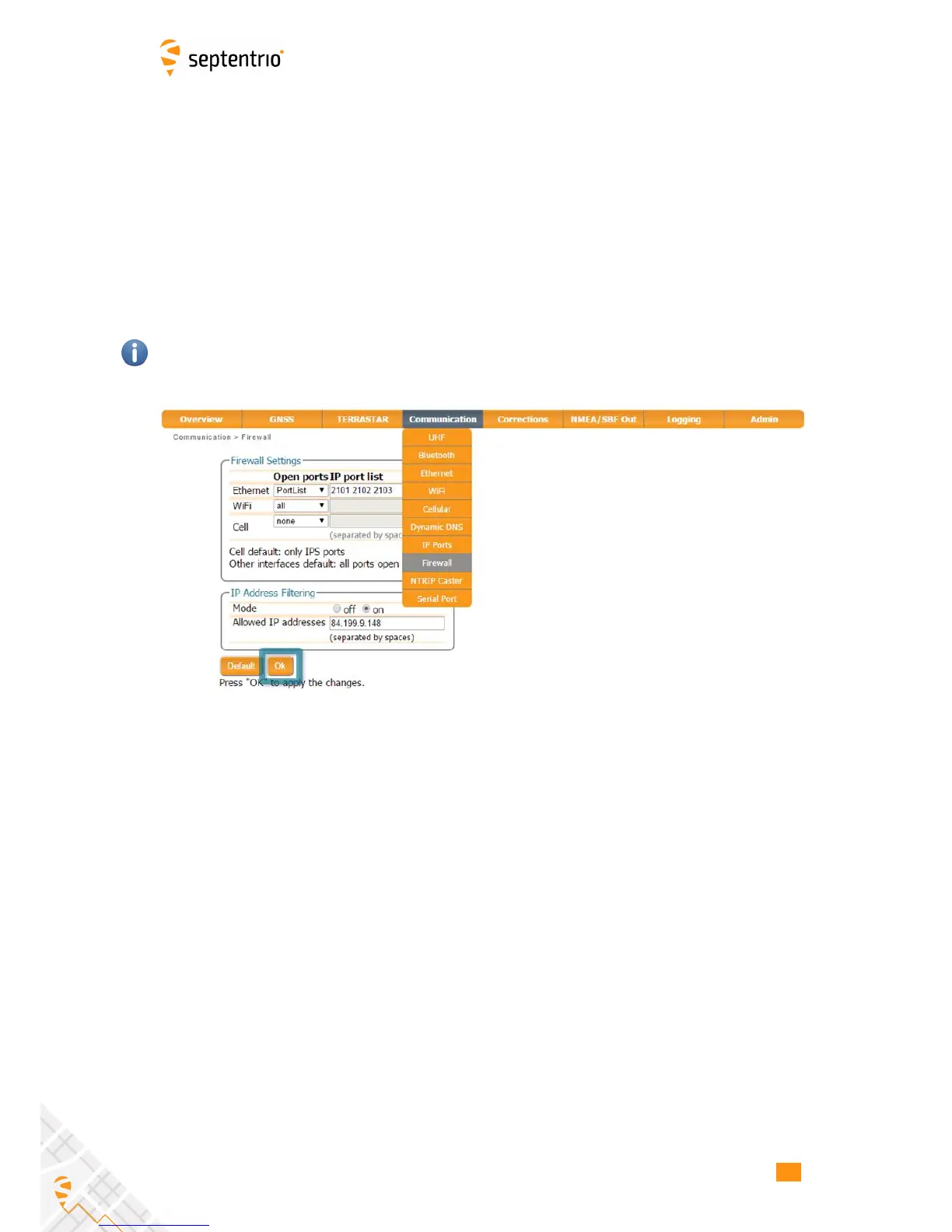
You can control access to the AsteRx-U using the receiver’s firewall in the Firewall window.
By default, all Ethernet and WiFi ports are open as are the cellular IPS ports (i.e. those defined
on the IP Ports menu).
In the example shown in Figure 7-4, Ethernet ports 2101, 2102 and 2103 are accessible but
only from devices with the IP address 84.199.9.148. Similarly, all WiFi ports are open but only
those from IP 84.199.9.148. No access is possible via cellular ports.
Please note that the firewall settings do not apply when connecting to the web interface
using USB. In the case of WiFi, firewall settings only apply when the receiver is in WiFi client
mode.
Figure 7-4: Configuring the Firewall of the AsteRx-U
71



 To Next Page