4.1. HOW TO CONFIGURE THE ASTERX-U FOR RTK
Step 3: Verifying the configuration
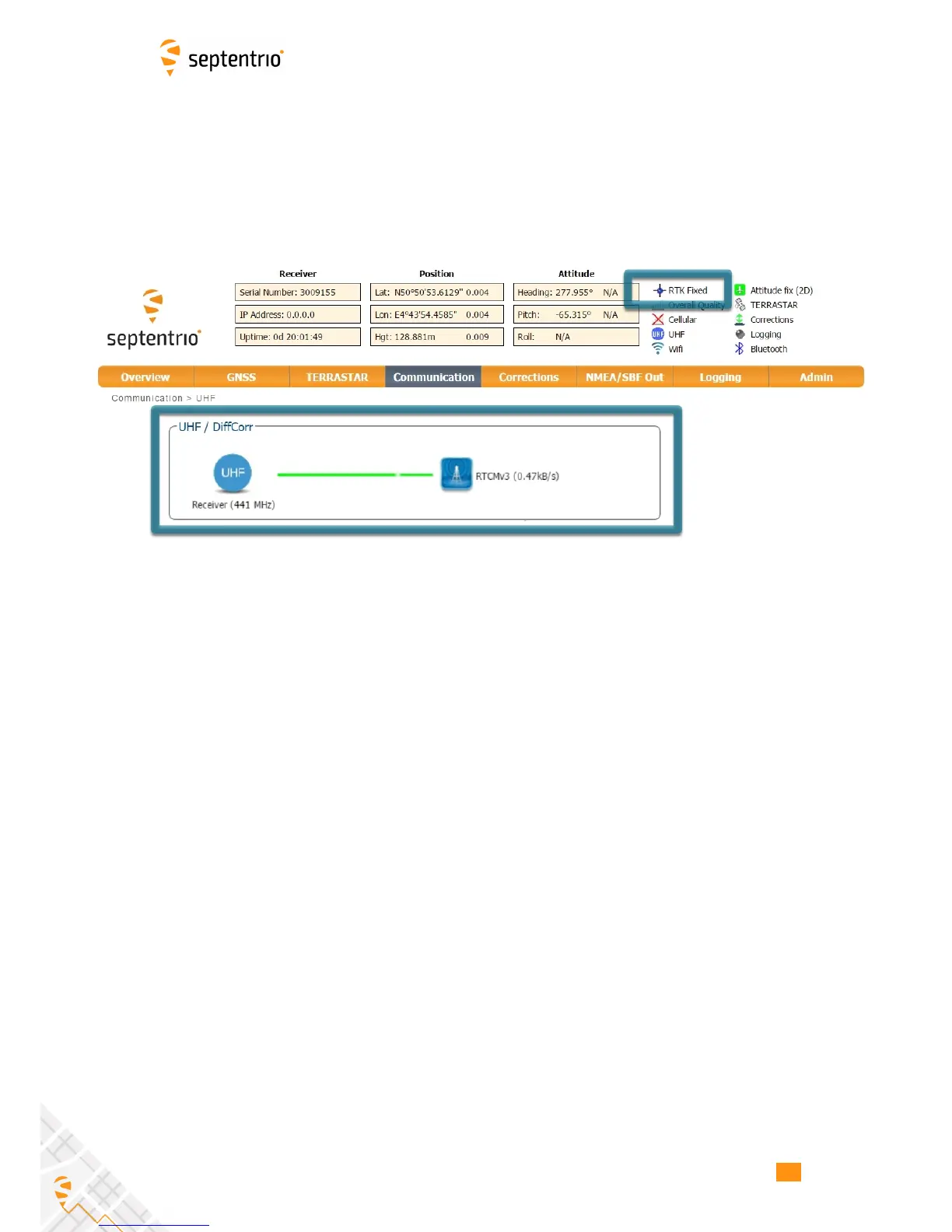
If the UHF radio of the AsteRx-U has been correctly configured then you should see in the
UHF/DiffCorr field, the greyed-out connection line now replaced by a ‘live’ green line as
in Figure 4-3. The message format of the differential corrections will appear next to the
right-hand base station icon: RTCMv3 in this example. All being well, the positioning mode
icon in the upper status field should also indicate ‘RTK Fixed’ after a few seconds.
Figure 4-3: The AsteRx-U in RTK mode using differential correction data from a
base station transmitting over a UHF radio connection
34



 To Next Page