4.3. HOW TO CONFIGURE THE ASTERX-U FOR
ATTITUDE
Step 2: Configure attitude settings
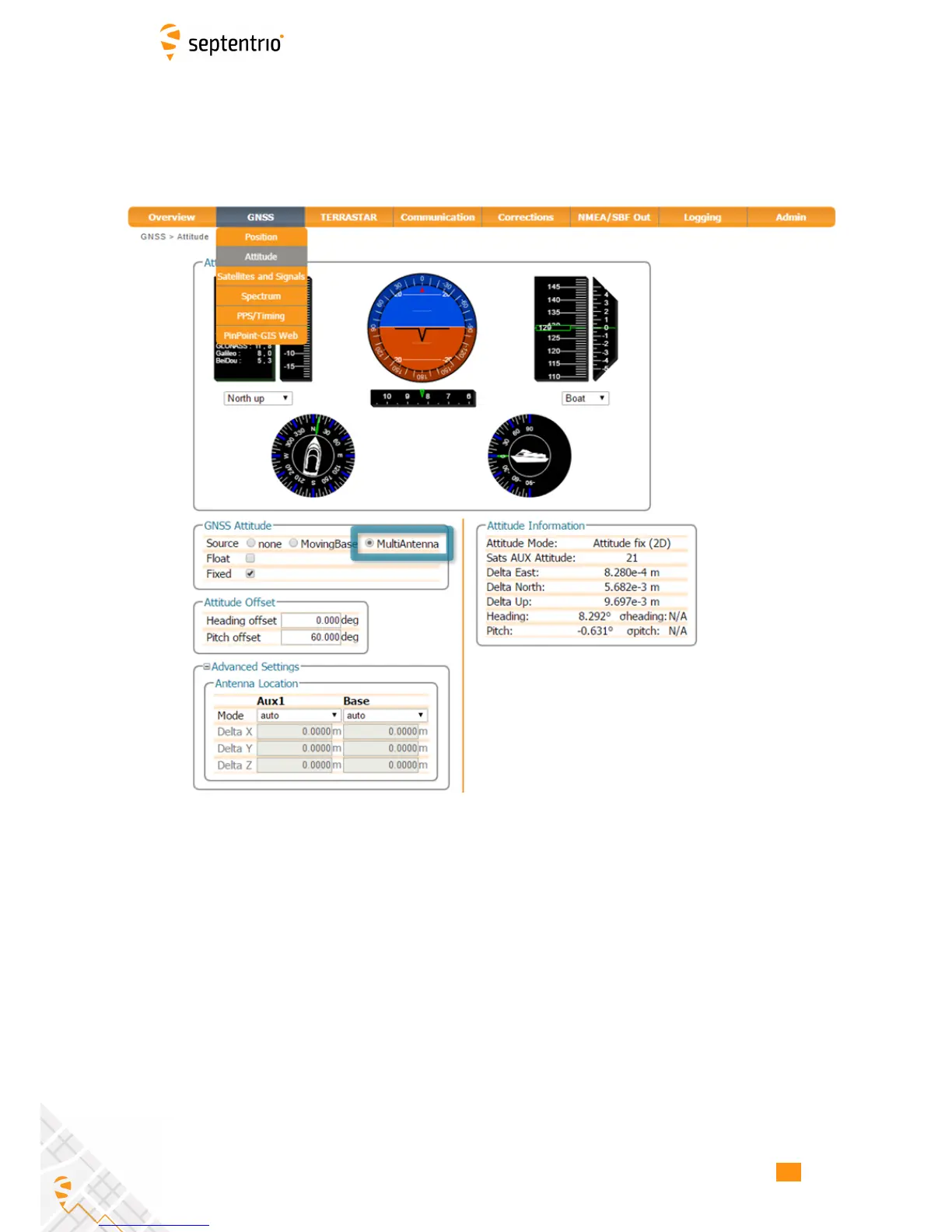
The attitude settings of the AsteRx-U can be configured in the GNSS, Attitude window as
shown in Figure 4-25.
Figure 4-25: GNSS Attitude window when two antennas are connected
GNSS Attitude field
The recommended settings for a Heading setup are MultiAntenna mode with attitude
calculated using Fixed ambiguities as shown. These setting are configured by default.
Antenna Location and Antenna Offset
The AsteRx-U assumes that the main and auxiliary antennas are placed along the
longitudinal axis of the vehicle with the auxiliary in front of the main antenna. If the antennas
cannot be placed in such a configuration, the reported heading and pitch may be biased. The
default settings in the Antenna Offset and Antenna Location fields shown in Figures 4-25
can be altered to compensate for these biases.
49



 To Next Page