7.4. HOW TO UPGRADE THE FIRMWARE OR UPLOAD A NEW PERMISSION FILE
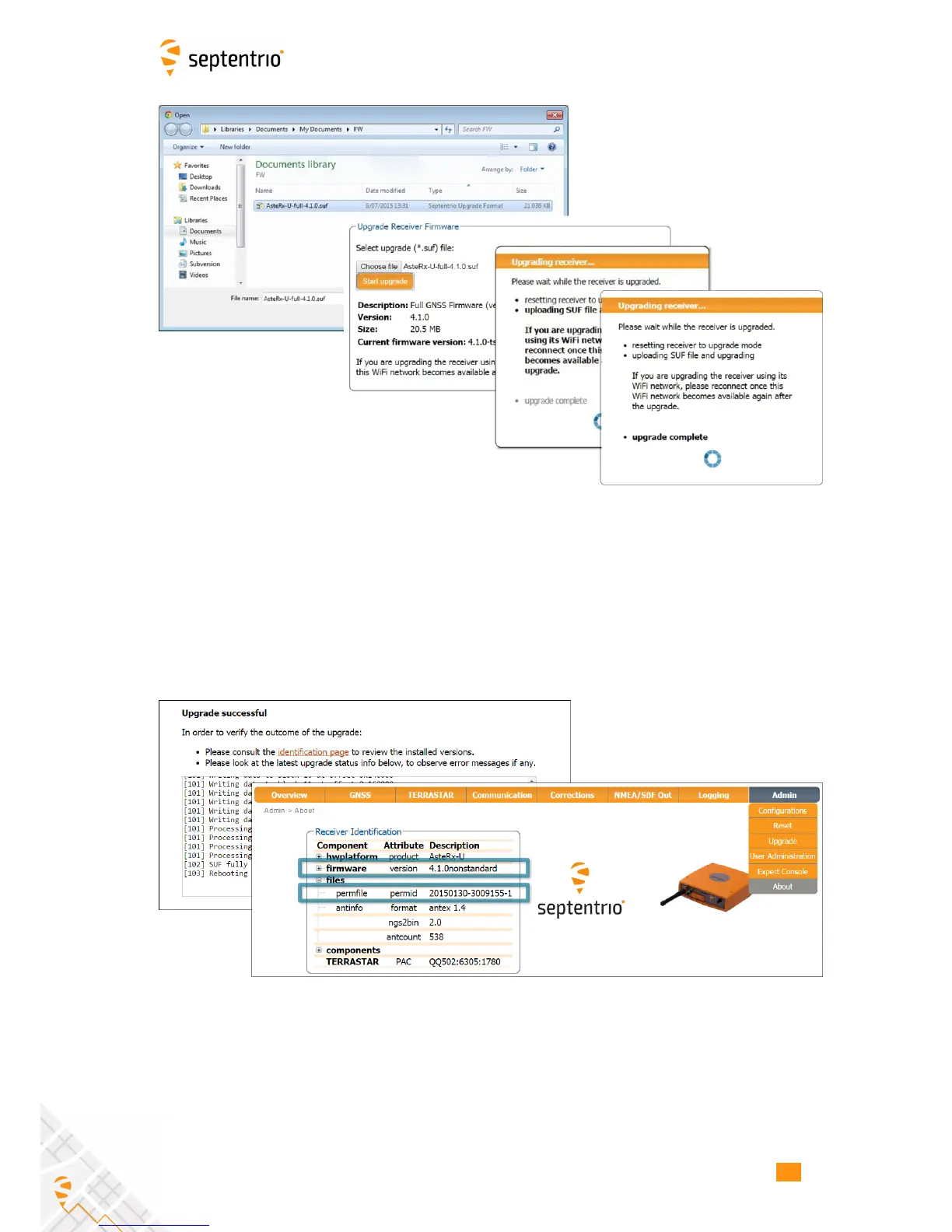
Figure 7-6: The AsteRx-U upgrade window
Step 2: Verifying the upgrade
If there were no problems with the upgrade the message ‘Upgrade successful’ will appear.
You can then check on the Admin About tab that the AsteRx-U firmware or permission file
has correct, new version as indicated in Figure 7-7.
Figure 7-7: Checking the firmware and permission file versions
73



 To Next Page