Doc# E166703 10-32
10: Using the Optional Display
Electro Industries/GaugeTech
The Leader In Power Monitoring and Smart Grid Solutions
Electro Industries/GaugeTech
The Leader In Power Monitoring and Smart Grid Solutions
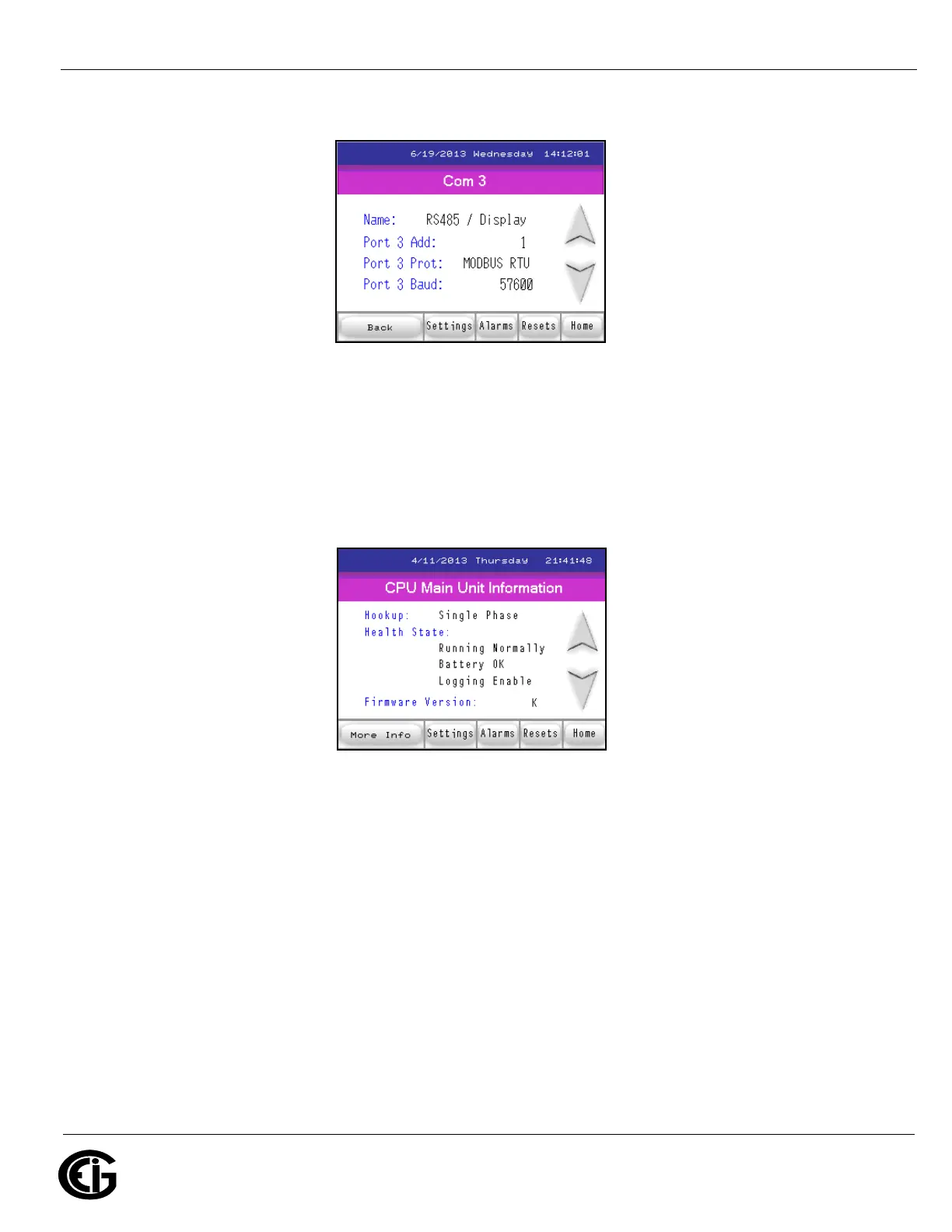
Com 3 Settings for MP200 Unit
Touch the Down arrow to see the screen shown below, which displays information
about the MP200 unit: hookup, run state, battery state, whether logging is enabled,
and firmware version.
CPU Main Unit Information screen
Touch the Down arrow to see the following screen, which displays information about
the display: firmware version and active connection.
NOTE: If you touch the More Info button, you will see the screen shown during initial-
ization, which lists the CPU’s name, serial number, boot and runtime firmware ver-
sions, circuit connection and V-Switch. This screen is shown at the end of Section
10.6.



 To Next Page