Doc# E166703 10-46
10: Using the Optional Display
Electro Industries/GaugeTech
The Leader In Power Monitoring and Smart Grid Solutions
Electro Industries/GaugeTech
The Leader In Power Monitoring and Smart Grid Solutions
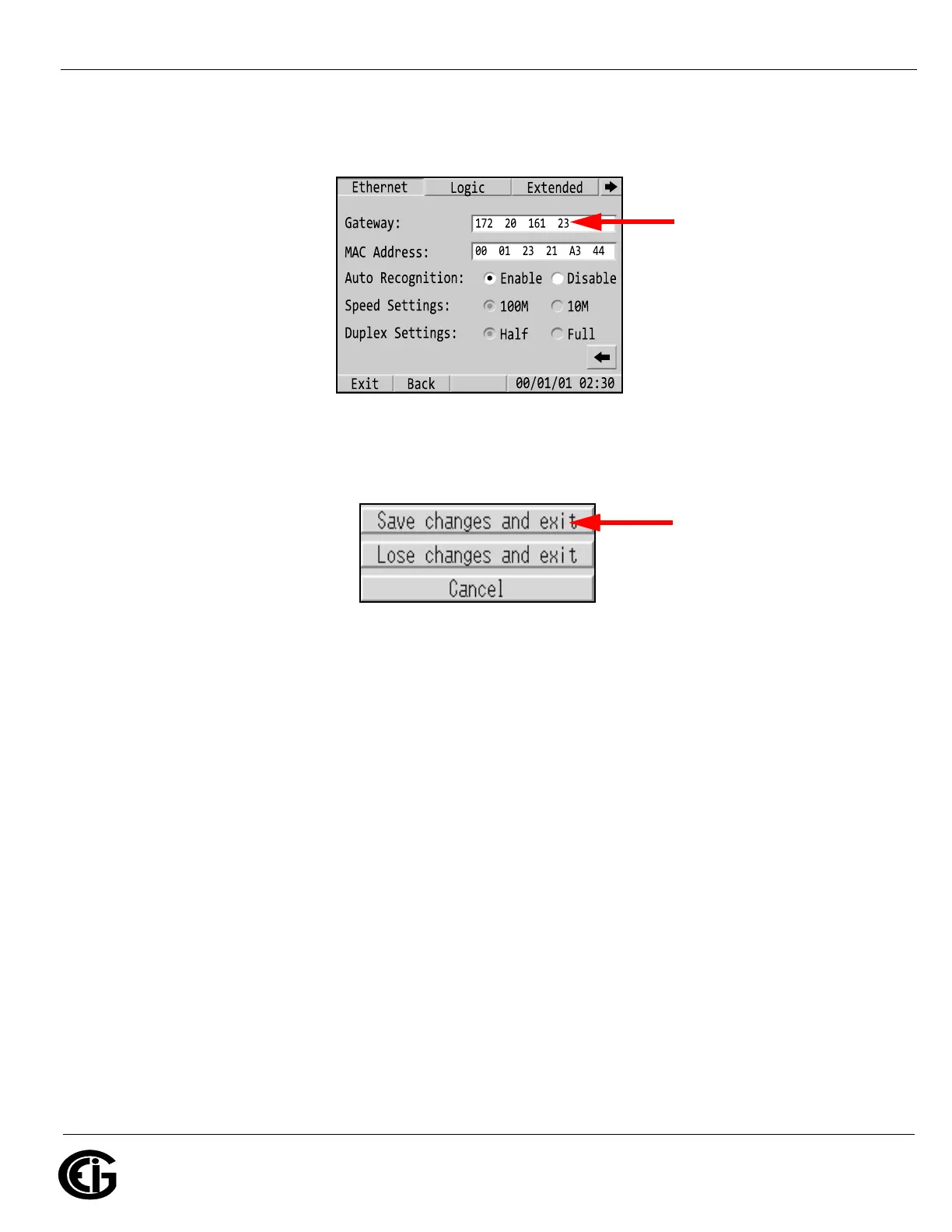
net. (If they are on the same subnet you do not need to make any entries
on this screen.) The other fields should remain the same.
g. Touch the Exit button at the bottom of the screen. You will a confirmation
window with the buttons shown below.
h. Touch the Save Changes and Exit button. The display will begin to
communicate with the MP200 unit as shown in 10.6.2: RJ45 Ethernet Con-
figuration, on page 10-21.
Enter the gateway’s
IP address here, if
applicable



 To Next Page