Doc# E166703 10-45
10: Using the Optional Display
Electro Industries/GaugeTech
The Leader In Power Monitoring and Smart Grid Solutions
Electro Industries/GaugeTech
The Leader In Power Monitoring and Smart Grid Solutions
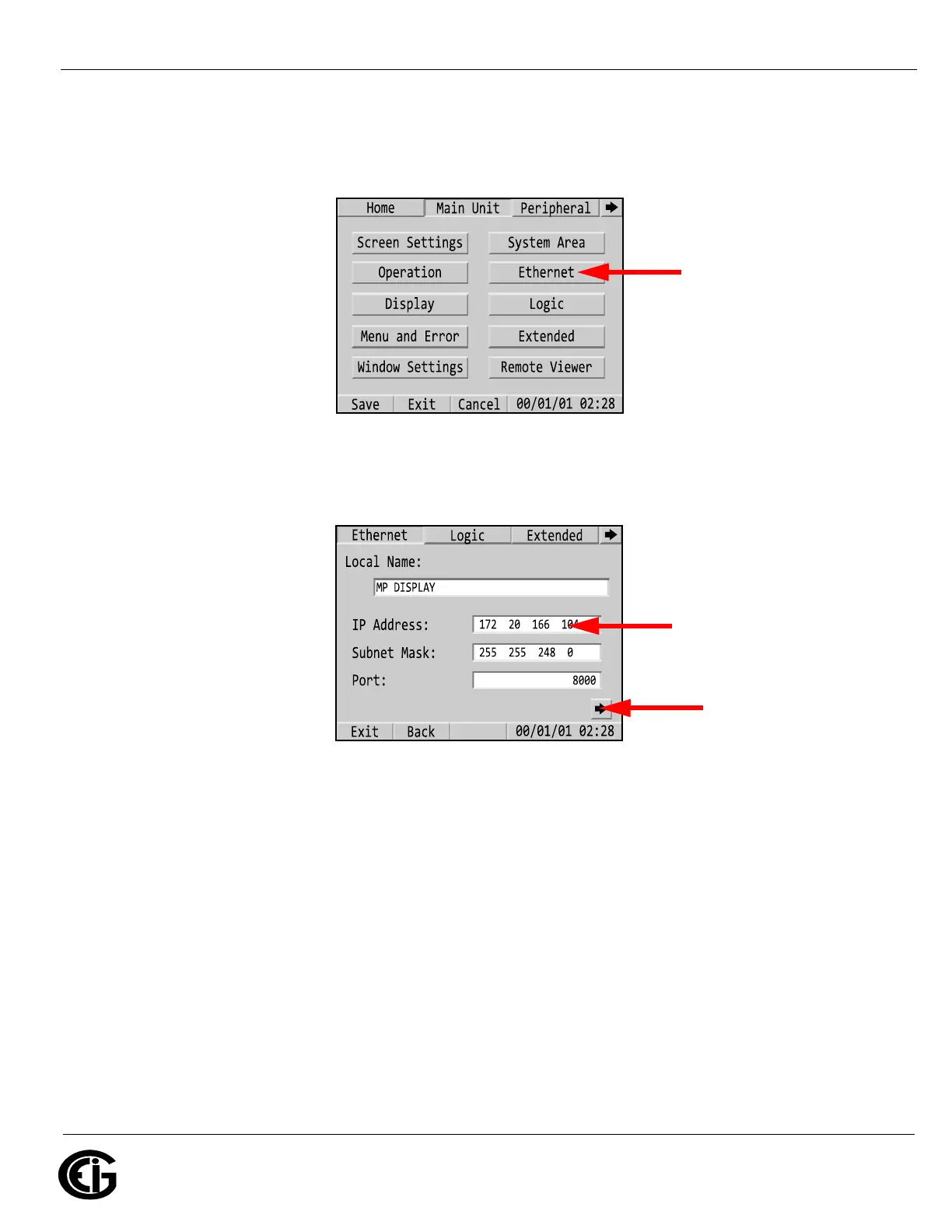
d. Touch the Back button at the bottom of the display two times; then touch
the Main Unit tab. You will see the screen below - touch the Ethernet but-
ton.
e. Enter the IP address of the display. It must be on the same network and
subnet mask as the MP200 unit’s IP address and subnet mask. The port
should be 8000. Then touch the right arrow at the bottom of the display.
f. You will see the screen shown below. This is where you enter the display’s
gateway IP address if the display and MP200 unit are not on the same sub-
Touch this button
Enter the display’s
IP address here



 To Next Page