Doc# E166703 10-44
10: Using the Optional Display
Electro Industries/GaugeTech
The Leader In Power Monitoring and Smart Grid Solutions
Electro Industries/GaugeTech
The Leader In Power Monitoring and Smart Grid Solutions
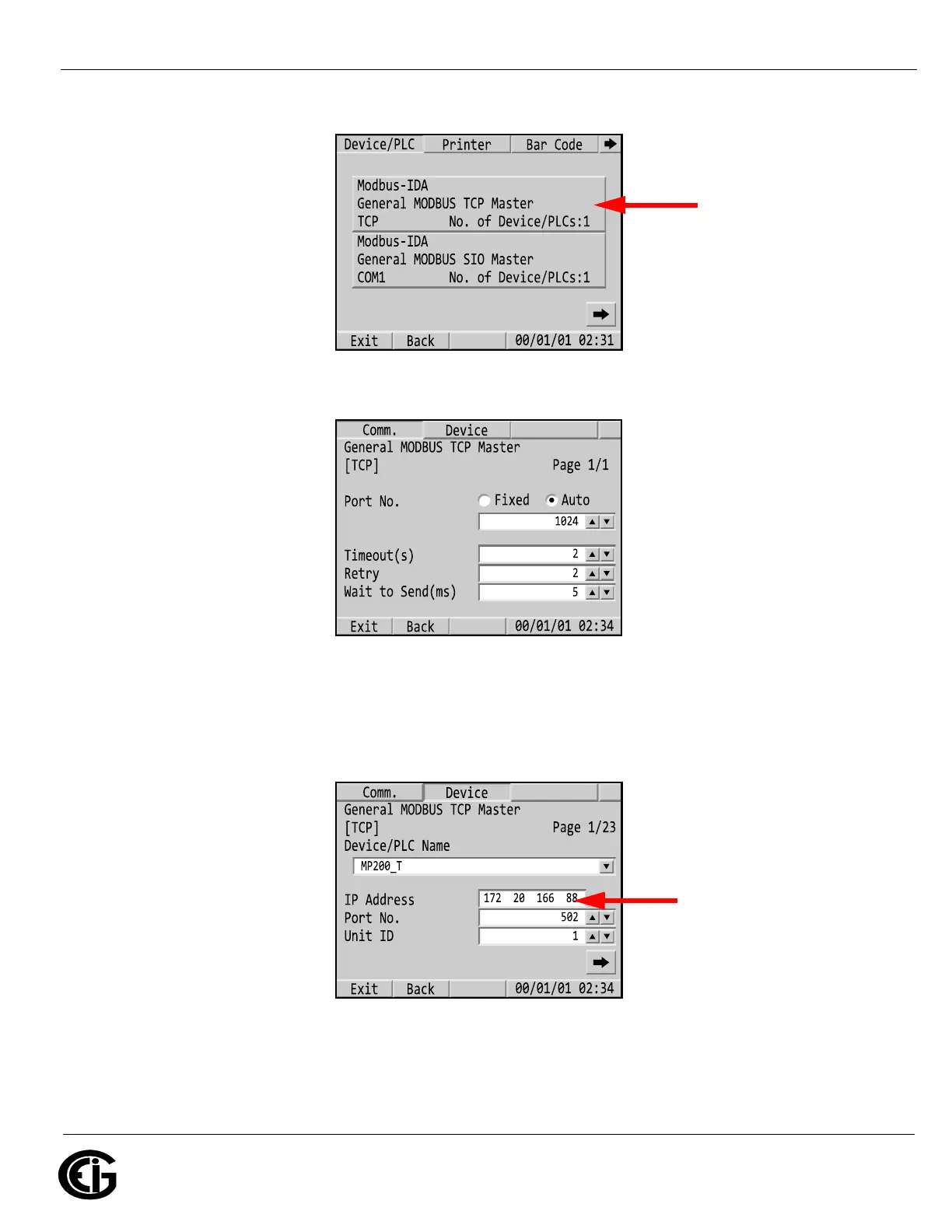
a. Click the first button for TCP.
b. Make sure your settings match those shown below.
c. Click the Device tab. Enter the MP200 unit’s IP address (when you touch
the IP address field, a numeric window opens - see 10.8.1: Making Selec-
tions and Entering Information in Offline Mode, on page 10-40). The other
settings should be the same as shown below.
Make sure the fields
are the same as this
Enter the MP200 unit’s
IP address here



 To Next Page