Doc# E166703 5-9
5: Communicating with the Meter
Electro Industries/GaugeTech
The Leader In Power Monitoring and Smart Grid Solutions
Electro Industries/GaugeTech
The Leader In Power Monitoring and Smart Grid Solutions
Electro Industries/GaugeTech
The Leader In Power Monitoring and Smart Grid Solutions
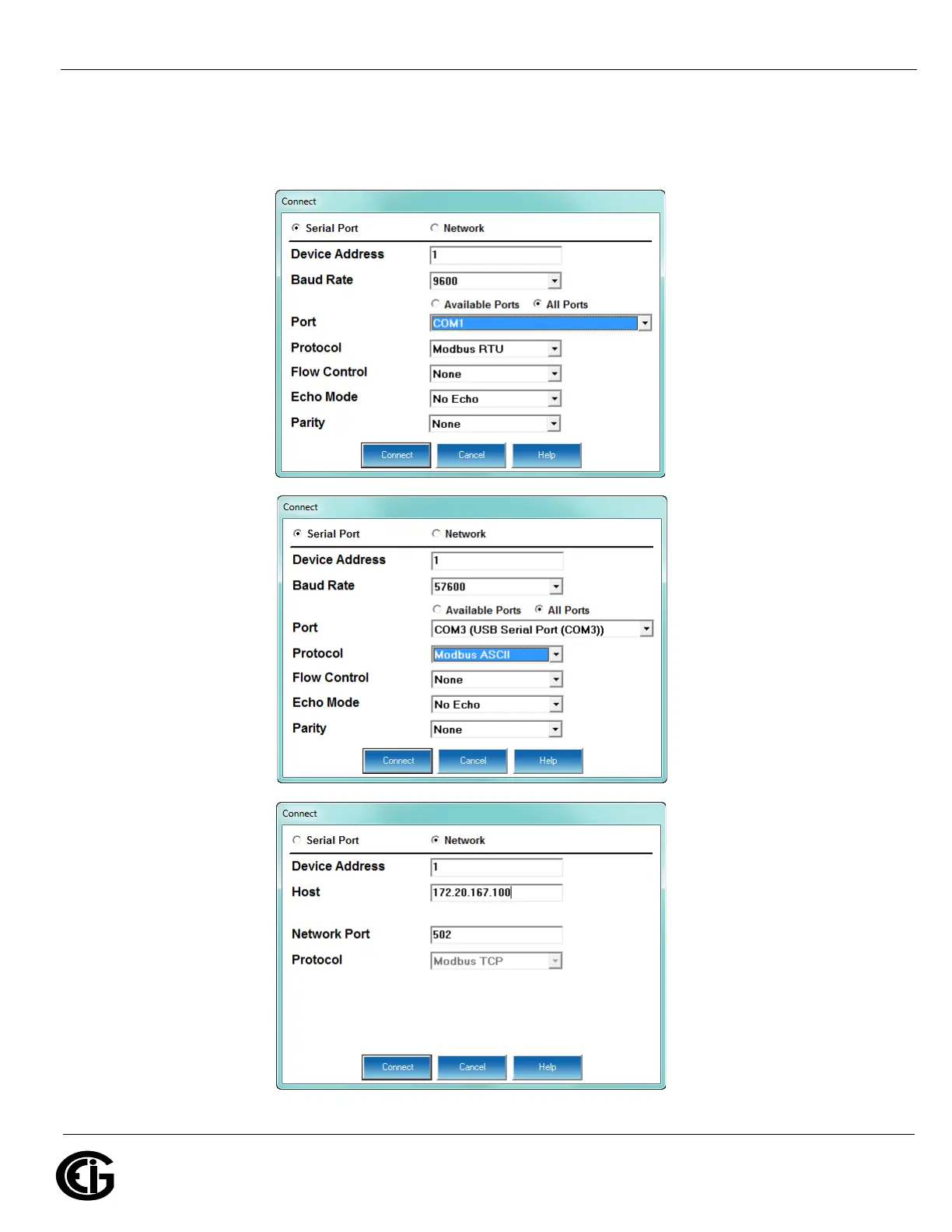
3. You can connect to the MP200 unit using RS485, Ethernet, or the USB port (for
Ethernet connection, the Ethernet/WiFi option must be installed). See the screens
below.
RS485
connection
USB
connection
Ethernet
connection



 To Next Page