ShopBot PRS Assembly Manual Page -38
Proximity Switches
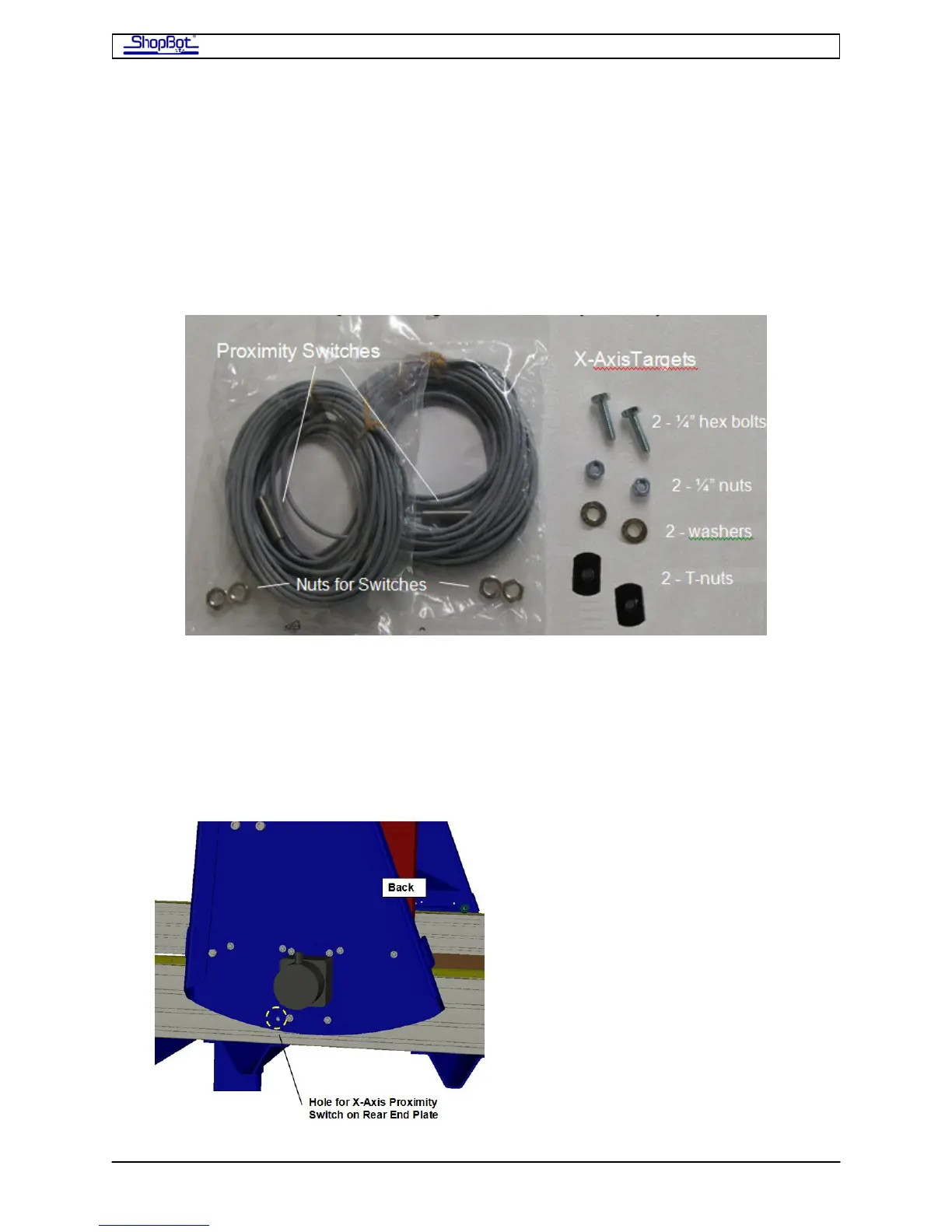
You’ll find the Proximity/Limit Switches, targets and mounting hardware bagged together.
These switches are used to set the zero location for the X- and Y-axes, and also serve to
signal the end of the axis to the tool and limit its motion. They switches look like a piece of
threaded rod with a wire exiting from one side. Mount these sensors on the YZ-Car and on
the back of the X-Car.
Install the Proximity Switches
• Attach the switches as indicated, with a nut holding them on each side of the plate.
The switches should protrude about 1/8” from the inside of the car.
• Mount one Proximity Switch (for the X-axis) through a hole in the bottom of the rear
End Plate on the X Car.
PRSAssembly080922.doc Copyright 2007,2008 ShopBot Tools, Inc



 To Next Page