ShopBot PRS Assembly Manual Page -31
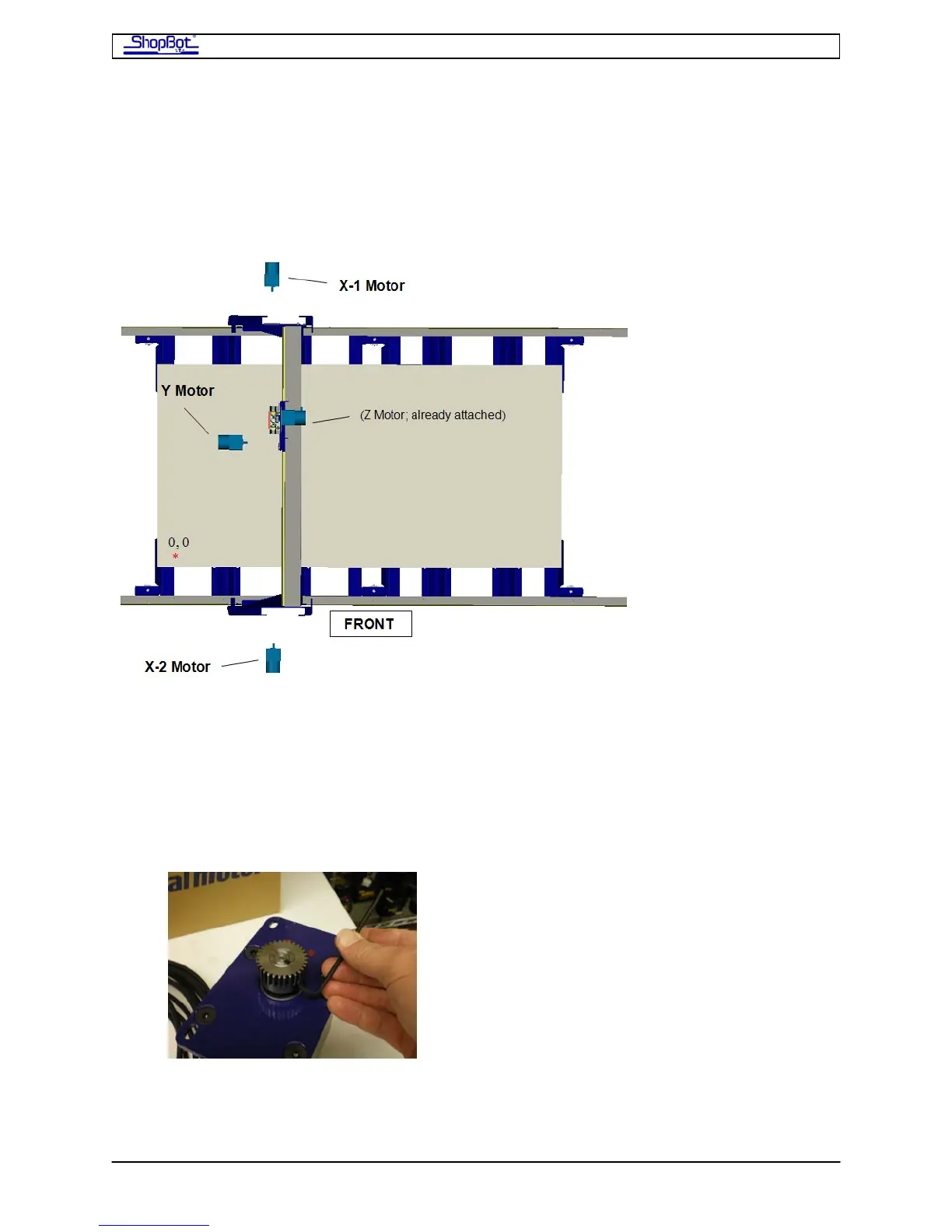
Mount the Motors
Since the motor cables (of correct lengths and motor direction orientation) have already
been attached to the motors, it is important that the motors and brackets be mounted in
the correct location. The mounting hardware for each motor (4 bolts) is already fitted to the
tool in the locations where the motors will be mounted.
• Make sure that you’ve got the right motor for the right location, then attach the
motor with two bolts and check to make sure the pinion is aligned on the shaft with
the rack.
• After checking the pinion alignment, remove the motor. Adjust the pinion location on
the motor shaft if necessary. Then tighten the two set screws. These set screws
have an embedded locking compound. Make sure you get them seated
tightly at this point.
• With the pinion now fully tightened, mount the motor with all 4 bolts. Note that the
brackets are slotted. Slide the motor up so that the pinion is tightly engaged into the
rack.
PRSAssembly080922.doc Copyright 2007,2008 ShopBot Tools, Inc



 To Next Page