ShopBot PRS Assembly Manual Page -52
Mount the PRSalpha Control Box
Mount the PRSalpha Control Box in a location so that the operator can reach the front of the
Box each time a file is run because it is necessary to hit the start button to engage the
safety contactors.
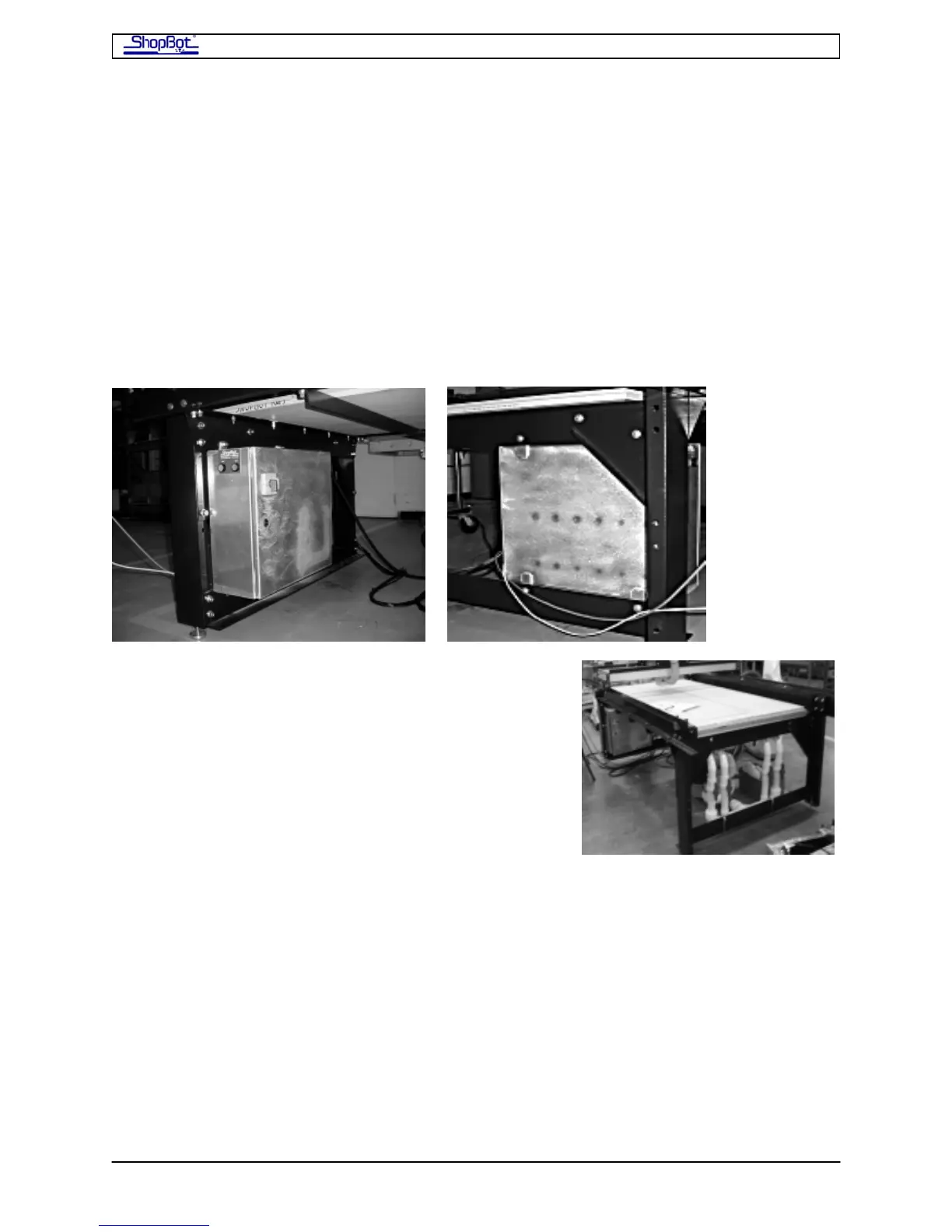
There are flanges at the top and bottom of the PRSalpha Control Box for mounting it. One
option is to attach it to your ShopBot near the Home position (Lower Left corner). Drill holes
through the table cross supports and gussets to mount the PRSalpha Control Box to the
Table. The PRSalpha Control Box can also be mounted on the wall near your tool as shown
in the accompanying image. Your PRSalpha Control Box may look different depending on
the model purchased.
If you mount the PRSalpha Control Box on the table and
you also have a vacuum hold-down system, mount the
shut-off valves for the vacuum system at the opposite
end of the table. Locate the vacuum pump itself and any
exhaust pipes away from the PRSalpha Control Box.
Vacuum shutoff valves mounted at opposite end of table
from PRSalpha Control Box
If you mount the PRSalpha Control Box to the wall, allow at least 1 1/2" of clearance
between the back of the PRSalpha Control Box and the wall to allow heat to dissipate from
the PRSalpha Control Box. Allow enough space above and below the box for air to circulate
around the PRSalpha Control Box. The PRSalpha Control Box enclosure acts as a heat
sink for the electronics.
PRSAssembly080922.doc Copyright 2007,2008 ShopBot Tools, Inc



 To Next Page