Test Spin Page -5-
TestSpinPRS080916 Copyright 2008 ShopBot Tools, Inc
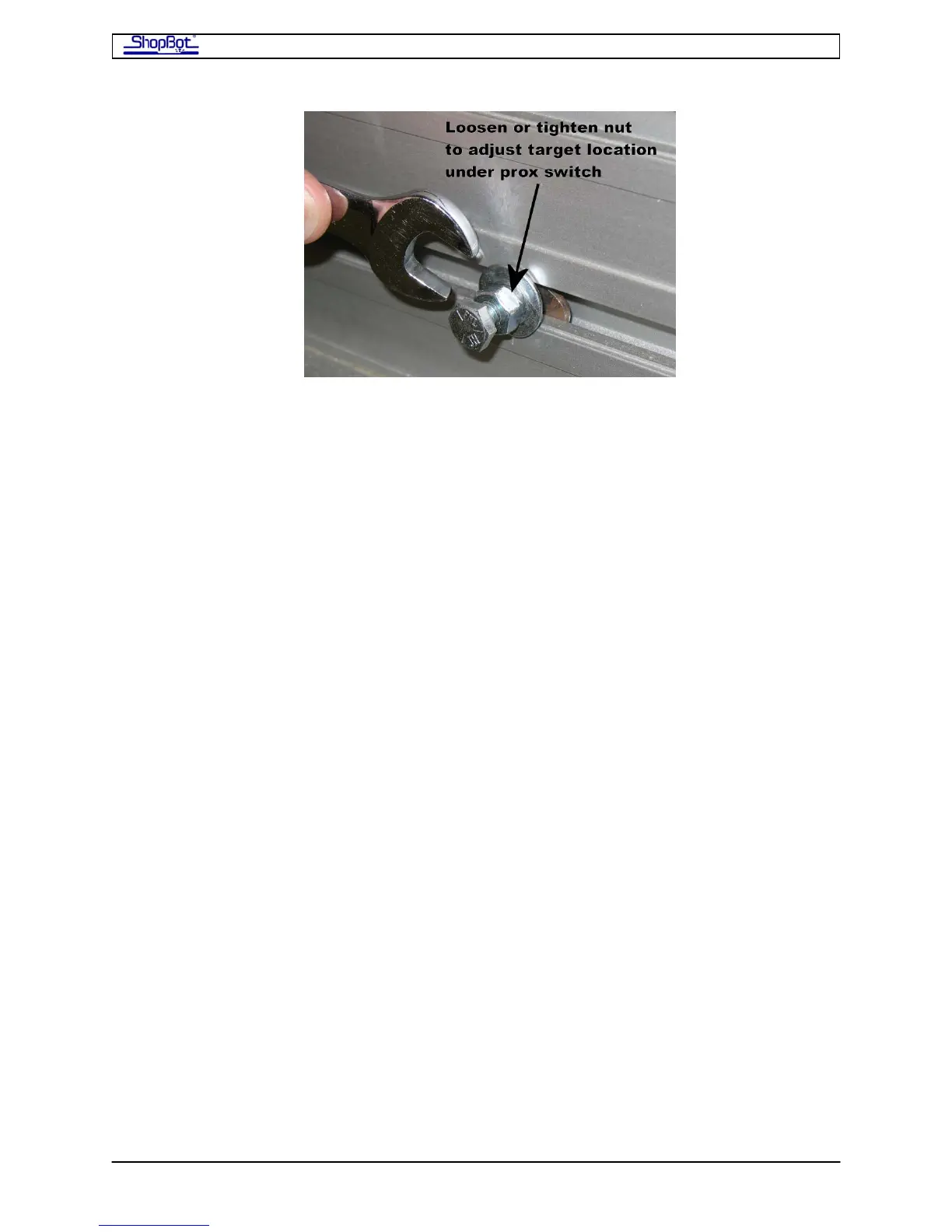
• Slide the target along the slot until it is just under the Proximity Switch on the X car.
Lock the position of the target by tightening down on the top nut and washer.
• Then set the distance between the Proximity Switch and the target to about 2mm by
adjusting the Proximity Switch position using the two nuts. In this position, the
Proximity LED should be off.
• Use the KeyPad to back off the Proximity Switch. The LED should come back on. You
can test the “Limit” Function of the Proximity Switches with the KeyPad. First use the
[VN] Command to turn the Limit Switch functionality on. Now use the KeyPad to
drive into the switch. Your tool should stop. After hitting a switch, the KeyPad then
overrides switches if you use it again, so you can drive off the switch. After you have
driven off and released the arrow key. The switches will again function as limits.
• Set the Proximity Switch at the other end of the Table.
• Finally, check the Y-Axis Proximity Switches to make sure it is adjusted correctly and
functional.
PartWorks and PartWorks 3D
This can be installed on a separate design computer if you wish. Tutorials will be copied to
your computer as part of the installation process. Go to Start > All Programs > ShopBot >
Tutorials to open them. The accompanying videos are available for download at
www.shopbottools.com > support > documentation



 To Next Page