Squaring and Adjusting the X-Car Page -3-
Setting the End Stops So Your Tool Will Always be Square
Because the X-Car is not intended to be able to physically maintain alignment when the
power is off, after a period of being powered down you cannot be certain that in a busy
shop the carriage has not been bumped a little out of square. So, you need a system for
guaranteeing square each time you restart the tool. The mechanical End Stops do this for
you.
First let’s get the End Stops installed perfectly square at the bottom end of your tool. Do
this by driving the X Car, using the KeyPad mode in the software, down to the bottom (X =
0) end of the tool. Slow down when you get close, and move the car to the point that each
wheel bearing is about ¼” from the end of the rail.
Slide the End Stop on Each side into the Table Side and up against the motor pinion. Then
back the X-Car off and tighten the End Stops securely into place. You now have End Stops
that you can use to square the car.
When you turn the tool off, park the X-Car near the bottom end of the tool. Whenever you
are ready to power up again, first gently/slowly pull the X-Car into the stops to square it,
and then turn the power on. The car is square and will stay square for the duration of your
work session.
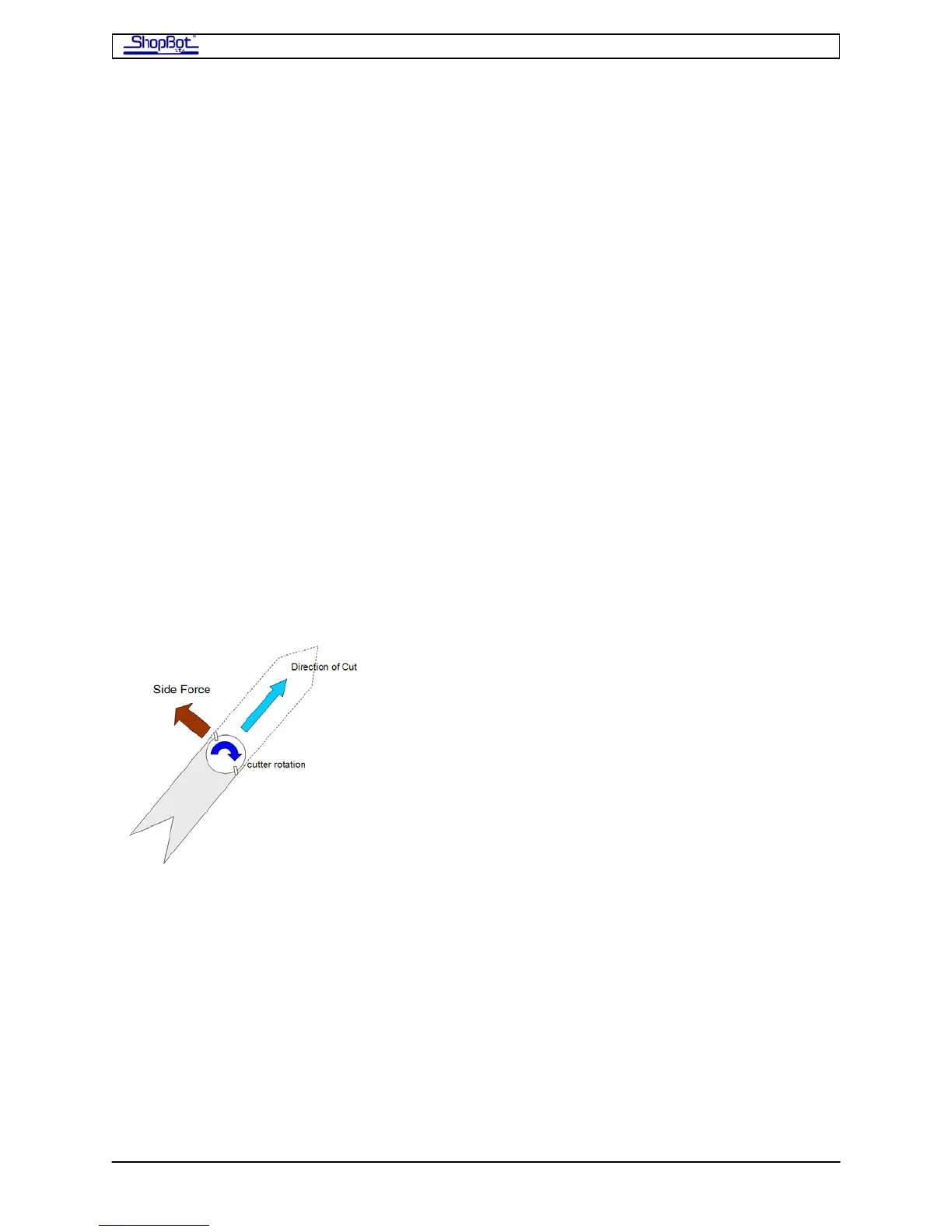
Cutting Forces
more
an
When the router bit is cutting through material, it is
kicking 90 degrees to the left of the tool path. The
aggressive the cutting, the more force perpendicular to the
cut. Because of the force, the router bit can bend slightly,
the spindle/router may exhibit some run-out, and the tool
can flex a little. For this reason, cutting forces can slightly
alter the path of the tool. Such effects will alter the overall
size of the shape that you are cutting by a small amount,
though not the shape itself, or its squareness. For
example, cutting a square in a clockwise direction forces
the cutter to pull to the outside during cutting, and this
can make the square slightly larger in overall size th
specified. Similarly, cutting counter clockwise around an
object can cause it to be slightly smaller. This is a feature of all machining. In either
direction, the square should be square and as long as you are cutting at the same speed,
cuts should be highly repeatable. If you are having problems with too much size variation
from the intended size, try slowing the feed-rate or increasing the spindle RPMs. These
changes will reduce the side force of cutting. Using a cutter that generates less cutting force
because of its geometry will also reduce this type of error. Note that as a cutter becomes
dull, it will require more force to push through the material and thus will also generate more
side force.
SquaringXCar080916 Copyright 2008 ShopBot Tools, Inc



 To Next Page