Mounting
5.2 Mounting with built-in ring light and mini/FF lens
SIMATIC MV500
106 Operating Instructions, 03/2021, C79000-G8976-C494-05
6. Depending on the lens used, screw the appropriate protective lens barrel ⑥ onto the reader
③.
Note: Depending on the lens/protective lens barrel used, a protective lens barrel extension
may be needed.
7. Mount the reader on a suitable mounting fixture or holder (4x M4, 1-2 Nm).
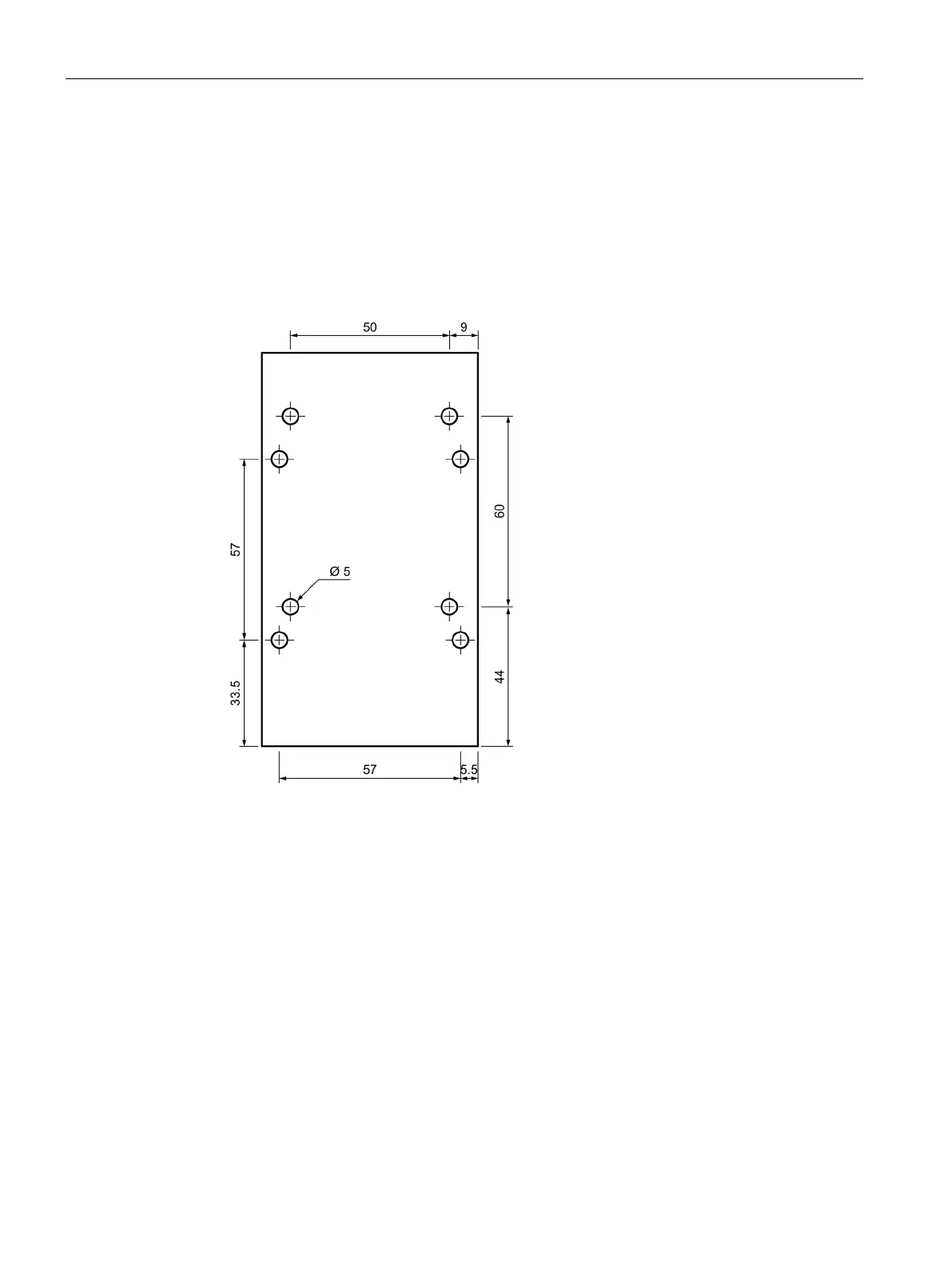
Use the mounting plate for SIMATIC MV500 or a mounting device with matching holes.
Note that the reader has two different drilling templates (50 x 60/57 x 57).
Figure 5-2 Drilling templates for mounting the SIMATIC MV500 optical reader
8. Select a suitable location to install the device.



 To Next Page