Commissioning
7.4 Connecting and setting up the reader
SIMATIC MV500
132 Operating Instructions, 03/2021, C79000-G8976-C494-05
Automatic adaption using the function "Full program"
As an alternative to the "READ" button, you can perform the adaption via the WBM using the
function "Full program" in the menu "Application > EasyStart > Overview > Auto-setup".
However, the "Full program" function differs in the following points to the adaption using the
"READ" button:
• No "Align" LED is switched on, because alignment can be performed via the image display
of the WBM.
• The adaption progress is displayed in the "Auto-setup status" area.
• Once the adaption is completed, the reader automatically changes to edit mode ("Edit").
• Once the adaption is completed, the changes must be manually saved in the desired
target program.
You can find detailed information on this function in the "Application > EasyStart > Overview
> Auto-setup" section of the online help.
7.4 Connecting and setting up the reader
Requirements
• The reader has been connected to the power supply via the combination interface.
• SINEC PNI is installed.
Table 7- 1 Steps for initial commissioning
Connect the optical reader and PC/programming device using an Ethernet cable.
Select network adapter.
Configure the Ethernet connection between the optical reader and the PC.
Start Web Based Management (WBM).
Configure the optical reader using the WBM.
Note that, in principle, the reader can also be operated without Ethernet connection with a
PC/PG. In this case, startup of the device will be delayed by a few seconds. If an Ethernet
connection is established after startup, you then need to restart the reader (pull/plug power
supplies).
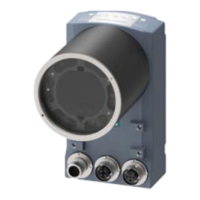
Step 1: Connect the reader and PC using an Ethernet cable
Connect the reader directly to your PC/programming device over an Ethernet cable.


 To Next Page