Description
1.3 Setup of the SIMATIC MV500
SIMATIC MV500
Operating Instructions, 03/2021, C79000-G8976-C494-05
21
Configuration backup
Allows automatic saving of complete device configuration on micro SD card (not included in
scope of delivery).
1.3 Setup of the SIMATIC MV500
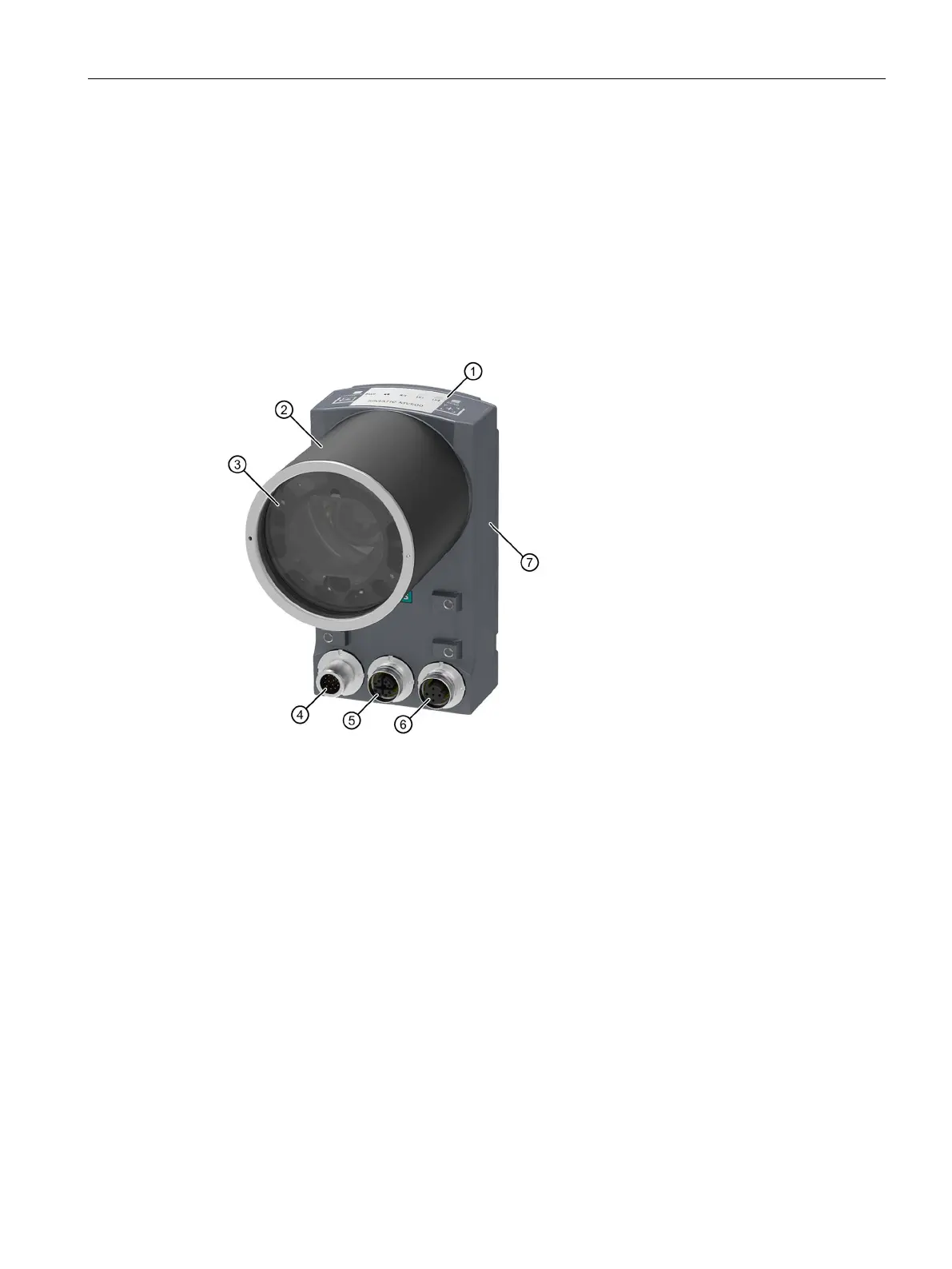
The following figure shows an example of the setup of the optical reader using a SIMATIC
MV550.
① LED display ⑤ Ethernet interface X2 LAN2
1)
(M12, 8-pin)
② Protective lens barrel ⑥ Ethernet interface X1 LAN1
Power over Ethernet (M12, 4-pin)
④ Combination interface for
power supply, DI/DQ, RS232 and CM (M12,
1)
Please note that the MV540 optical readers do not have a 2nd Ethernet interface.
Figure 1-1 Setup of the SIMATIC MV550



 To Next Page