Image processing
3.4 Options for image acquisition and image processing
SIMATIC MV500
84 Operating Instructions, 03/2021, C79000-G8976-C494-05
Architecture of the internal processing sequence
The principle underlying the processing performed by the optical reader is a buffered
processing method in three steps:
• Image acquisition (including recording buffer)
• Decoding (including result buffer)
• Result output
Between each processing step, the optical reader has a buffer and you can configure the size
of the buffer depending on the application.
This allows the ideal throughput to be achieved in every processing step, resulting in the
maximum overall throughput for the optical reader and flexible application.
3.4.1 Image acquisition option "Individual trigger"
How it works
With this setting, one image is acquired per trigger followed by one read.
If several objects need to be acquired in a very short time, acquired images can be buffered
before they are processed.
To allow this, image acquisition with up to 50 images can be buffered and the image buffer
size can be set.
The optical reader transfers the results of the reads as soon as it has processed them.
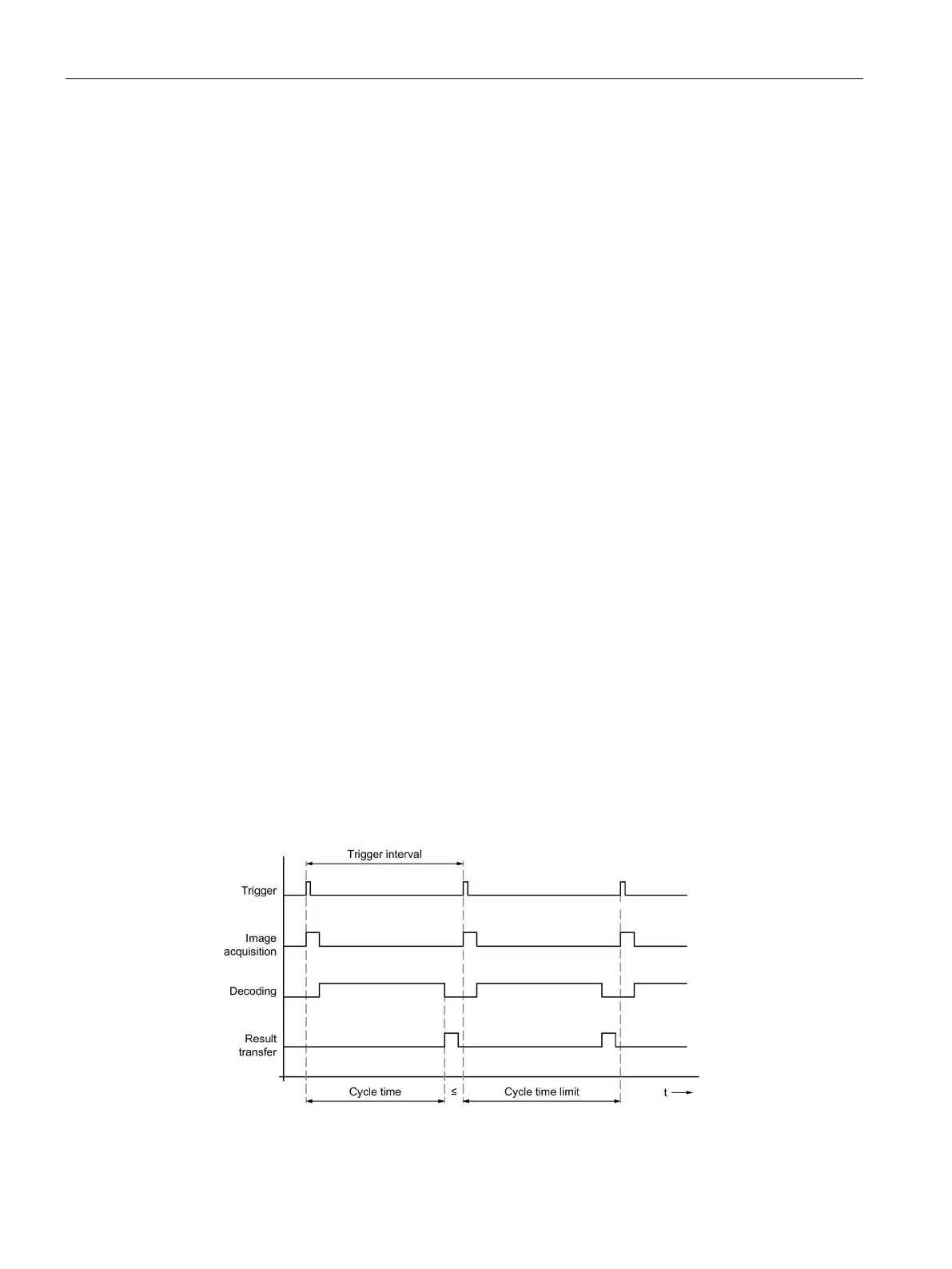
"Image buffer size = 1" setting
If the buffer size is set to the value 1, this mode corresponds to a sequential processing chain:
Trigger → Image acquisition → Decoding/processing → Result transfer.
New triggering can be performed only when the decoding/processing has been completed.
Figure 3-17 Time diagram: Individual trigger with image buffer size = 1



 To Next Page