Connection
6.3 Connecting the reader
SIMATIC MV500
Operating Instructions, 03/2021, C79000-G8976-C494-05
119
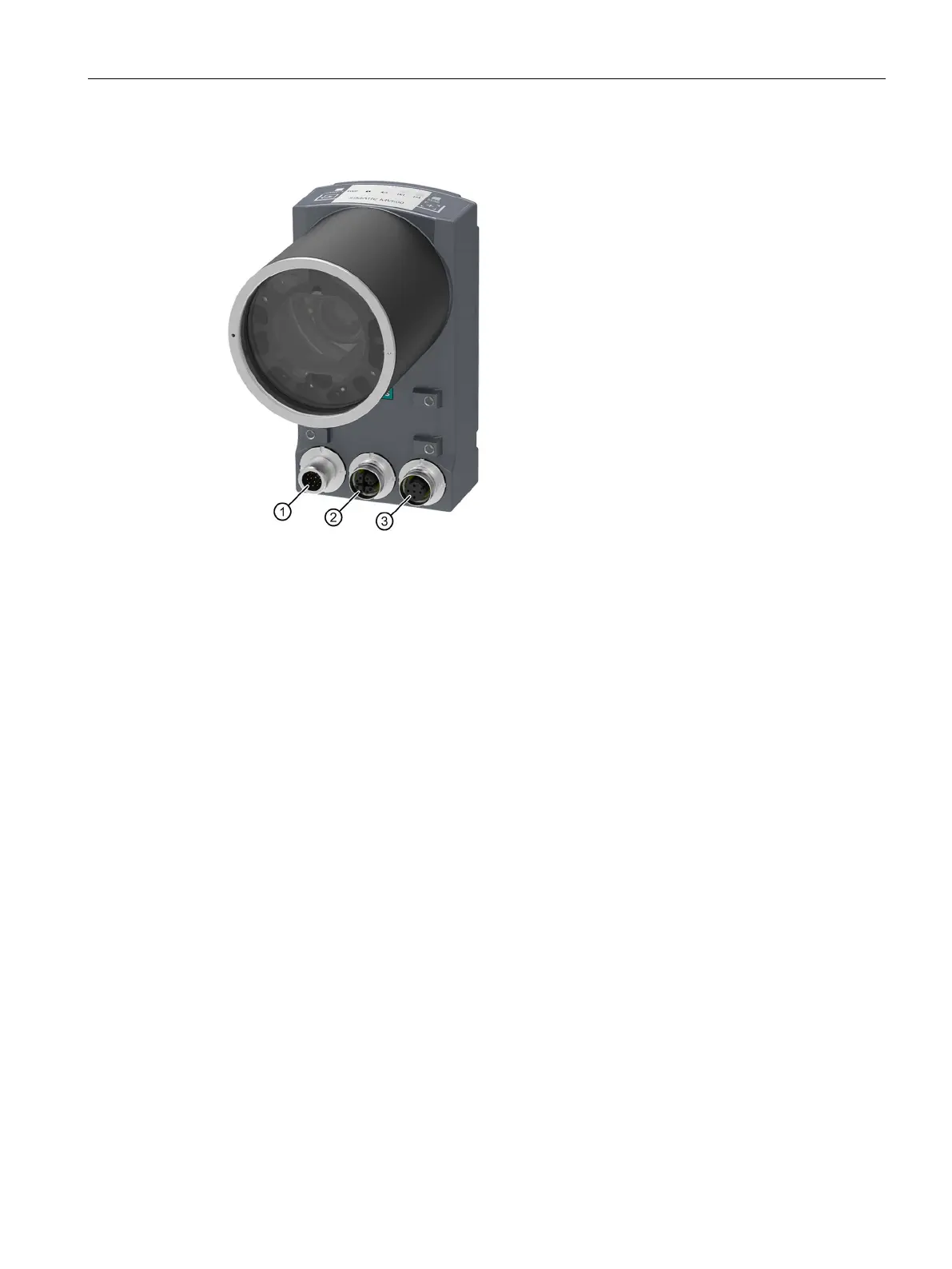
Interfaces / cable connection sockets
① Combination interface for
Power supply, DI/DQ, RS232 and CM (M12, 12-pin)
② Ethernet interface X2 LAN2
1)
(M12, 8-pin)
③ Ethernet interface X1 LAN1
Power over Ethernet (M12, 4-pin)
1)
Please note that the MV540 optical readers do not have a 2nd Ethernet interface.
Figure 6-1 Interfaces / cable connection sockets of the SIMATIC MV550
Pin assignment of the cables
You can power the optical reader either through the Power-IO RS232 or through the
communication module cable. Note that the DI/DQ functions cannot be used if the reader is
operated through a communication module.



 To Next Page