SIGLENT
38 SDS1000CML/CNL/DL Service Manual
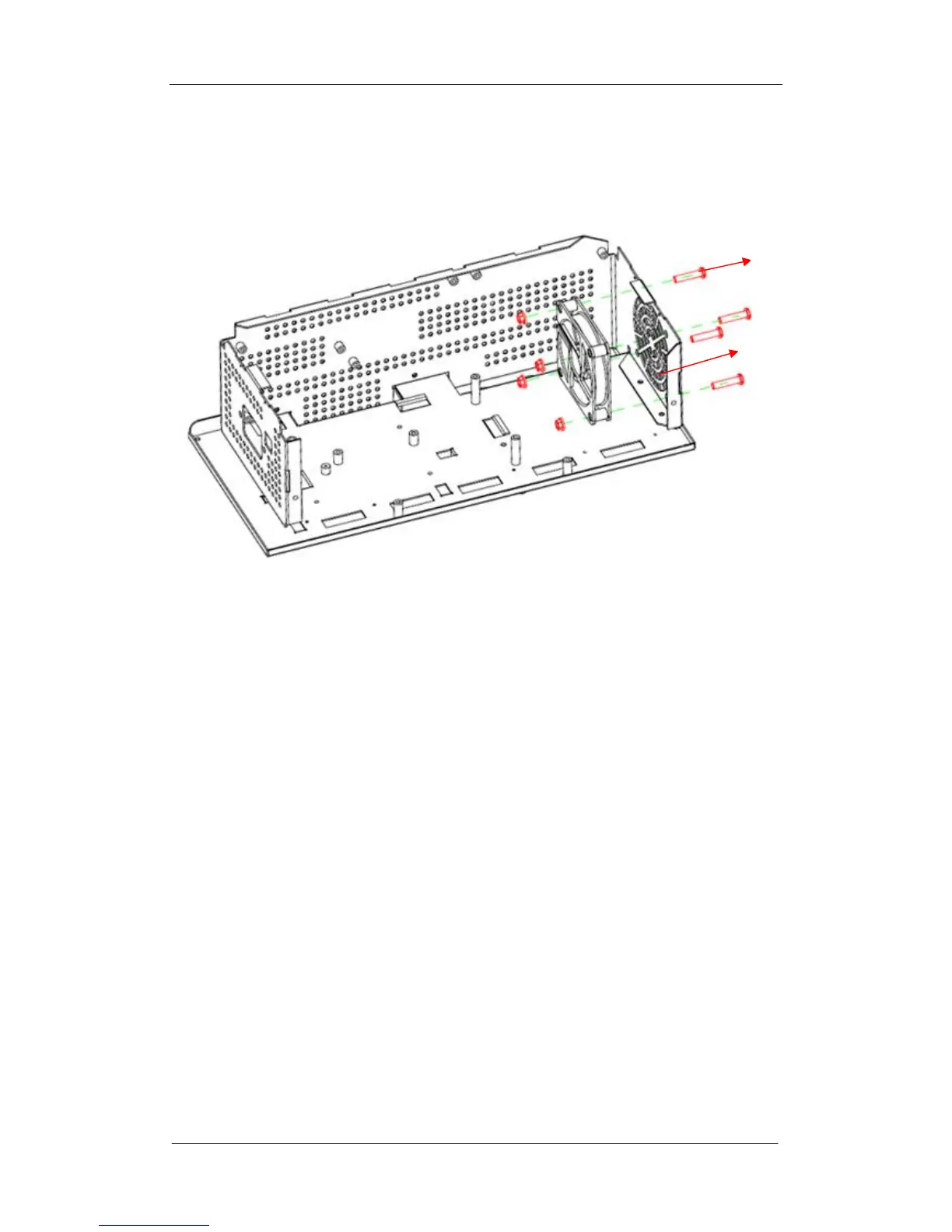
Removing the Fan Module
Figure 5-9 Removing the fan module
Removing steps:
1. Place the metal shelf on a soft surface as the figure above shows such as an
anti-static mat.
2. Remove the four screws located on the fan module.
3. Separate the fan from the metal shelf and then remove it away carefully.
To install the fan module, please operate as the reverse steps.
Fan module
Fan module screw









 To Next Page