SIGLENT
SDS1000CML/CNL/DL Service Manual 21
To verify Bandwidth
This test checks the bandwidth of two input channels. In the test, both the
impedance of FLUKE and the oscilloscope are required to set to 50Ω, we could
complete that for FLUKE by easy operation on the front panel. But for the
oscilloscope, it proves to be a little different since it is designed with only 1MΩ
in impedance. So a 50Ω feedthrough terminator is needed essential to
complete the verification.
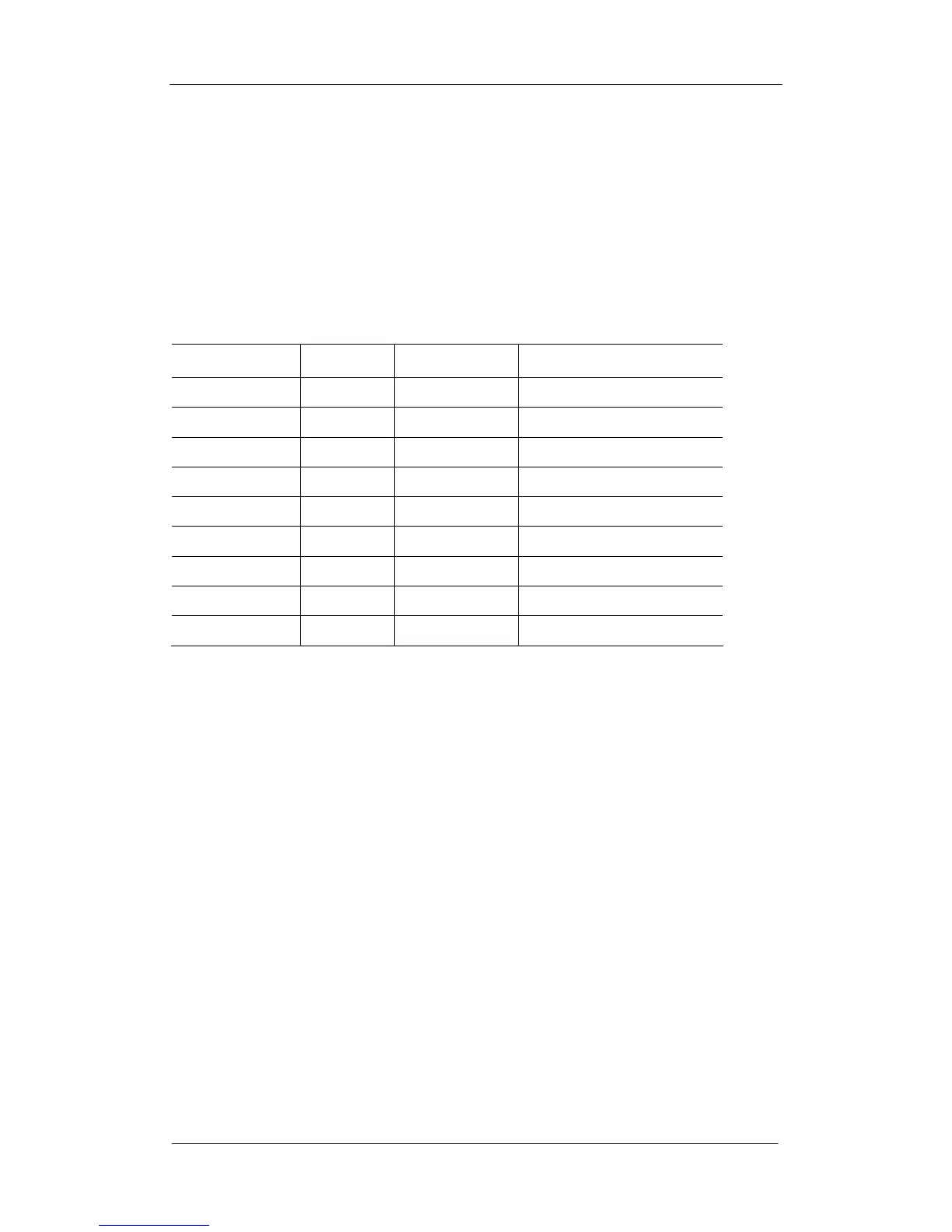
Table 3-3 Input Impedance for SDS1000CML/CNL/DL
Model Channels
2 100MHz
1MΩ
SDS1022DL
2
25MHz
1MΩ
SDS1052DL 2
50MHz
1MΩ
SDS1102DL 2
100MHz
1MΩ
SDS1202DL 2 200MHz
1MΩ
The 50Ω feedthrough terminator is added to end of the probe specified for
FLUKE 9500B.
To test the bandwidth at 500mv/div and 200mv/div
Steps: 1. Connect channel 1 of the oscilloscope to Sine Wave Generator of
FLUKE 9500B via its specified probe.
2. Set the oscilloscope Volt/Div to 500mv/div, the Sec/Div to 50ms/div.
3. Set the frequency of Sine Wave Generator of FLUKE to 10Hz.
4. Set the amplitude of Sine Wave Generator to 3v.
5. Press the MEASURE button on the front panel of the oscilloscope to
display V
pp
measurement.
6. Set the frequency of Sine Wave Generator to:
25MHz if you are testing a SDS1022DL
50MHz if you are testing a SDS1052DL
70MHz if you are testing a SDS1072CML/CNL
100MHz if you are testing a SDS1102CML/CNL/DL
150MHz if you are testing a SDS1152CML









 To Next Page