SIGLENT
10 SDS1000CML/CNL/DL Service Manual
Auto Setup
Press AUTO to enable the waveform auto setting function. The oscilloscope
will automatically adjust its horizontal time base, vertical scale and trigger
mode according to input signal to obtain an optimum waveform display.
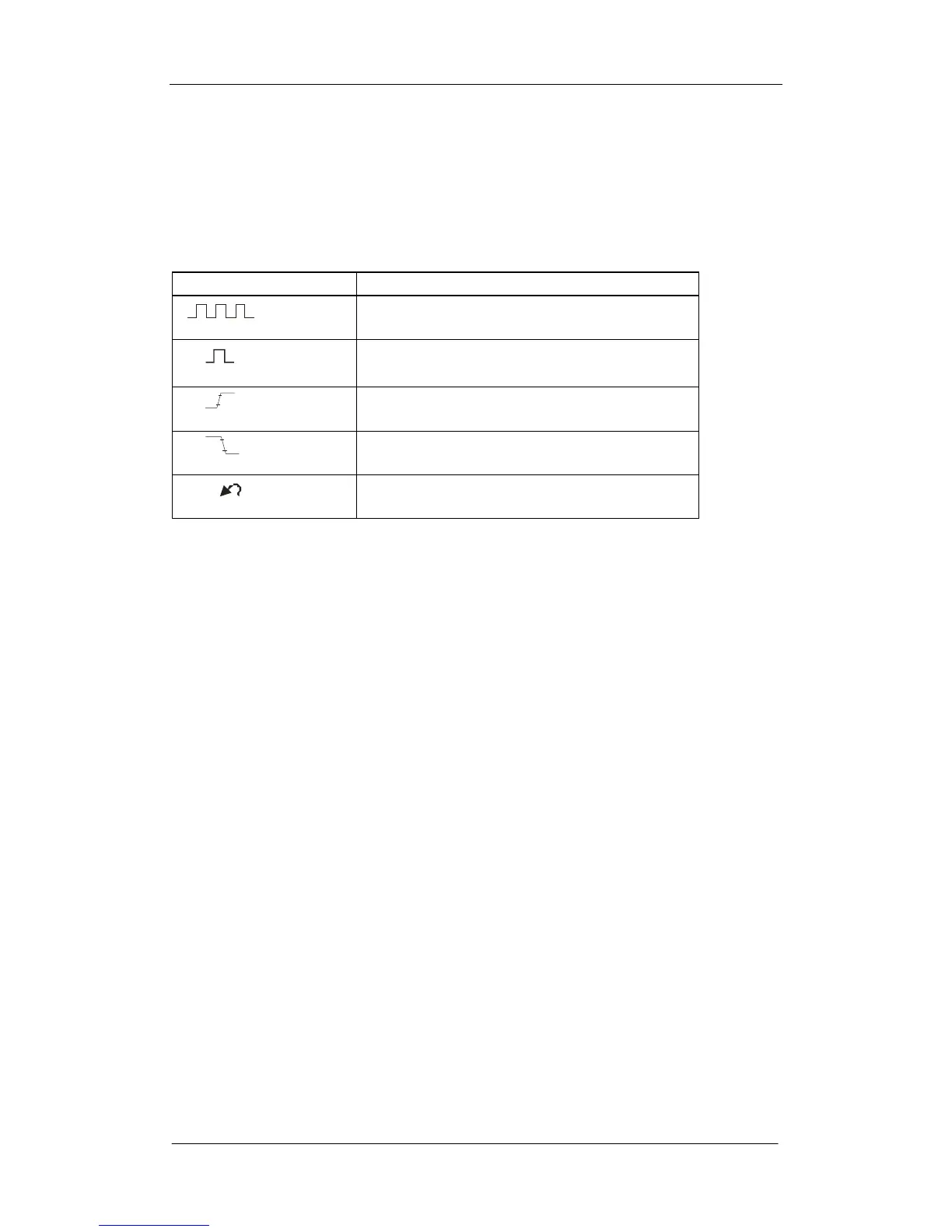
Table2-2 Auto setting menu
Option Introduction
(Multi-cycle sine)
Display several periods waveform
(Single-cycle sine)
Display single period waveform
(Rising edge)
Display the rising edge of waveform
(Falling edge)
Display the falling edge of waveform
(Undo Setup)
Recall the previous setup of oscilloscope
Four parameters will display on the screen after the stability of the waveform.
Which channel to select as the trigger source when several channels are on
based on the following conditions:
The input signal frequency must be higher than 10Hz, with the amplitude
higher than 8MV.
Selecting channel with the lowest frequency while several channels are
connected with signal.
Self Calibration
The self Calibration procedure can quickly optimize the signal path thus to
obtain the best measurement precision. It is essential for you to run the
procedure if the environmental temperature changes by 5 ℃ or more.
Otherwise, please perform self calibration according to your actual conditions.
You can perform the Self Calibration procedure as the following steps:
Steps:
1. Disconnect any probes or cables from all BNC connectors.
2. Press the button UTILITY and then select the Do Self Cal option to enable
the Self Calibration function. The oscilloscope will turn to interface below:









 To Next Page