5.1.2 Networking
The Networking section will allow you to configure the various networking parameters involved with the
mesh network. This includes various LAN settings, WIFI settings, Multicast parameters, as well as QoS
(quality of service) settings.
5.1.2.1 LAN Settings
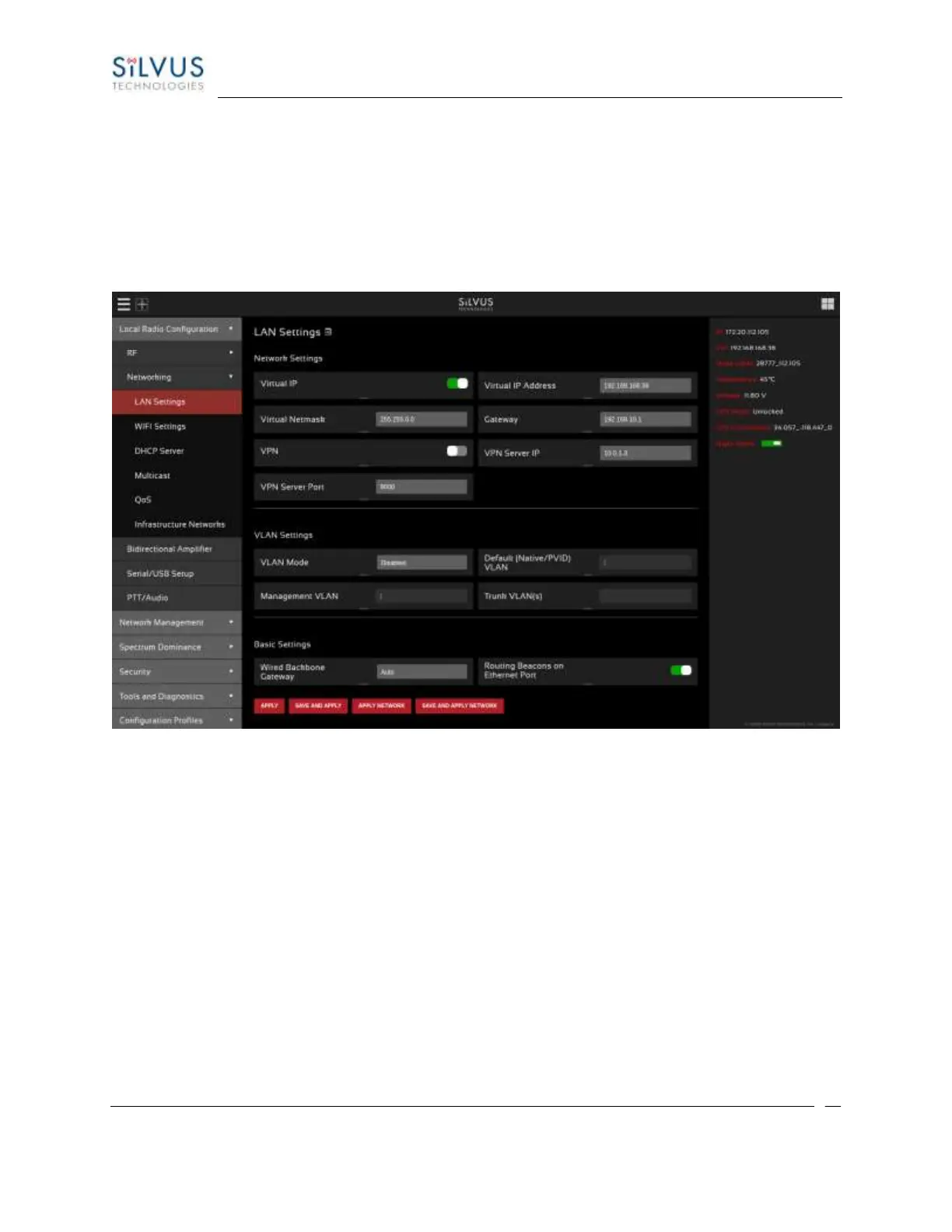
Figure 27 LAN Settings Page
LAN Settings:
• Virtual IP: Enable or Disable the Secondary IP address for the radio.
• Virtual IP Address: Set the secondary IP address for the radio. The user may set this to be on the
user’s IP network, e.g., 192.168.2.10. Once this secondary IP address is set, the user may access
the radio web page using either the native IP address or the secondary IP address.
• Virtual Netmask: Netmask for the Secondary IP address, e.g. 255.255.255.0. Please note that the
secondary IP address should NOT be on the 172.20.xx.xx subnet.
• Gateway: Gateway for local network to allow radio to connect to the internet
• VPN: For WAN wired backbone scenarios where radios from two different sites are connected via
the internet, a public N2N server is needed to route the data. Here is an example of how to setup
an N2N server on a server hosted by Amazon AWS running Ubuntu 12.04:



 To Next Page