EasyManua.ls Logo

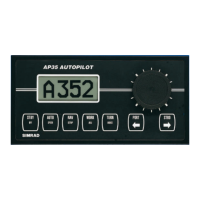
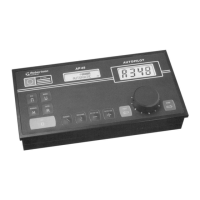
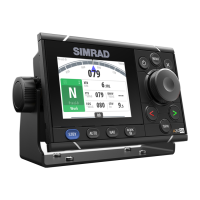
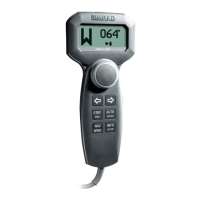
Simrad AP26 - User Manual

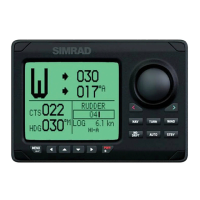
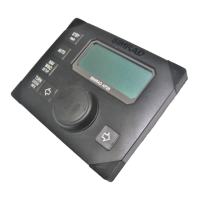
Simrad AP26
122 pages
Print Icon
To Next Page IconTo Next Page
Loading...
www.simrad-yachting.com A brand by Navico - Leader in Marine Electronics
Manual
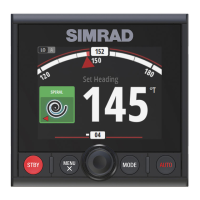
Simrad AP26 and AP27 Autopilots
for Volvo Penta IPS system
English Sw.1.2

Table of Contents

Other manuals for Simrad AP26

Questions and Answers

  • K
    Kristy SmithAug 30, 2025
    What to do if Simrad Autopilot System shows 'NAV. data failure'?
    • S
      Shari NunezAug 31, 2025
      If the Simrad Autopilot System displays 'NAV. data failure', it means there is missing or invalid NAV data. To resolve this: 1. Check the Nav. Receiver/GPS setup.
  • M
    Michael ShepardAug 29, 2025
    What to do if Simrad Autopilot System says 'Compass data missing'?
    • H
      hfowlerAug 29, 2025
      If your Simrad Autopilot System displays 'Compass data missing', it means there is no data from the selected compass. Here's how to address it: 1. If more than one compass is connected, go to the User Setup/Source select menu to select a different compass. 2. Make a source update if no compass is available. 3. Check connections. 4. Replace compass PCB (Note: Do not cut cables. There are screw terminals inside).
  • C
    Charles WarrenAug 28, 2025
    How to troubleshoot 'Com. failure with ACXX' on Simrad Autopilot System?
    • E
      Erin GonzalezAug 28, 2025
      If the Simrad Autopilot System displays 'Com. failure with ACXX', it could be due to a faulty Autopilot Computer or poor Robnet2 cable connections. To troubleshoot: 1. Check Robnet2 connectors and cable. 2. Replace the Autopilot Computer PCB.
  • M
    Marc LawrenceAug 27, 2025
    How to fix 'Memory failure ACXX' on Simrad Autopilot System?
    • P
      Peter ThompsonAug 27, 2025
      If your Simrad Autopilot System shows 'Memory failure ACXX', it indicates a wrong checksum on memory parameters or variables, causing the Autopilot Computer to use default values. To fix this: 1. Perform a "Master reset". 2. Switch the system off and on again. If the alarm repeats, replace the Autopilot Computer PCB.
  • F
    feliciagarciaAug 26, 2025
    What to do if Simrad Autopilot System shows 'High supply voltage'?
    • C
      christine69Aug 27, 2025
      If your Simrad Autopilot System displays 'High supply voltage', it indicates that the supply voltage exceeds 31.2 V. To resolve this: 1. Verify the voltage in the System Data Menu. 2. Switch the autopilot off. 3. Check/repair the battery charger.
  • K
    Kelli RodriguezAug 25, 2025
    What to do if Simrad Autopilot System shows 'Low supply voltage'?
    • D
      dustin09Aug 26, 2025
      If your Simrad Autopilot System displays 'Low supply voltage', it means the supply voltage is less than 10.8 Volts. To address this: 1. Verify the voltage in the System Data Menu. 2. Switch the autopilot off and charge the batteries. 3. Check/repair the battery charger.
  • C
    Christopher TurnerAug 25, 2025
    Why is my Simrad Autopilot System making the boat go off course?
    • M
      Michelle MorrisAug 25, 2025
      If the boat is off course when using the Simrad Autopilot System, it could be due to the boat's heading being outside the fixed off-course limit or extreme weather conditions, or too slow speed. To resolve this: 1. Check the steering parameters (Rudder, Autotrim, Seastate filter). 2. Increase the Rudder value. 3. Increase boat speed, if possible, or steer by hand.

Summary

Operation

Steering Modes (FU, NFU, AUTO)

Details on Follow-Up, Non-Follow-Up, and Automatic steering modes.

Navigation and NoDrift Modes

Guides on using the autopilot for navigation and route steering.

Installation

Installation Overview and Checklist

Provides a guide to the installation process and a checklist of required steps.

Configuration and Setup

Initial System Setup and Interface

Steps for the first-time startup, automatic interface, and initial setup.

Sea Trial and Compass Calibration

Essential settings, calibration, and offset procedures for optimal performance.

Parameter Adjustment and Tuning

Configuration of steering parameters, automatic tuning, and manual adjustments.

Maintenance, Troubleshooting, and Reference

Troubleshooting Alarms

Guides on interpreting and resolving system alarms and probable faults.

Simrad AP26 Specifications

General IconGeneral
BrandSimrad
ModelAP26
CategoryAutopilot System
LanguageEnglish

Related product manuals