188
4. Press Back (or exit) button to exit.
Roller Detection Mode
1. You can select a setting to erase the images on the rollers(2) located in the cover
of the flatbed scanner when it is scanned. Select `Yes` if you want to use it, or `No`
if you do not want to use it. Press `Save` to save it.
2. Press Back ( or Exit button) to exit.
■ Copy Erase Margin
When doing a copy job, the border lines on the prints can be erased, and the
following settings are available.
1. Select Scanner Server in the diagnostic mode.
2. Select Copy Erase Margin value.
3. Increase the value using the arrow direction keys, or typing in the wanted values
using the number key pad, and then press [Select] (or [Save] button).
The input range is 0~50 by 1 unit(0.01inch=0.254mm).
(e.g. If 16 is entered, approx. 4 mmm of border is erased.)
White NG Level
When reading a strip image in performing calibration, you can set the criterial standard
values for NG Level of White Strip image.
1. Select Scanner Server in the diagnostic mode.
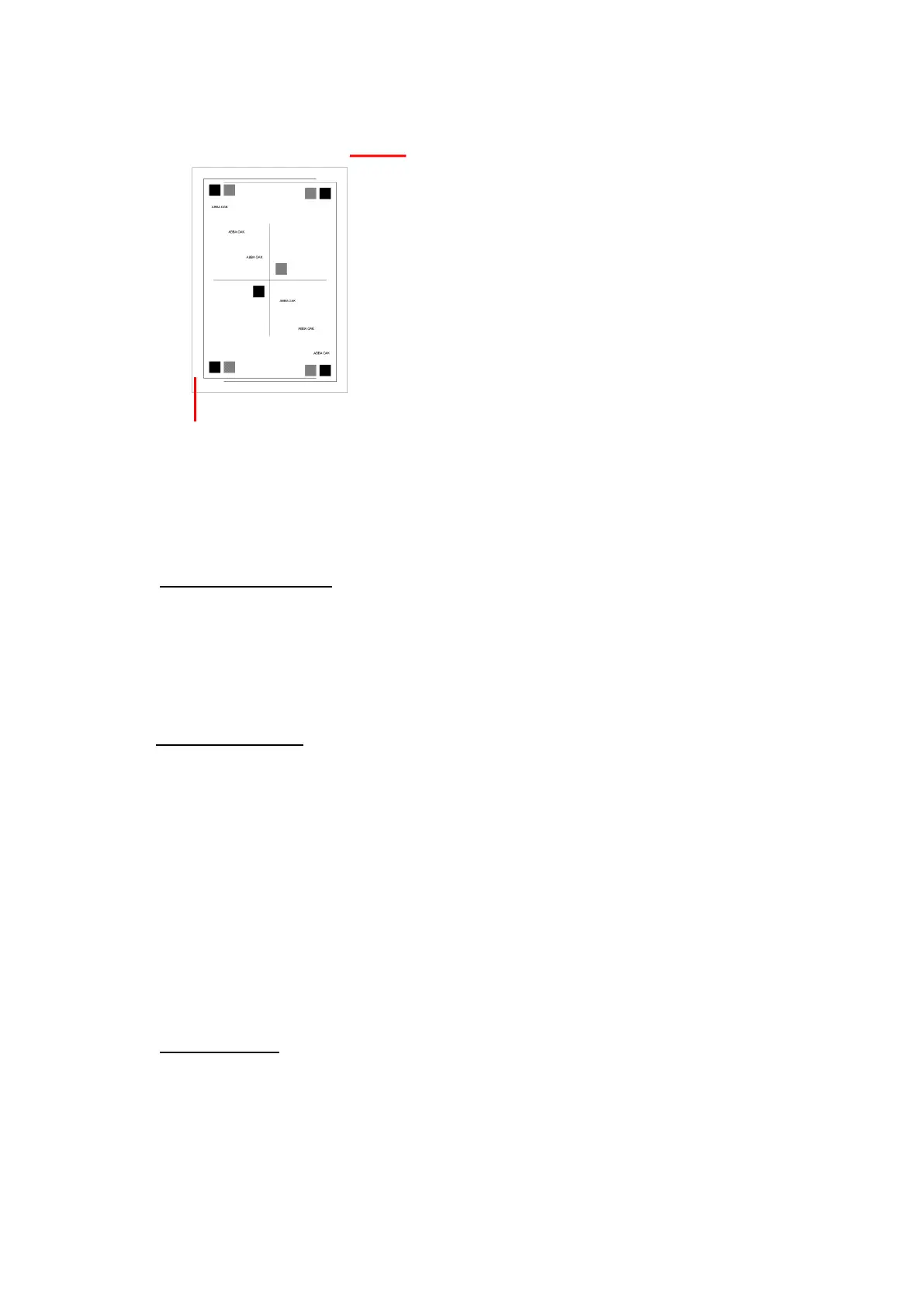
Adjusting Top Margin +5 makes the image to move up 5*
0.25=1.25mm
Adjusting Top Margin -5 makes the image to move down 5*
0.25=1.25mm
Adjusting Top Margin +5 makes the image to move to the left 5*
0.25=1.25mm
Adjusting Top Margin -5 makes the image to move to the right 5*
0.25=1.25mm



 To Next Page