170
Paper Jam
Most of the paper jam occurs owing to improper paper quality or invalid paper
stackup. If a paper jam ocurs and the paper jam message appears, you need to clear
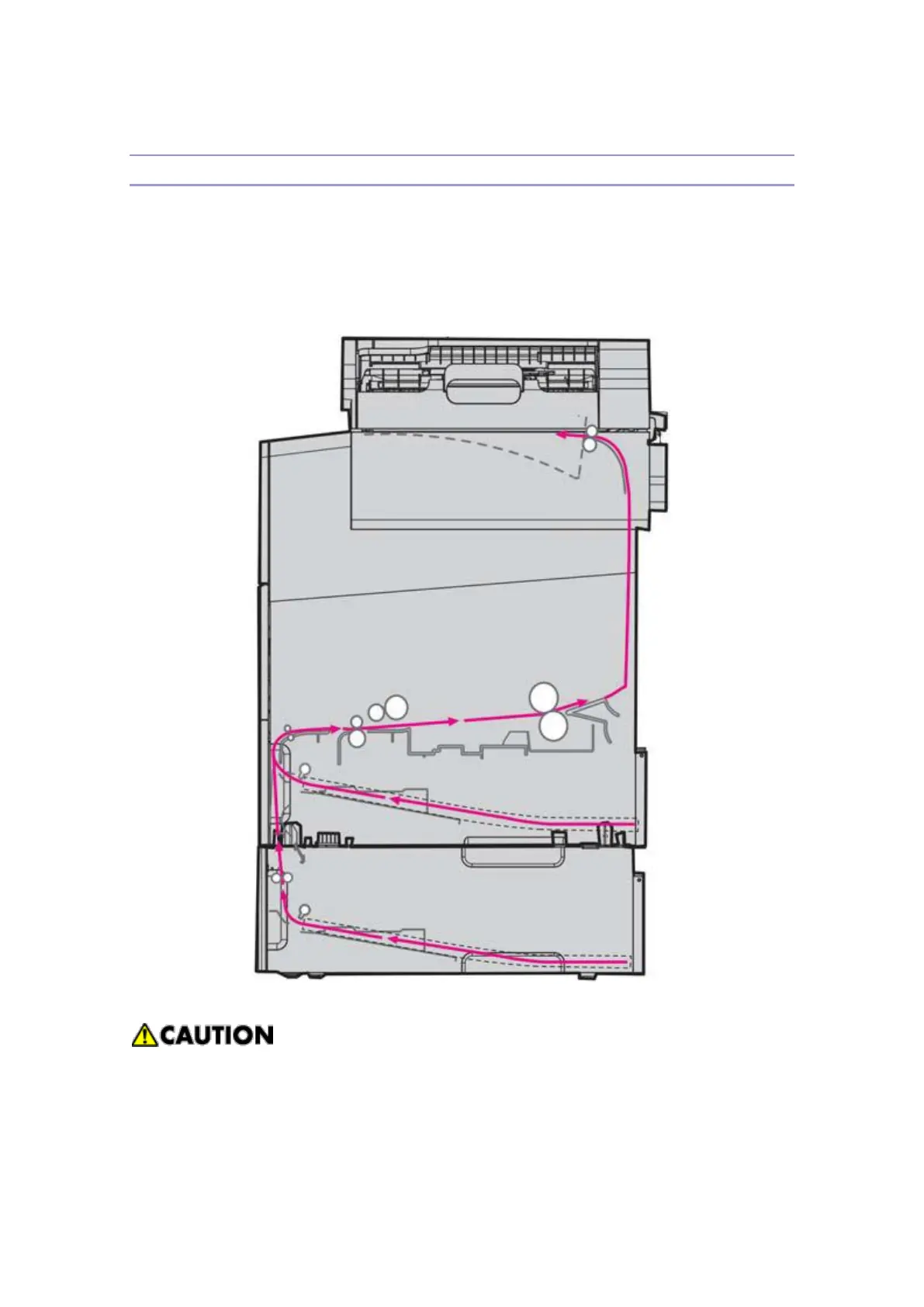
all the print paper stuck on the whoel paper path. The following figure shows the
paper path inside themachine. The paper path is subject to change upon the paper
trays(base unit, optional tray and MPT) and the paper exit directions. For detailed
informaton refer to "Paper Jam Message"
Pull the jammed paper softly and slowly not to be torn off. If possible, use your
both hands with uniform strength to remove the paper stuck in.
The following figure shows the paper path inside ADF. The paper path is the typical
path "C". For how to remove the original document jammed in ADF, refer to the



 To Next Page