204
Optional Tray Firmware Upgrade (Download)
Preliminary Environment Setting(1st step)
A download program(FlashSta) should be installed in the PC, and
Pinetreebank_vXX.XX.XX.mot file and Pinetreebank_vXX.XX.XX.id file should be located
in the same directory. (vXX.XX.XX is F/W version)
The following should be done before executing the download programe.
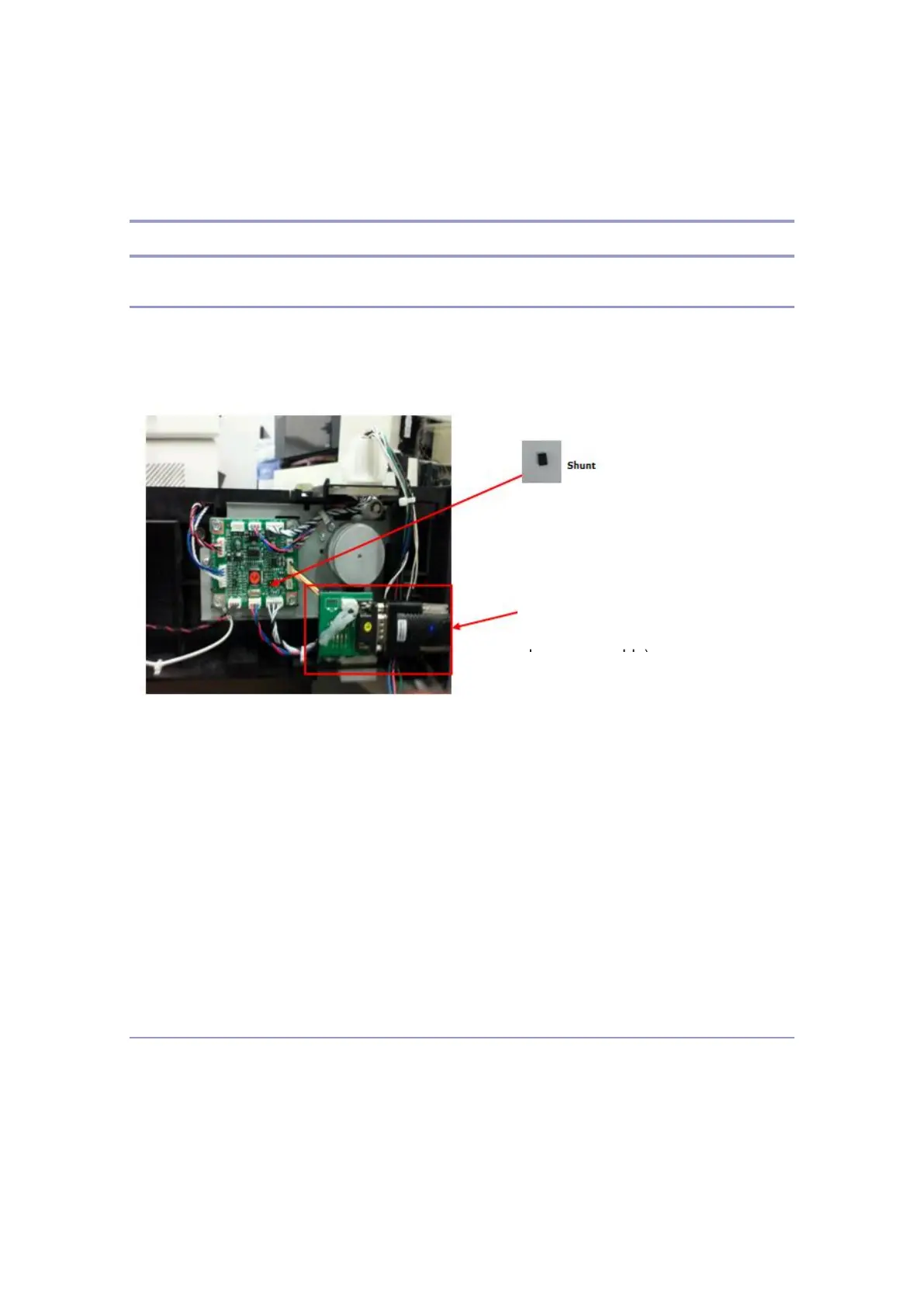
1. After turning the power off, insert the shunt to a location on the Tray board as
shown in the above picture.
2. Install the download cable 1Set as shown in the picture, and connect it to the serial
port of the PC.
3. Turn the power on if the environment setting is completed as the above picure.
Download Program(2nd step)
If the 1st step is completed, execute FlashSta.exe file in the PC. Download process is as
follow.(144 Page)
download cable 1set
(Communication board +
harness + cable)



 To Next Page