
 Need help?
Do you have a question about the Sintratec S1 and is the answer not in the manual?
Guidelines for proper and safe start-up, operation, and maintenance of the device.
Sintratec AG contact details including address, phone, and email.
Information on obtaining additional support and resources from Sintratec.
Explanation of abbreviations, symbols, and presentation methods used in the manual.
Defines the scope of the device's conformity and intended use.
Lists relevant documents for the device's use, including software documentation.
Information regarding warranty claims, conditions, and limitations.
Overview of important safety aspects for personnel protection and device safety.
Highlights the necessity of reading and adhering to the manual and relevant regulations.
Specifies the authorized usage of the device according to manual and technical specifications.
Details prohibited modifications and operations, and states manufacturer's non-liability.
Explains signal-word panels (DANGER, WARNING, CAUTION, NOTICE) for hazard communication.
Identifies warning labels affixed to the device and their meanings.
Describes the device's safety features like main switch, door-monitoring switch, and safety thermostat.
Prohibits device modifications that impair safety without manufacturer consent.
General advice on safe working practices, including using PPE and following regulations.
Basic safety information on hazards like electrical energy and laser radiation.
Details risks associated with live components and safe work practices for electrical systems.
Highlights risks of severe eye/skin damage from high-energy laser beam exposure.
Warns of burn risks from high temperatures inside the device and hot print objects.
Alerts to injury risks from moving parts inside the device during operation.
Covers risks from powder dust inhalation and toxic gases from overheating/fire.
Addresses risks of contaminating soil/water with auxiliary materials and proper disposal.
Procedure for deactivating the device in emergency situations involving risk to life or limb.
Specifications related to print object dimensions, volume, and laser scanning speed.
Details on the type of powder used and recommendations for alternatives.
Required computer specifications for operating the Sintratec Central print software.
Details the information found on the device's nameplate, including model and serial number.
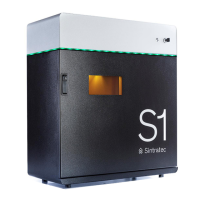
Illustrates and labels the main components of the Sintratec S1 device.
Explains the laser sintering process, layer building, software control, and pre-heating system.
Safety precautions related to the high load and lifting of the device.
Conditions for temporary storage of the device to maintain its integrity.
Step-by-step guide for safely unpacking the device from its pallet.
Procedure for inspecting the device for transport damage and verifying delivery completeness.
Lists the items included with the Sintratec S1 device.
Guidelines for selecting a stable installation location and proper positioning of the device.
Instructions for downloading and installing the essential print software on a computer.
Details on connecting the device to the mains power supply, including socket requirements.
Instructions for connecting the device to the computer via USB and inserting the SD card.
Steps for powering on the device and computer for the first time and initial detection.
Safety measures required during operation, including specific PPE.
Lists materials and items needed for the printing process.
Outlines the main steps involved in the laser sintering printing process.
Step-by-step guide for powering on the Sintratec S1 and starting the software.
Instructions for loading powder into the print and powder containers using the software.
Procedure for loading STL files for print objects and preparing them for calibration.
Guidance on selecting and setting print parameters for optimal results.
Steps to initiate the printing process, including heating-up, powder laying, and sintering.
Procedure for safely removing the finished print object and initial cleaning steps.
Tasks to be performed after each printing process, such as emptying containers and cleaning glass.
Method for re-calibrating the device to optimize print object dimensional accuracy.
Instructions for sieving and mixing residual powder for re-use in printing.
General safety warnings for working on the device, including electrical and burn hazards.
Details on cleaning intervals, auxiliary materials, and specific cleaning procedures.
Specifies necessary PPE for maintenance and servicing tasks, including goggles and gloves.
Defines when specific cleaning tasks should be performed (after printing or as required).
Lists the required tools and materials for performing cleaning tasks on the device.
Step-by-step guide to safely remove and empty the excess powder container.
Procedure for removing and emptying the collecting tray to maintain cleanliness.
Instructions for cleaning the laser's glass cover to ensure optimal laser performance.
Procedure for cleaning the internal working area of the device, avoiding compressed air.
Guidance on cleaning the inspection glass for better visibility of the working section.
Steps to clean the rear section of the device, including drive units and heating elements.
Details maintenance intervals and tasks like filter replacement and part replacements.
Specifies intervals for routine maintenance based on operating hours or time periods.
Instructions for replacing a worn platform, potentially due to seal wear.
Procedure for replacing the rear container wall, possibly due to seal wear.
Step-by-step guide for removing old fan filters and installing new ones.
Safety warnings applicable when diagnosing and addressing faults or problems.
General procedure for handling faults, including deactivation and seeking support.
Information on how to order spare parts, emphasizing the use of original parts.
Lists available spare parts for the Sintratec S1 device.
Safety precautions during shutdown and disposal, covering electrical and burn hazards.
Specifies necessary PPE for shutdown and disposal procedures.
Guidance on proper disposal of the device and its components according to regulations.
Details on device components and recommendations for their recycling or disposal.
 General
| Technology | Selective Laser Sintering (SLS) |
|---|---|
| Layer Thickness | 0.1 mm |
| Connectivity | USB, Ethernet |
| Laser Type | Diode Laser |
| Material Compatibility | TPU |
| Layer Resolution | 100 µm |
| Print Speed | 20 mm/h |
| Operating System | Windows |
| Power Requirements | 230 V / 16 A |

 To Next Page