Installation and start-up
Sintratec S1 BA_S1_en 1.1 33 / 76
Pos: 121 /Sintratec /Überschrift en/2. Ebene/A - D /Datenanschl uss @ 3\mod_1 464101388073 _6556.docx @ 9422 @ 2 @ 1
6.9 Data connection
Pos: 122 /Sintratec /Kap./Montag e und Anschlüss e/Datenansc hluss S1 Bild @ 3\mod_146 4100986897_6556 .docx @ 9418 @ @ 1
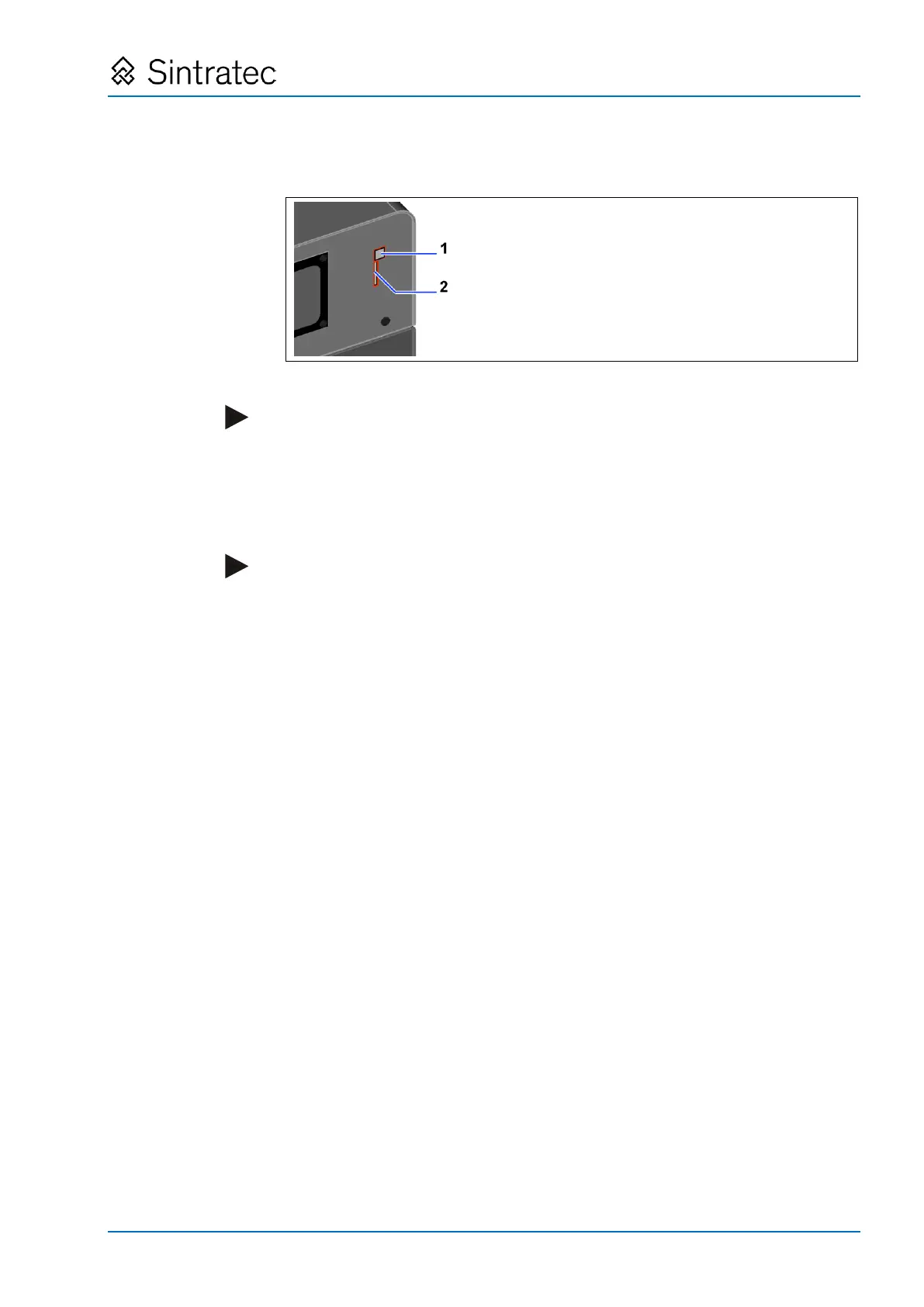
: Data connection point, SD card slot
Pos: 123 /Sintratec /Kap./Montag e und Anschlüss e/Datenansc hluss Text @ 3\ mod_1469019 967407_6556.d ocx @ 10356 @ @ 1
Note
Establish a data connection only after the computer has been set up and both
"Sintratec Central" and the USB driver have been installed.
1. Connect the USB cable to the device (1) and to the computer where "Sintratec
Central" is installed.
2. Insert the SD card (2).
Note
Configuration and production data are stored on the SD card.
The supplied SD card is blank prior to use.
Pos: 124 /Sintratec /+++++++ + Seitenumbruch ++++ ++++ @ 3\ mod_146398 1070991_0.docx @ 7762 @ @ 1


 To Next Page