Operation
Sintratec S1 BA_S1_en 1.1 45 / 76
Pos: 148 /Sintratec /Kap./Betrie b/Reinigung S1 @ 3\mod_1466 158322255_65 56.docx @ 9 581 @ 3 @ 1
7.3.7 Cleaning the device
The following cleaning tasks are to be performed after each printing process:
• empty excess powder container
• empty collecting tray
• clean glass cover of laser
For information on the procedure, see the "Cleaning" section.
Pos: 149 /Sintratec /Kap./Betrie b/Analyse und N achskalierung @ 3\mod_1466 158616771_6 556.docx @ 95 86 @ 3 @ 1
7.3.8 Analysis and re-calibration
To optimise the dimensional accuracy of the print objects, the device can be re-
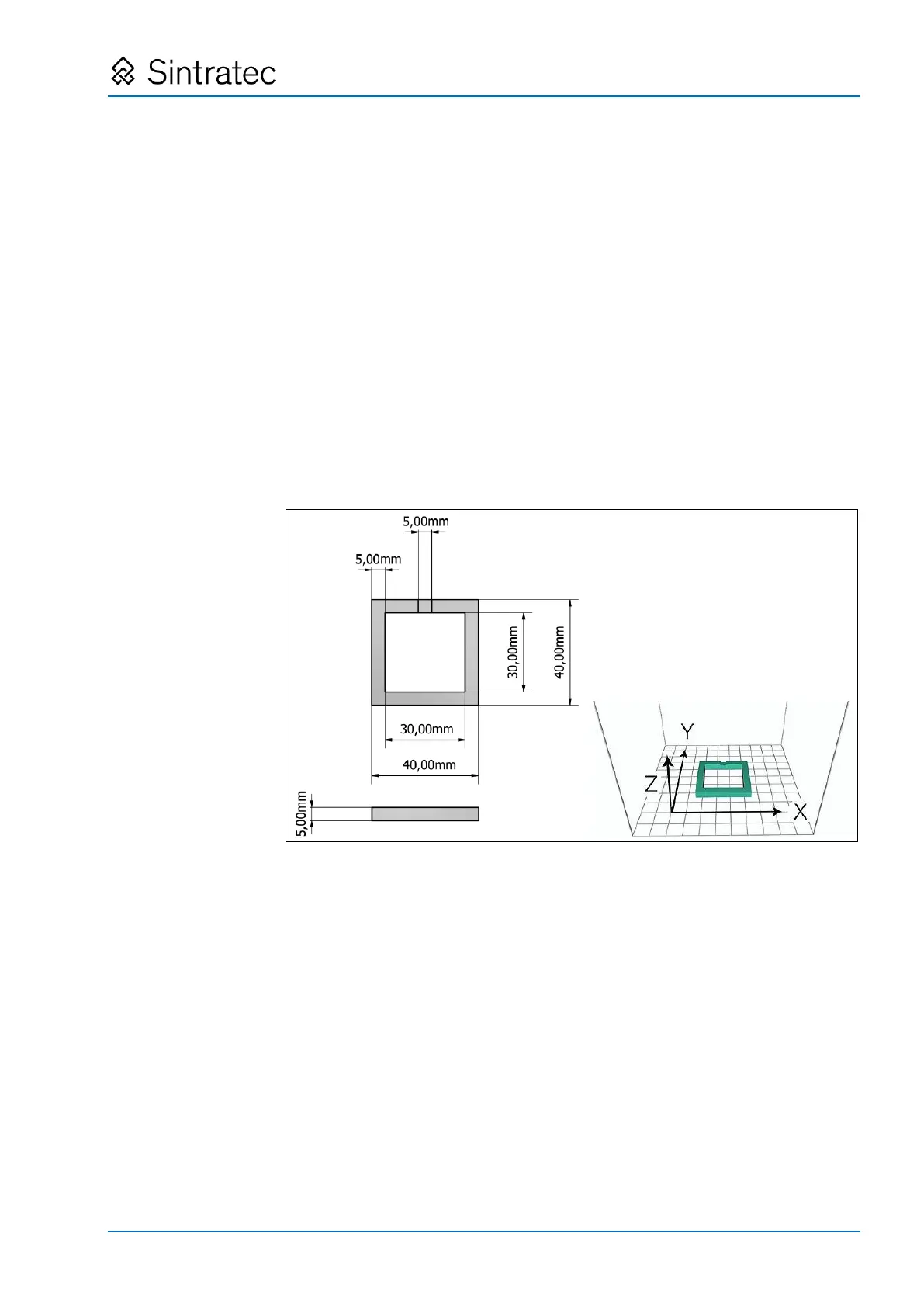
calibrated if required. To this end, the actual measurements of the sample print
object are compared with the target measurements, so that the required correction
factor can be determined.
1. Measure the sample print object.
2. Compare the actual measurements with the target measurements.
: Target measurements and orientation of the sample print object
3. In "Sintratec Central", select the "4. Print" tab.
4. Press the "Calibrate" button.
The "Calibrate" window appears. Here the current correction values are displayed.
5. Press the "Calculate" button.
The calculator application is opened.
6. Enter the actual and target measurements.


 To Next Page