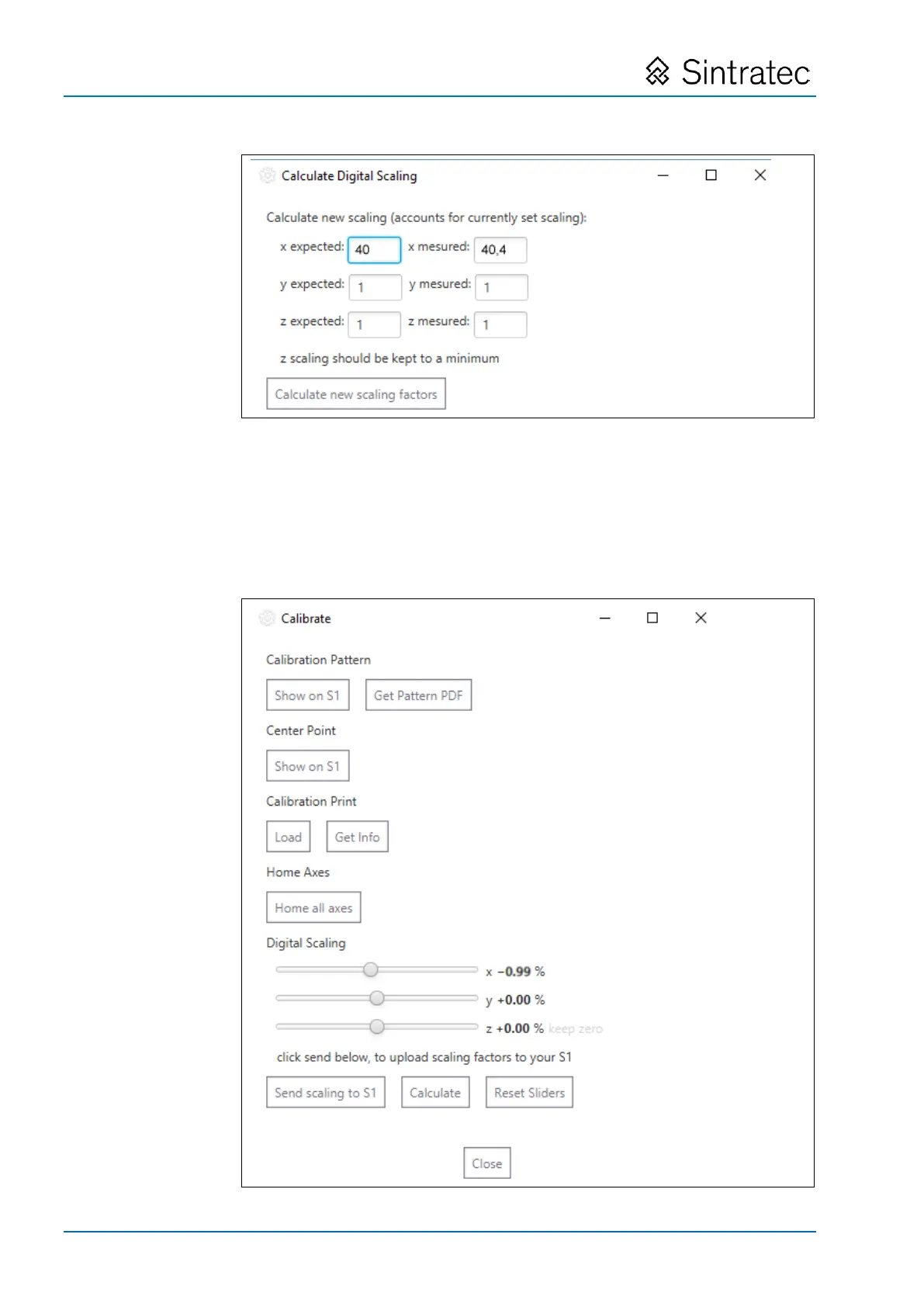
: Input mask with actual and target values entered (example)
In the above example, the sample print object measures 40.4 mm in the X-direction
instead of 40 mm. If there are discrepancies in any of the other axis directions,
then the relevant values are also to be entered.
7. To calculate the correction factors, press the "Calculate new scaling factors"
button.
The correction factors are displayed. Here also correction factors which were
previously effective are taken into account in the calculations.


 To Next Page