Cleaning and servicing
50 / 76 Sintratec S1 BA_S1_en 1.1
Pos: 167 /docug lobe CE-Expert/Ü berschriften/ 2. Ebene/Q - T/Reinigung @ 3\mod_1464 086796958_655 6.docx @ 9331 @ 2 @ 1
8.2 Cleaning
Pos: 168 /Sintratec /Kap./Reinigung & Instandh altung/Reinigungsi ntervalle S1 @ 3\mod_1 46605680048 0_6556.docx @ 94 28 @ 3 @ 1
8.2.1 Cleaning intervals
After each printing process
• empty excess powder container
• empty collecting tray
• clean glass cover of laser
• clean working section
• clean inspection glass in door
• clean rear section (drive units)
Pos: 169 /Sintratec /Kap./Reinigu ng & Instand haltung/Hilfsmit tel @ 3\mod_ 14665186495 69_6556.docx @ 9 718 @ 3 @ 1
8.2.2 Auxiliary materials
The following auxiliary materials are to be provided for the cleaning work:
• Clean container for residual powder
• Brushes
• Small brushes
• Vacuum cleaner for powder (recommended) (small bag-free vacuum cleaner
suitable for removing powder)
Pos: 170 /Sintratec /Kap./Reinigung & Instandh altung/Restpulverb ehälter leer en S1 @ 3\ mod_1466057299 994_6556.doc x @ 9433 @ 3 @ 1
8.2.3 Emptying the excess powder container
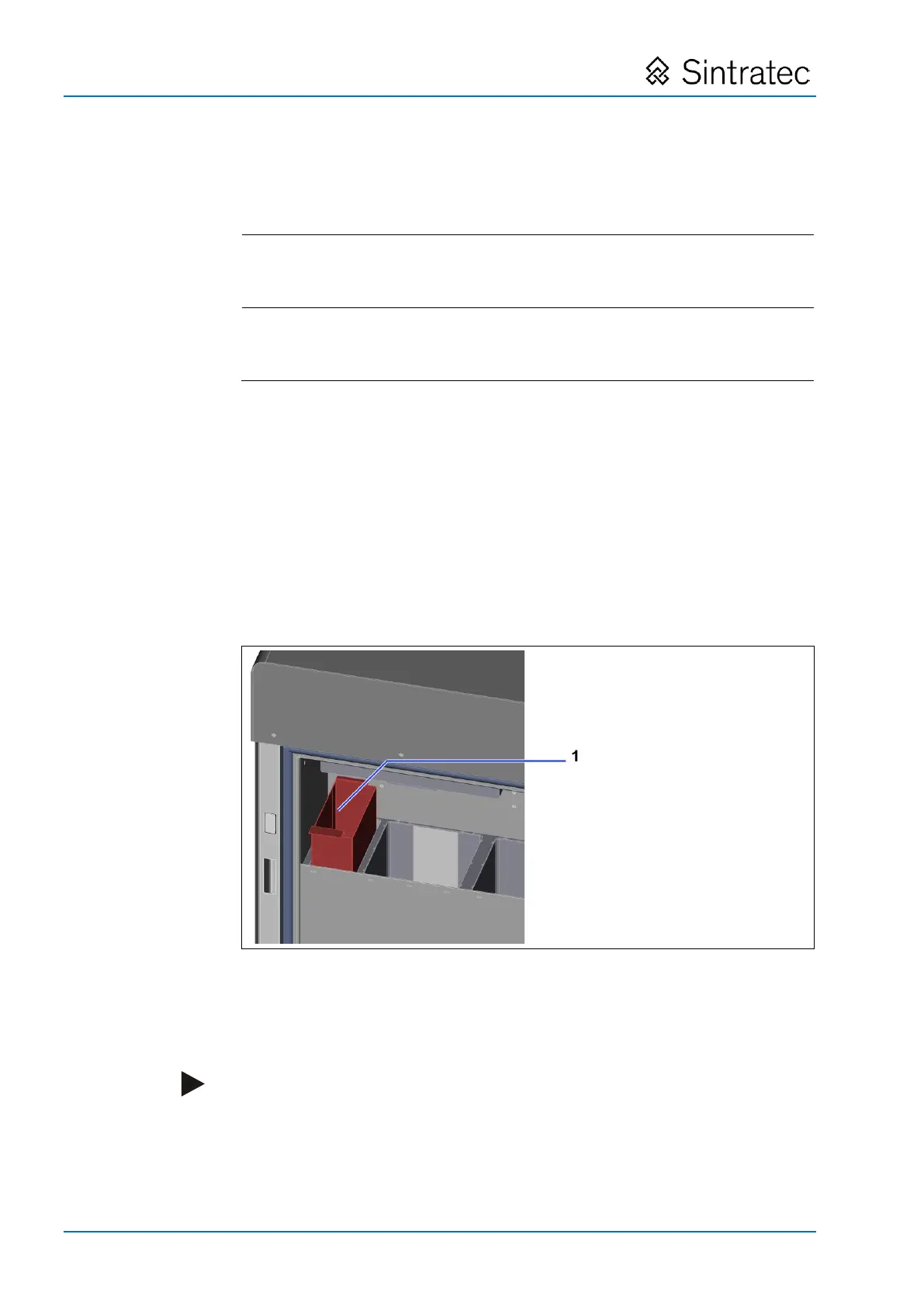
: Emptying the excess powder container
1. Open the door.
2. Lift out the excess powder container (1) and empty it into a clean container.
3. Place the excess powder container back in the device.
Note
Residual powder can be re-used after treatment (see "Treating the residual
powder" section).
For information on disposal of residual powder: see "Disposal" section.
Pos: 171 /Sintratec /+++++++ + Seitenumbruch ++++ ++++ @ 3\ mod_146398 1070991_0.docx @ 7762 @ @ 1


 To Next Page