Operation
Sintratec S1 BA_S1_en 1.1 43 / 76
Pos: 145 /Sintratec /Kap./Betrie b/Printvorgang st arten @ 3\m od_14661575 27251_6556.doc x @ 9571 @ 3 @ 1
7.3.5 Starting the printing process
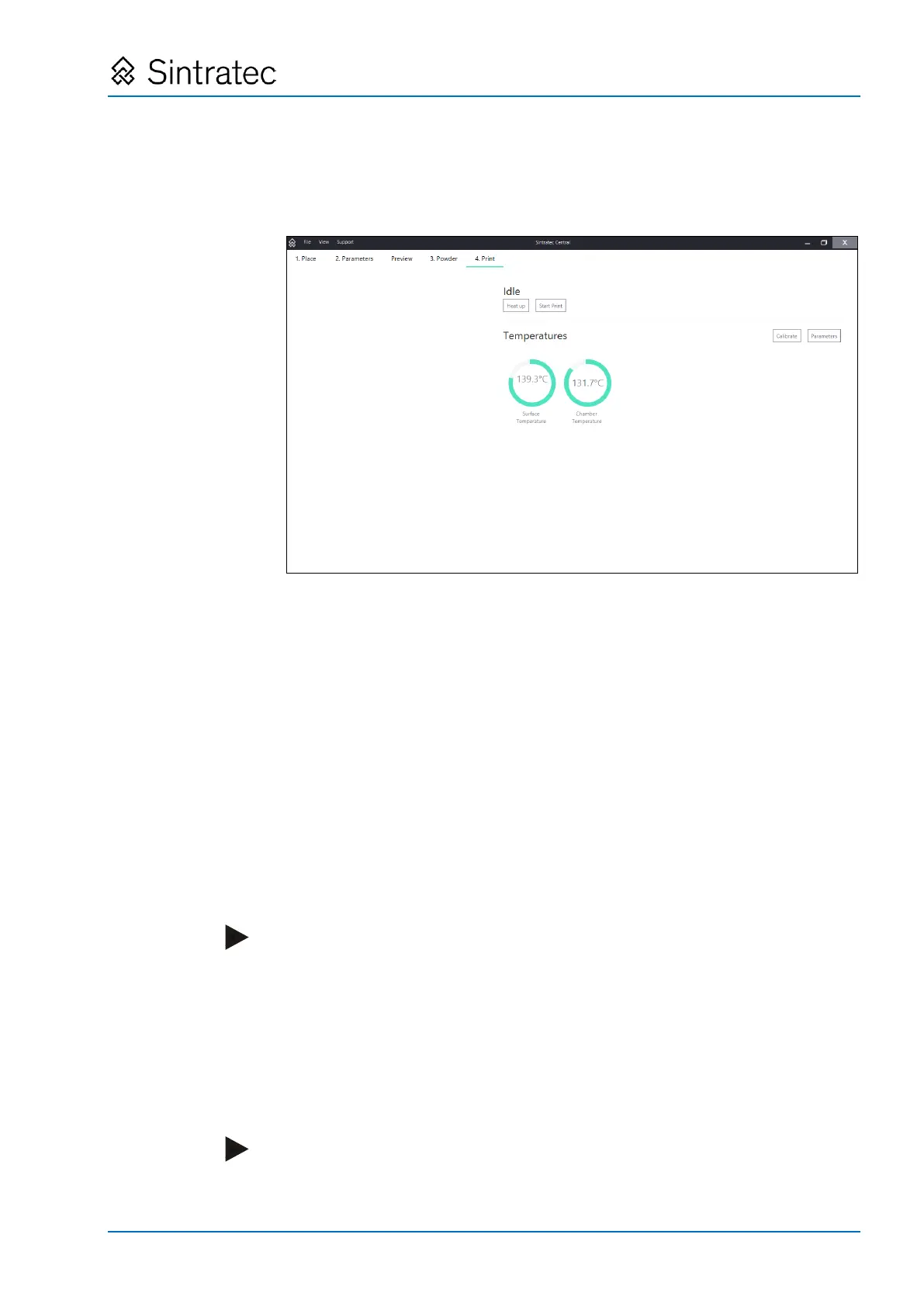
1. In "Sintratec Central", select the "4. Print" tab.
Fig.
: "4. Print" tab
2. Click on the "Start Print" button.
3. Set the "Enable laser" key switch to ON (white lamp lights up).
"Sintratec Central" starts loading data to the device. This action lasts a few
seconds.
Afterwards, the whole printing process is executed automatically and no
intervention by the operator is necessary.
Steps of the process:
• Heating-up of device and powder
The heating-up operation lasts a while, with the exact duration dependent on
the starting temperature (up to 2 hours for an initially cold device).
"Sintratec Central" indicates the temperatures and the remaining heating-up
duration.
• Laying and heating-up of powder bed
The device lays down some layers of hot powder as a bed for the print object.
Note
A well-laid and hot powder bed is crucial for ensuring a good printing result.
Experienced operators can cancel the heating-up operation for the device and
the powder and initiate the process, even if the set temperature has not been
reached. Bear in mind, however, that this can have an adverse effect on the
printing result.
• Sintering
During this step, the laser selectively melts the powder layer by layer, and builds
the print object in this manner.
Note
The powder surrounding the print object is not melted and much of it can be re-
used after treatment.


 To Next Page