Operation
42 / 76 Sintratec S1 BA_S1_en 1.1
Showing the preview (optional)
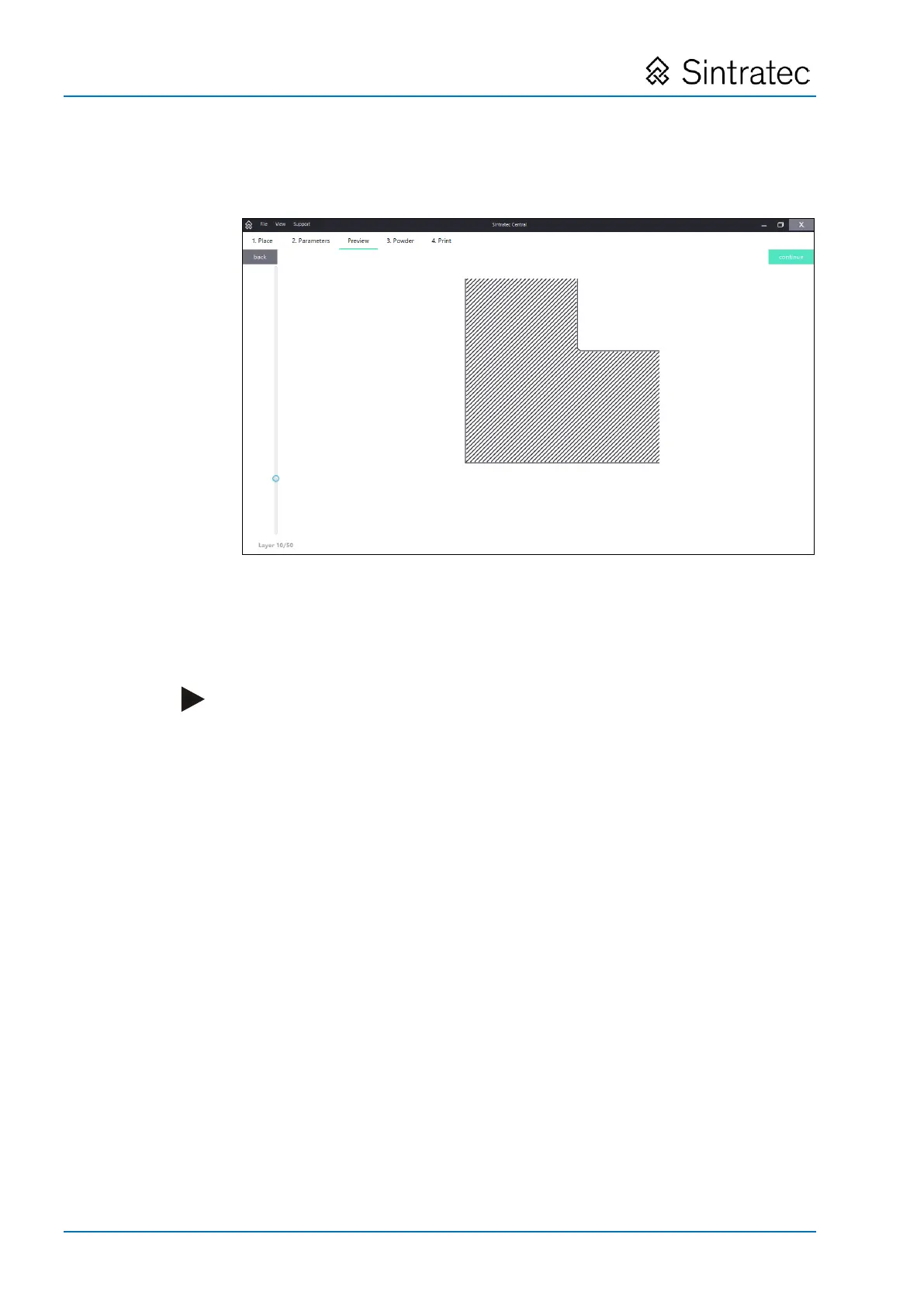
1. Select the "Preview" tab.
Fig.
: "Preview" tab.
2. Use the scroll bar to navigate through the various layers.
Each layer indicates the paths of the laser beam as applied to the powder layer for
sintering.
Note
We recommend always using the "Preview" option and checking the displayed
images. If laser paths lying outside the contours of the print object are shown,
this is indicative of a corrupt STL file.
If you spot such a problem and correct the file before the printing process is
started, time and money can be saved.
Pos: 144 /Sintratec /++++++++ Seitenumbruch ++++++++ @ 3\mod_146 3981070991_0. docx @ 7762 @ @ 1


 To Next Page