ALC404 LIGHTING TOWER CONTROLLER USER MANUAL
ALC404 Lighting Tower Controller 2018-11-06 Version 1.1 Page 22 of 83
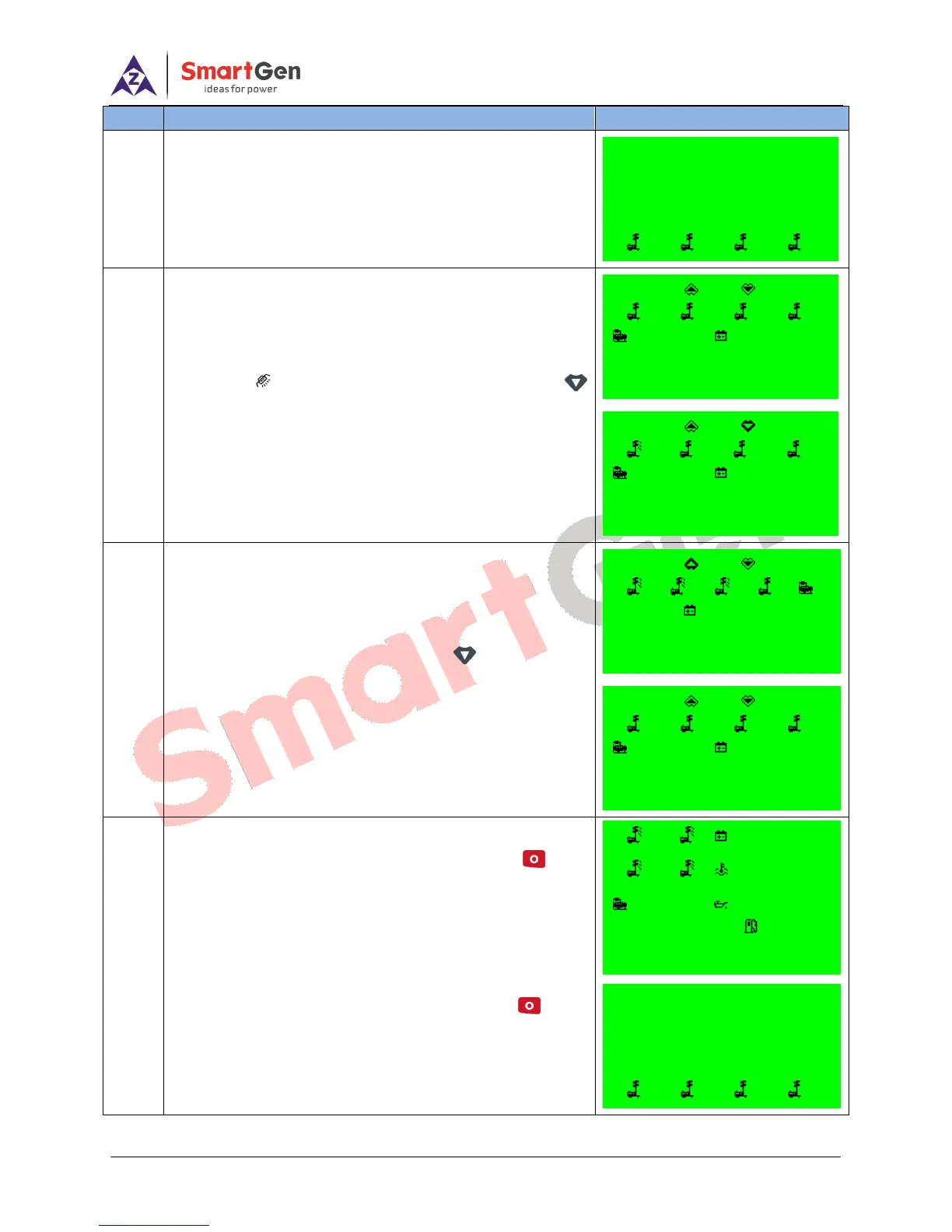
If light tower set high-speed warming up is over,
meanwhile, engine speed, generator voltage and frequency
has reached on-load requirements (speed ≥ on-load speed,
voltage ≥ on-load voltage and frequency ≥ on-load
frequency), and then light tower set enters into normal
running process.
Press enters into Light On/Off screen, press
1#~4# lights will illuminate in proper order (press once, one
light on).
If manually turn off the light, press in Light On/Off
screen, 4#~1# lights will off in proper order (press once, one
light off).
If users need to stop the light tower set, press , 1#~
4# lights will off in proper order when all lights are in
illuminated status, and the extinguishing interval delay can be
set as 1s~300s (can be configured). The light tower set
begin stopping when the lights are off. Press again
during this procedure will lead to all lights off at the same time
and controller enters into ETS status.
Manual Mode
Manual Stop
Current Time 07:00:10
Cooling Time 59s
1 2 3 4
1 2 24.0V
3 4 80℃
399V 400kPa
F = 50.0Hz 80%
4# Lamp Off Delay 2s
o c
1 2 3 4
399V 24.0V
F = 50.0Hz 0.0kW
Gens Normal Running
o c
1 2 3 4
399V 24.0V
F = 50.0Hz 10.3kW
4# Lamp Off
o c
1 2 3 4
399V 24.0V
F = 50.0Hz 3.4kW
1# Lamp Off
o c
1 2 3 4
399V 24.0V
F = 50.0Hz 0.0kW
Gens Normal Running
Manual Mode
Manual Start
Current Time 17:00:58
Gens Normal Running
1 2 3 4






 To Next Page