ALC404 LIGHTING TOWER CONTROLLER USER MANUAL
ALC404 Lighting Tower Controller 2018-11-06 Version 1.1 Page 70 of 83
by pressing key and key to increase and decrease
the value. Press key to confirm setting and the bit will
right move automatically. Number ―1‖ in the parenthesis is the
week information. It is set by the microprocessor based on
current date, so the user does not need to modify it.
NOTE:Press at any time during setting process can interrupt current setting and return to the main menue.
8.4 LANGUAGE SELECTION
In this screen, Chinese and English can be optional.
8.5 EVENT LOG
Maximum 99 pieces of event logs (time of start/stop and fault shutdown events) can be circularly stored
into ALC404 controller, and fault shutdown events include fault shutdown type and occurs time and date. If
the alarm records are more than 99 pieces, then the latest record will replace the oldest one. Event log
display please to see the following table,
Table 31 – Event Logs
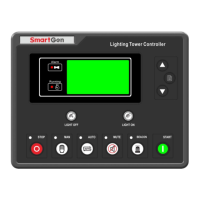
Press in main screen, and then select Event Log, press
again to inquiry the event log (See right picture). Press
and to read records and or to exit directly.
Event Log
03/29
Remote Start
2017-12-04 08:17:09
Event Log
02/29
Fail to Start Shutdown
2017-12-04 08:13:09
Event Log
01/29
Manual Start
2017-12-04 08:12:09






 To Next Page